Android phone devices entail many features that enhance the ordinary calling experience. The level of innovation reaches equivalents of utmost dexterity and with features that enable users to see the person as they talk, and have multiple users viewing each other through video conferencing, using data plans to make calls as against phone numbers, communicating through means other than what your service provider provides for calling etc. But here we ponder down to a question about what happens when the basics of calling are to be played around with and a whole new level of utility of this communication information can be added. This is where the
Auto Call Recorder app steps in to preserve your audio call data on your Android smartphones and recover them whenever you need them.
A feature available only in a few phones many years ago, the call recording functionality has gained prominence once again thanks to the influx of smartphones and apps that can harness and manage the lightning-paced flow of information that surrounds us.
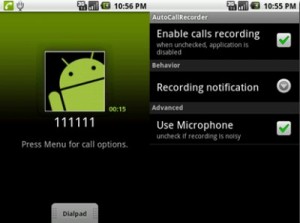
The Auto Call Recorder allows Android enabled users to record conversations within the call whilst they are on it. A pretty cool feature, especially when conversations that were important to individuals weren’t able to be recalled. There is in fact only so much the human mind could do and thus to circumvent this problem and to find a resolution, Auto Call Recorder lets you record conversations that you have had with your contacts.
This helps in many cases, say for instance when an overbearing client is listing a huge list of tasks and you have no paper pencil with you to jot that down, or when your boss is dictating important meeting minutes that you may have missed out, or when you’re in the middle of a long line at the grocery store and are being told what all to buy. You can even use it to expose a
two-faced individual to your friends by exposing their true nature via a recorded call. The situations are countless and the purpose served is universal and provides utmost utility to those who need it.
The Auto Call Recorder Android app comes with an in-built inbox and a saved calls list. This is your database and everything that you have collected in formats of voice calls are saved here.
You can choose the ones that you would like to save as all the conversations are auto-saved in to the inbox.
There are three main features that enable call recording and make life easy.
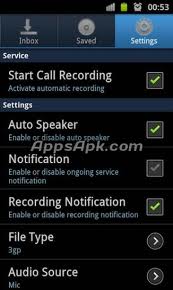
To save on multiple confusions and to eliminate the task of pressing the record button, when the call is on you can execute one of the following three commands via the Auto Call Recorder app interface:
- Record everything (default) – Here you can specifically pick the calls that you wish must not be recorded, as all the other calls are then recorded and saved to the inbox.
- Ignore everything – the complete opposite where all the calls are ignored except for the ones that you pre-select.
- Ignore contacts – A little twist with an extension of the above feature wherein all calls from contacts are ignored and only the pre-chosen calls are recorded and in addition to that calls from unknown numbers are recorded as well.
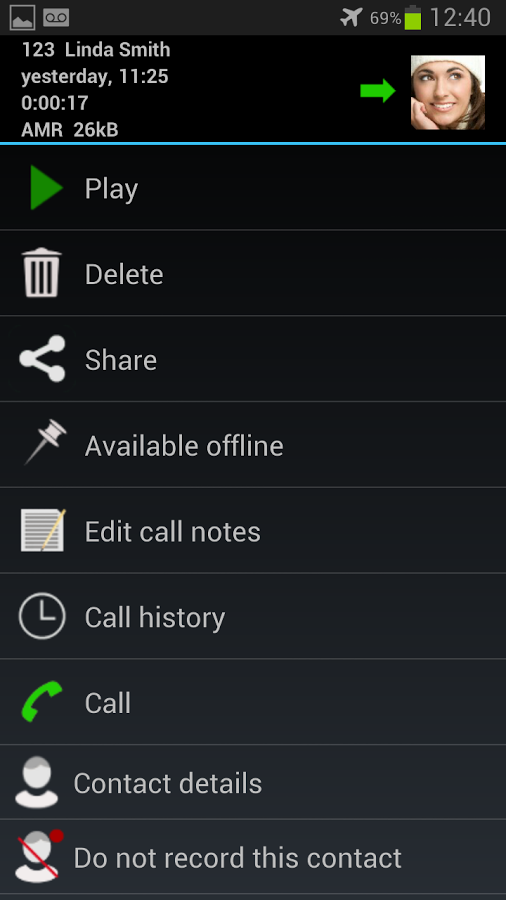
Thus the usage is pretty easy and everything is set before the actual call is made or received. Also this way the problem of forgetting to hit the button for recording when the call is eliminated as everything is set well in advance.
It has already earned celebrity status on Google Play Store after being unanimously hailed by critics and users alike and spoken about as one of the best in call recording apps in the market. The fact that the Auto Call Recorder Android app is absolutely free and only takes about 1.5 MB in size to download makes it a must-have utility app for your smartphone.