

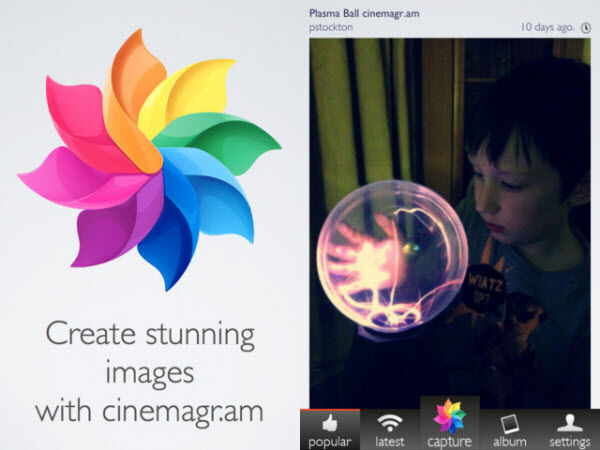
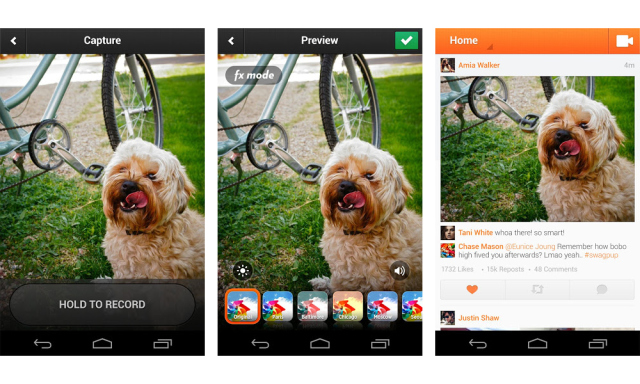
 The Cinemagram Android app utilizes an interface that nearly mirrors the one used by the popular ‘Instagram’ app and gives you a host of exciting add-on features and effects that are way more elaborate than it to give you a ton of new reasons to switch to this funky new photo and video editing app.
 Once you take a recording of a moving object, you can add in your elaborate creative effects layer by layer.
You can pick any areas that you would like to be still in your images and define the ones you want to move.
This could be a picture of your eye balls rolling and everything around it being still or a picture of a ball bouncing on the palm of your hand if manoeuvred correctly.
The best captured images are when you have a tripod stand to click pictures that are still and steady as a rock.
Once you have created your master piece, go ahead and add in any effect that you feel will enhance the theme of the edited image, just as you would find in other top image editing apps. These could include different color tones to your image, and sepia, negative, black and white modes, etc.
Then take the next step and join the network that supports it to enjoy a one-of-a-kind feel of being part of a socially integrated platform to share your created gifs and post encouraging or comedic anecdotes.
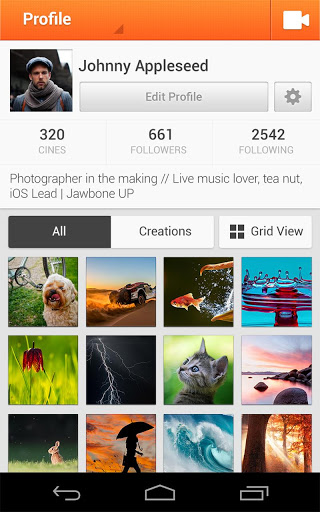
Your Cinemagram app home page shows a profile picture of you along with your list of followers, the people whom you follow and the number of gifs you gave shared with the world.
On entering each .gif file, the picture moves within itself as created by the user and displays the number of likes and comments right
Once you take a recording of a moving object, you can add in your elaborate creative effects layer by layer.
You can pick any areas that you would like to be still in your images and define the ones you want to move.
This could be a picture of your eye balls rolling and everything around it being still or a picture of a ball bouncing on the palm of your hand if manoeuvred correctly.
The best captured images are when you have a tripod stand to click pictures that are still and steady as a rock.
Once you have created your master piece, go ahead and add in any effect that you feel will enhance the theme of the edited image, just as you would find in other top image editing apps. These could include different color tones to your image, and sepia, negative, black and white modes, etc.
Then take the next step and join the network that supports it to enjoy a one-of-a-kind feel of being part of a socially integrated platform to share your created gifs and post encouraging or comedic anecdotes.
Your Cinemagram app home page shows a profile picture of you along with your list of followers, the people whom you follow and the number of gifs you gave shared with the world.
On entering each .gif file, the picture moves within itself as created by the user and displays the number of likes and comments right  under it. You can also repo=t the gif onto your profile for your followers to see just like in Twitter.
Use hashtags to tags your pictures when you upload them the idea is simple, it gives you better visibility and people looking for similar gifs can be redirected to your profile. This helps you get more followers and loyalists.
The discover tab at the drop down at the top of the screen will let you search hashtags that trend and that people are tagging and using the most in their .gifs. This enables you to know more of what is happening around you in a different way all together.
Check out the news tab to see your entire activity feed which will show you exactly what’s going on around Cinemagram and what are the hottest trending shared files in your community. You can view all your incoming and outgoing messages in the ‘messages tab’.
So that’s Cinemagram for you. It is an uber cool image editor that creates the most fascinating animations for you to enjoy. So if you’re looking for the ultimate app that will help you get ‘.giffy’ in a jiffy, then Cinemagram is just the right photo editing app for you. Download it from Google Play Store right away!
under it. You can also repo=t the gif onto your profile for your followers to see just like in Twitter.
Use hashtags to tags your pictures when you upload them the idea is simple, it gives you better visibility and people looking for similar gifs can be redirected to your profile. This helps you get more followers and loyalists.
The discover tab at the drop down at the top of the screen will let you search hashtags that trend and that people are tagging and using the most in their .gifs. This enables you to know more of what is happening around you in a different way all together.
Check out the news tab to see your entire activity feed which will show you exactly what’s going on around Cinemagram and what are the hottest trending shared files in your community. You can view all your incoming and outgoing messages in the ‘messages tab’.
So that’s Cinemagram for you. It is an uber cool image editor that creates the most fascinating animations for you to enjoy. So if you’re looking for the ultimate app that will help you get ‘.giffy’ in a jiffy, then Cinemagram is just the right photo editing app for you. Download it from Google Play Store right away!