Photo images come alive when applied effects to. And when given the liberty to act like the guy behind all those quirky images behind the photo lab in the dim red light, you tend to take on the character and responsibility all the more. Luckily, you can do all this and much more by adding a simple app to your Android device and ensure you have photo engineer-level images that reek simplicity and sophistication all at the same time and make your images come alive. With
Photo Booth Effects, you can master your own craft and create imagery that instantly catches your eye.
The interface is rather simplistic as against its peers in the android space and the learning curve to this one’s a breeze.
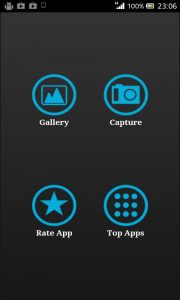
On launching the Photo Booth Effects app, the first thing you see is the homepage that gives you the following four options:
- Gallery
- Capture
- Rate apps
- Top Apps
This means that the Photo Booth Effects app enables you to pick any pictures from the gallery and use them to experiment and hone your amateur skills on.
You can further take an instant picture and go around embellishing it with Photo Booth and its aligned effects.
The app is great of instant effects to be added to them.
It can be used for all kinds of images including landscapes, portraits, abstract images, images taken while travelling and in motion.
Once you get your hands on this app and get used to its intricate features you understand what effect to apply when.
Another great feature of the app is the fact that it stores your images to the SD card in a separate folder.
This is an integral feature in the long run as viruses and other malware on the run and your images are still secure as your SD card has securely stored them.
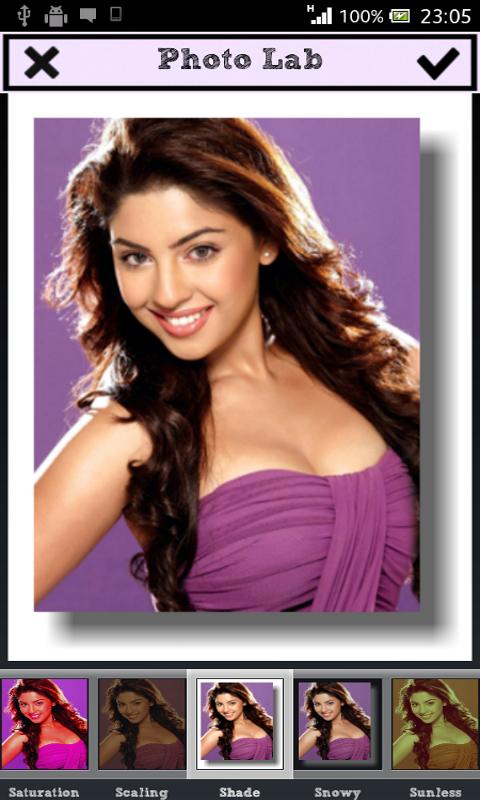
For the effects this app has integrated frames with one touch to add them.
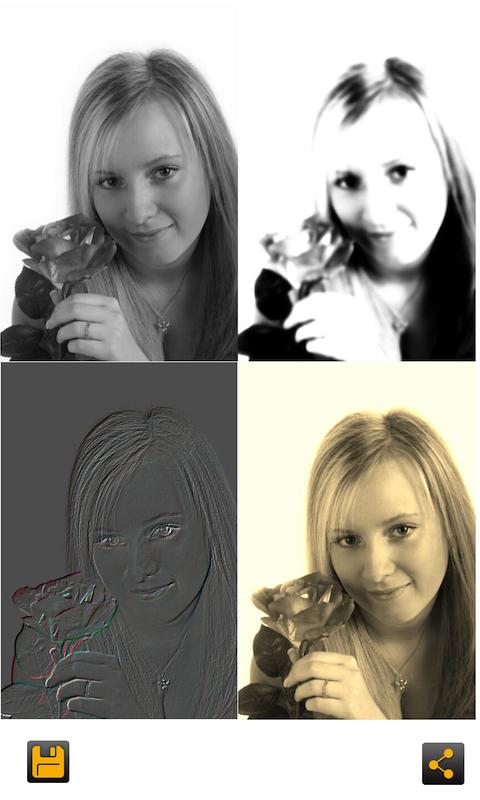
You also have:
- Rounded images
- Tinted images
- shaded images
- pencil sketches
Each of them has multiple parameters in them.
For example – the shaded images has options for images in black and white, red and green, red and blues and singular colour effects as well.
The tinted images helps in giving you a vintage look and feel to the images with a dusty feel and colours to give the olden day look as if the photos were taken out of an old drawer with even older photos from back in the day.
In order to adjust the levels in each effect a custom slider has been attached for saturation, contrast and brightness.
In totality, the Photo Booth Effects app has 40+ free photo space effects with each one bringing an attractive and uber-professional look to your vanilla images.
A tab added to the app lets you share photos through the digital platform on Facebook, Twitter, Instagram, Google +, Gmail and a lot more.
Speaking of Instagram you have a layout just like it for your special use.
So there you have it. Pimp up your photo gallery and create your own digital mini-photo studio with Photo Booth Effects on your Android devices.