Behold
PinHog – an Android app for the photographer and the avid photo taker on the mobile space that will take you on a trip you wouldn’t want should end. Created just like any other news app, PinHog gets you into the know-how about pictures that are being put up on a day to day basis from around the globe.
What’s unique about this nifty Android app is that it doesn’t work on the conventional principle of following people and generating followers. In fact, it is more of an aggregator of interesting images that you would want to see the most.
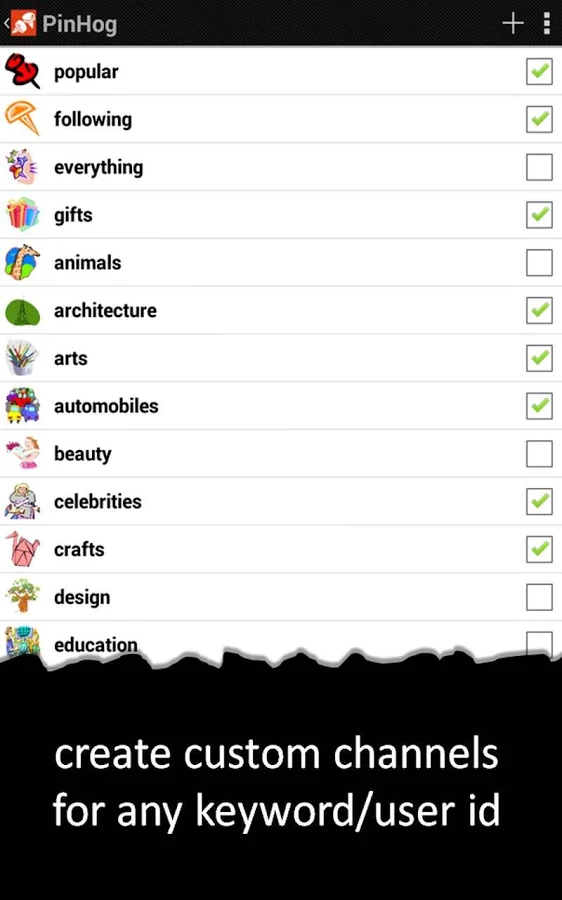
The interface of the PinHog Android app is simple and lets you browse all the possible of Pinterest categories that there are today.
These could be images of:
- A brand
- Nature
- Abstract
- Imagery
- Mainstream photography
- Holiday
- Technology
And a whole lot more.
The avid Pinterest user has a whole load of things to explore from over here and draw inspiration for it to create their own masterpieces.
Over and above, the images can also be saved offline and further to that PinHog allows you to scroll offline on the Android app.
If you like an image that caught your eye, you are allowed to directly add it as you static wall paper in your screen.
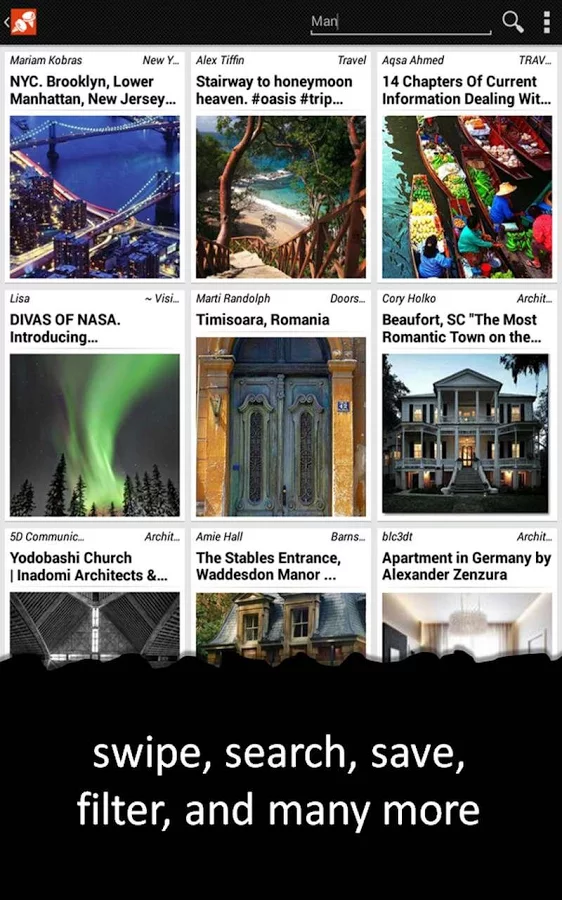
Categories for each image are available at the top. You can scroll through these titles horizontally as they are available on the top and the tiles screen below will show you multiple other set of images with description above it. These are in the slider mode.
PinHog is for the ardent Pinterest user and uses tools and applies then into the app so that the look and feel of Pinterest is maintained and all this when you are on PinHog.
Once you are in a particular category, all you have to do is swipe through the screen to reach the other side. You can use the same image that you have selected to find similar such images on Google through a simple click of a button.
PinHog has a well-integrated augmented reality feature where you can pin any image or website directly by accessing the barcode scanner from the app. The alarm feature will let you schedule a download of a set of images as and when you tell it to.
The Following channel is another great feature that allows you directly to scroll through a list on pinned boards all of which your followers have pinned.
The list is available so you can draw inspiration for your board and perhaps follow those boards too. This is highly likely to happen as they are pin boards that have been followed by your very own ‘following list’.
You can also select a keyword and create your very own custom channel where all the pins form that keyword will be aggregated into it.
The pin window view will allow you to look through the original window of the Pin on the main website.
The search option will also tell you what all you recently downloaded and help you filter out all you want to see.
The PinHog Android app has been fairly used and rated by multiple users. At 4.3 stars, this app seems to be shining bright on the Google Play Store so far and looks to captivate a lot more photography enthusiasts in the coming days.