Photo-editing apps in the Android world come a dime a dozen every other week. But every once in a while, there comes along a ground-breaking app that somehow gets the photography community unanimously buzzing with excitement. The photo-editing app in discussion is none other than the highly rated
Pixlr-o-matic.
As the name suggests, Pixlr-o-matic is a photo editing app for your Android device that promises to give your mundane pictures a whole new dimension of brilliance using surreal imaging features and cutting-edge photo editing technology. This plethora of effects, filters, borders, overlays, etc. will help make your pictures resemble the stunning snaps that captivate everyone in leading magazines and bring out the creative professional editor within you.
GETTING STARTED WITH PIXLR-O-MATIC
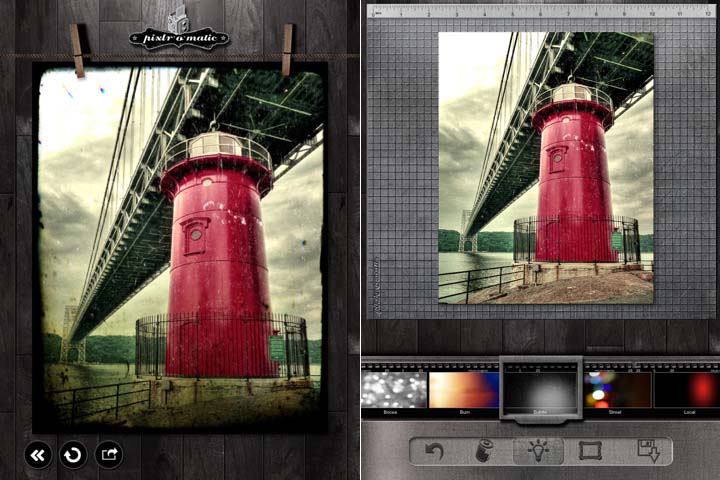
The user interface is easy to use and slickly implemented over a stylish blackish-grey wooden themed background. The animations on the app are great
and are automatically an attractive deal for the user. On opening the Pixlr-o-matic app, you get an option to choose your own image or take a photo via the app interface. You can also pick one of the default app images to practice on and embellish those images in order to get a hang of the editing process.
While picking the photo you want to edit with a particular tool, you will get a bathwater-like effect while you hover over it but this doesn’t affect anything. It just gives you a more vibrant feel of using a picture editing app.
WHAT FEATURES PLACE PIXLR-O-MATIC ABOVE ITS COMPETITORS?
The primary features of the editing tools offered by the Pixlr-o-matic Android app are as follows:
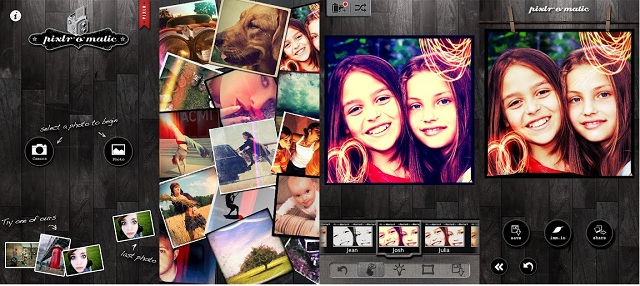
Colour Overlays is a feature that helps you set the mood to your picture. You can amplify the tone of the image or essentially multiply its cool quotient by several factors by adding an effect that best enhances your original picture's color scheme such as a blue, green or purple overlay. Or you can add dreamlike shades as well that will make your picture look like a dreamscape.
Lighting effects help to add a sparkle or a grunge look to the photo. These effects include monochrome, red light, green light , multiple colored lights all packed into one and other similar single and multi-color effects.
Frames range from a multitude of great effects to add that last final touch to your image.
Feeling too lazy to tediously edit and polish up your photos on Photoshop and just want to add a couple of cool effects for kicks? Why not try the
Randomizer option and choose an effect, an overlay and a border in a matter of seconds. Say hello to your instantly enhanced image and share it with your friends right away!
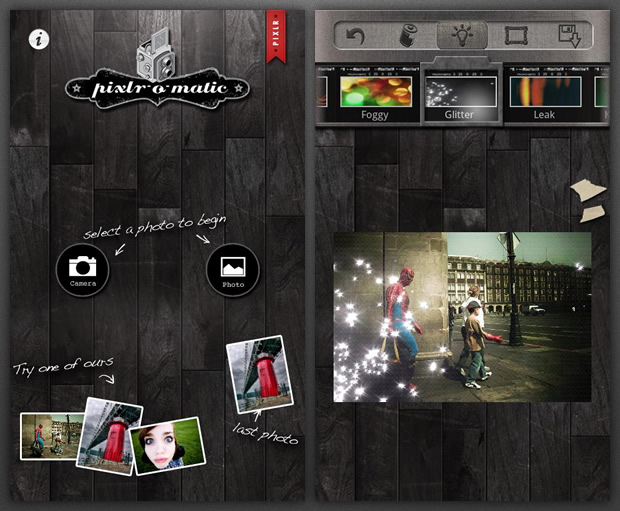
You can easily engage in sharing your edited images with your friends over your Facebook and Twitter accounts through a remarkably simple UI.
Pixlr-o-matic offers the cream of the crop of effects and filters that could be extended by a simple click on the more (+) button. And to view the features in a better and more dramatic way, simply click on the Film reel on the top of the app screen and view all the effects in a film strip and choose them to add it instantaneously onto your photo.
The creative, default soft, subtle, film, vintage, white ripped, squared, rounded corners, too old, unicolor effects all which cover the overlay section are either on the app or are to be added to the app from there itself.
The lighting effects include Bokeh, Canvas, Chem burn and a lot more varieties that can be downloaded and used later.
The same applies for the range of frames and effects available for the Pixlr-o-matic app.
Each of these sub-effects mentioned above have another 15-25 more effects under each category to give you access to one of the most vast variety of photo-editing tools available in any app that make your pictures stand out above the rest.
So there you go. Pixlr-o-matic is an Android app that was rated one of the most ingenious and customization-friendly photo-editing apps of 2011, and still stands as a titan in that category to this date. It gives you all the effects you could wish for and will empower your creative skills to realize your potential as a unique artistic photographer. So what are you waiting for? Pay Google Play Store a visit and install it for free right away.