Users and enthusiasts have always been cribbing about viewing pictures in their Android devices – stacks, the floating nature and more importantly, the delay in loading high definition pictures.
QuickPic is an alternative option aimed at replacing the conventional gallery in Android, by separating some eye candy features and substituting them with better functional features.
What QuickPic is About?
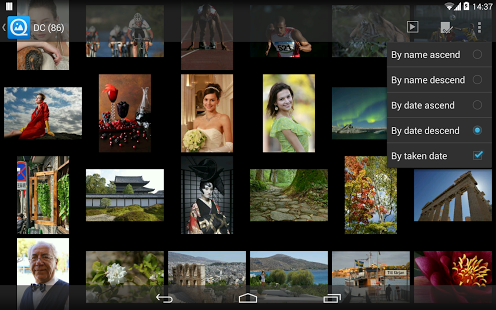
Speed is what makes QuickPic outsmart the normal Android gallery. It effectively does so by removing the stylish effects that otherwise slower the process. The list opens up almost instantly, irrespective of the number of albums or pictures in the gallery. Some of the features are mentioned below:
- It can list more than 10000 pictures in just few seconds and quick find the newer ones
- It can play slide shows with better quality and clarity
- It is optimized and scaled for HD tablets too
- It is an Ad free app
- It can easily hide specific photos and videos and protect them with password
- Supports GIFs and videos
- It can include or exclude specific folders to make the scanning more efficient
- It supports all the essential features such as rotating, cropping, shrinking and set wallpaper with better quality
- The user interface is smooth, thus adding to the overall experience – slide to shift, switch or change, single or double tap or pinch to zoom
- Superior file management features to sort, rename, create folder, new folder and move and copy pictures
- No background service hindering the functioning
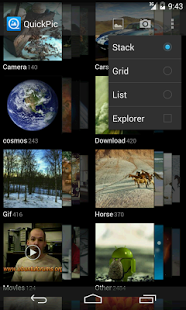
QuickPic features a static list instead of a floating stack of pictures that changes angle as you scroll along your phone. The characteristics are not new but the way this app delivers performance is remarkably fast.
One setback is the lack of long press feature which enables the user to move, share & delete an entire album in the stock gallery. But this isn’t much when compared to the fastness of this app. Also, this isn’t entirely ignored; we need to press menu and click Multiselect so that the check boxes appear on each and every file as in stock. After that, the same batch editing support is enabled for the user – sharing, copying, deleting, moving, copying etc.
Limitations
Apart from the above mentioned limitation of editing and multi-selecting, there are a few more:
- It cannot automatically sync with Picasa or any other web albums
- It can’t show TIFF
- It can’t set lock screen’s wallpaper as the device manufacturer uses a private interface
- It can’t modify the external storage in the latest software update – KitKat
Conclusion
These niggles are negligible when compared to the service it offers, especially for someone looking for fast, smooth and hassle-free gallery operations. It is not extraordinary yet it is impressive and user-friendly.
The app is available for download in Google Play Store and is free. The size is 557Kb only, adding to the attractiveness. The current version includes immersive mode for KitKat and other bug fixes.