

Awesome Messenger features to try
1. Play games with friends
Mini games have been around for quite some time on Messenger. Over the years, the collection has expanded to include a decent number of games. From the classic Bubble Shooter and Snake Attack to Uno and 8 Ball Pool, there’s something for everyone on the table. Recently, however, these games have been moved from Messenger to the main Facebook app. That might be a bummer for those of you who use Messenger only, but don’t worry. There’s another way you can play with friends on the app when you’re looking to kill time. And it might be even more fun because of one detail: you do it via video calls! Source
2. Set nicknames
If you’re looking to give some personality to your contact names, Messenger’s the place. You can set unique nicknames and even include emojis in them. That way, your chat history looks a little more vibrant, matches your sense of aesthetics and remains organized. Just be careful not to go wild with personal vendettas and such, since the person does get notified about the nickname you set. All you need to do is enter the chat, tap on the ‘i’ button, select ‘Nicknames’, and off you go creating special names for your favorite people and even yourself.3. Set reminders
With this neat little feature, your buddies forgetting plans may be a thing of the past. They might still show up last minute - but at least they’ll show up! Simply go to the four dots within the conversation and select ‘Reminders’ to create an event, including time and location.4. Send and request money
All our lives have significantly improved since online and mobile banking became a thing. But what if we told you there’s an even faster and more convenient way to send and receive money? Yep, it’s possible to do it via Messenger - as long as you’re in the USA. To do this, both people involved first need to have debit cards connected to their accounts. Once that’s ensured, go into the chat options, select ‘Payments’ and choose whether you’re asking for money or sending it. Enter an amount, add a note and proceed.5. Customize colors
Aside from setting nicknames, another way to personalize your convos is by choosing specific colors to replace the classic blue. Each conversation can have a different shade, depending on what color you associate with that person. It’s a nice way to make your chat bubbles really pop and get away from the default appearance. Especially since it doesn’t even have to be a solid color - you can also pick a theme or gradient.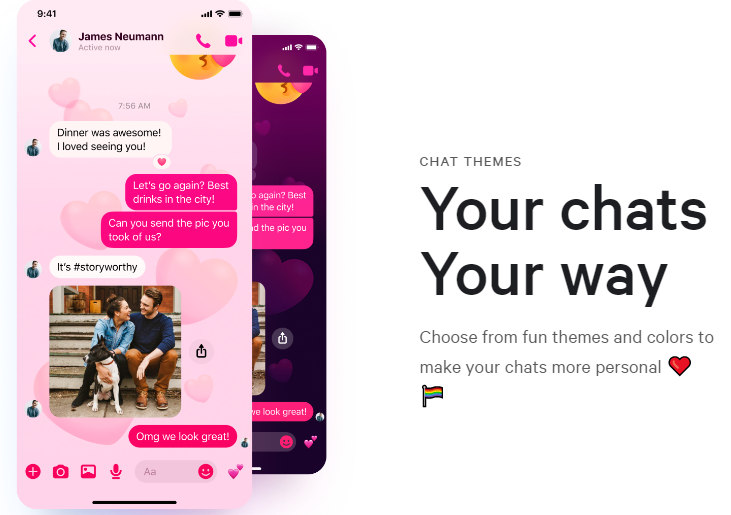 Source