

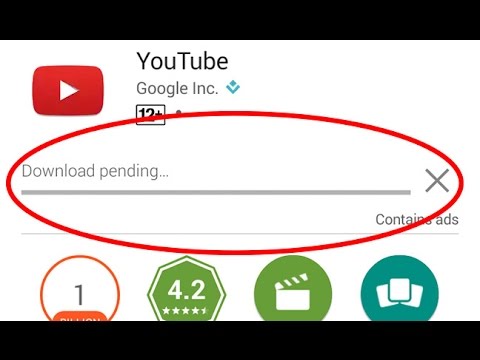
Here are ways how to fix a Google Play Store “download pending” error
3 min read
We have encountered a lot of problems with Android at one time or another. Some are easy, while some require complicated methods. Every app has its issue and it’s no surprise. However, it’s the app source, specifically the Google Play Store, that’s malfunctioning which makes it more tragic.
Here’s how to fix Google Play Store “download pending” error before you think of doing a factory reset.
There are several reasons why your app is stuck at download. To troubleshoot, first, you need to find the source of the problem.
- Check downloads and updates
- Check connection
- Head to the Play Store and then tap on the three-dot menu button in the upper left corner.
- Go to Settings > App download preference > Over any network.
- If downloading resumes as normal, your home or office network is to blame. Restart your modem and if all else fails, call your Internet service provider.
- Check your storage
- Go to Setting > Storage
- Free up some space by uninstalling unused apps or deleting old photos and videos that you have backed up elsewhere.
- Download apps through an internet browser
- Clear Google Play app cache and data
- Head to Settings>Apps.
- Locate the Google Play Store and tap it.
- Underneath the Disable, Uninstall updates, and Force stop buttons, you will see App notifications and other options. Tap on Storage.
- Make sure Google Play is closed and then hit the Clear Cache button.
- If you don’t want to repeat steps, you can clear the data as well.
- Clear Download Manager cache and data
One Click Root Author
Content Writer
Experienced writer covering technology and mobile development.
You Might Also Like
Google Play Store
Android 14 Root Methods: What Changed?
Explore the new root methods and security changes in Android 14.
Google Play Store
Latest Android Security Updates Impact Root Access
Understanding how the latest security patches affect root methods.
Google Play Store
Google Pixel 8 Pro Root Guide Released
Complete step-by-step guide to rooting the Google Pixel 8 Pro.
Comments
JD
John Doe
2 days ago
Great article! Very informative and well-written. Thanks for sharing.
JS
Jane Smith
5 days ago
I found the security section particularly helpful. Looking forward to more content like this!
Leave a Comment
Newsletter
Get the latest tech news delivered to your inbox weekly.
Popular Posts
-
1
Getting Started with Android Development
12.5K views
-
2
Best Practices for Mobile Security
8.2K views
-
3
Understanding Smartphone Hardware
6.8K views