News Speak
Few days back, a woman filed a lawsuit against Google claiming an accidental buy of $66 in an Android app. It was her inquisitive child who clicked on an ad of “
Marvel Run Jump Smash” and downloaded it for $65.95. This is just one single instance but many such accidental purchases happen that remain unreported, either the user is too busy or he/she thinks that it’s not worth the effort.
Action taken
Going by the severity of the situation, Google has rolled out an update that enables password protection for each and every purchase made in the Play Store. This feature will effectively prompt for the account password every time we intend to make a purchase in the Play Store, irrespective of whether it is in-app or for an app. There is a time limit of 30 minutes before we need to re-enter the password for making purchases again. Reportedly, Google has also tweaked the Play Store to give a fair idea to its users, about the obvious apps that will feature in-app purchases.
The update has just started to roll out and as always, will take some time before it reaches each and every user. The new option can be found in the settings page of the Play Store app. This new character will behave in a fashion alike to that of iOS stores on iphones and ipads, which resulted due to a similar lawsuit filed against Apple and they ended up paying $32.5 as fine and $5 million as settlement. Reviewers believe that this option will advertently avoid curious kids from clicking on purchase prompts.
Settings
Activation & deactivation of the password protection for purchases on the Google Play Store can be done by following the simple steps as given below:
- Open Google Play App Store
- Click on Menu and select Settings
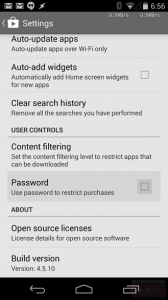
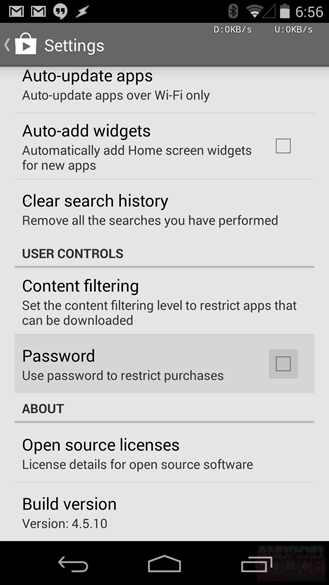
- Check the tickbox next to ‘Password’ under ‘User controls’ – set password to restrict purchases
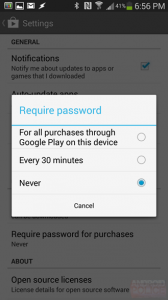
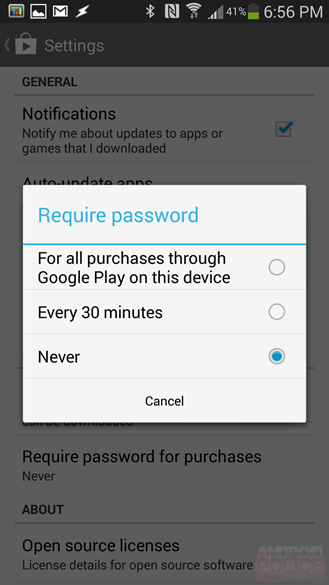
Once activated, enter the password every time it is being prompted prior to a possible purchase. The activation will trigger a 30 minute window during which users can make purchases without entering the password. There is an option to avoid this window too which will force a user to enter password even for in-app purchases on a newly downloaded game. Interestingly, this is a default behavior in Google Play and the case wouldn’t have risen if 5 year old son of Ilana Imber-Gluck had restriction in buying digital currency, i.e. crystals in the game in point. So, critics suspect a foul play in the whole case because there’s a chance that Imber could have enabled the security gap of 30 minutes.
In any case, we are yet to hear the final verdict. The new feature of Play Store will only be effective if the parents are aware of its usage. Hopefully, this feature should avoid accidental purchases of Android apps in the future. If you haven’t received it yet, don’t worry, as it will be available for everyone in a couple of days.



 In any case, we are yet to hear the final verdict. The new feature of Play Store will only be effective if the parents are aware of its usage. Hopefully, this feature should avoid accidental purchases of Android apps in the future. If you haven’t received it yet, don’t worry, as it will be available for everyone in a couple of days.