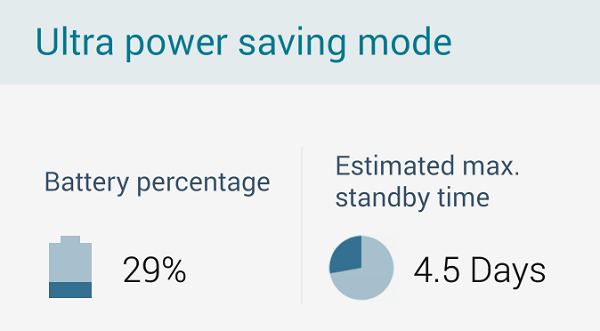
Battery life is the most common complaint about pretty much every smartphone in the world today. We would all appreciate using faster Androids with better battery life and more optimized apps.
Ready to find out how the pros speed up their Android devices? Here are 5 tips guaranteed to make your Android battery last longer.
5) The Obvious Things
We’ll group a bunch of the obvious tips into this category, because these are things the pros do without even thinking about it. Things like:
-Using automatic brightness, or manually adjusting your brightness to the lowest setting
-Keeping your screen timeout short, like under 5 seconds
-Turning off scanners when not in use (like your Wi-Fi or Bluetooth when you don’t need them)
-Disabling location services
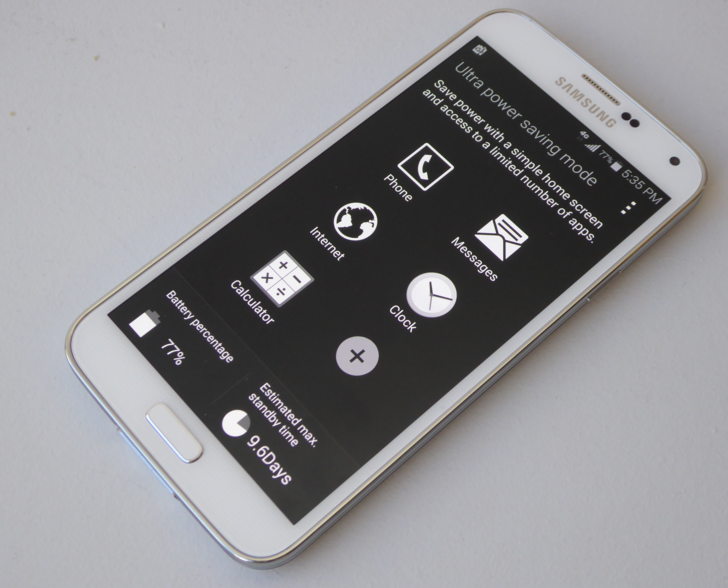
-Activating your phone’s special low battery life mode, like on the new Samsung devices where you can enter a menu that looks similar to DOS for "Ultra" battery life savings
-Avoid using vibrate, which sucks up a significant amount of battery every time it’s used
These are basic things that can add 10 to 15% onto your battery life easily with just a few taps of your settings menu. For more advanced battery savings tips, let’s keep reading.
4) Uninstall Facebook
Facebook isn’t good for you. Studies have shown it makes you unhappy. But more importantly, studies have shown that Facebook also has a disastrous effect on smartphone battery life. Just having the Facebook app on your phone can decrease battery life by 20% - even if you’re not scrolling through Facebook every day.
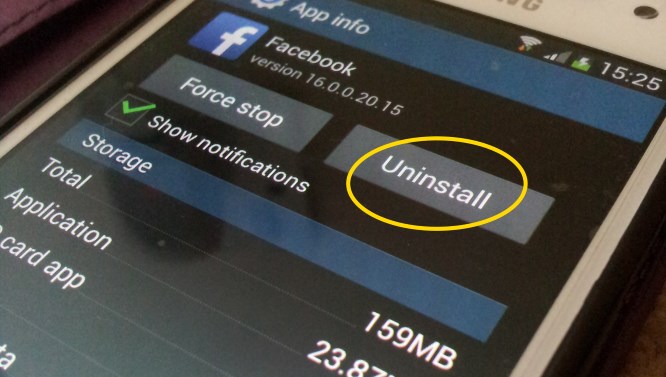
Uninstalling the Facebook app doesn’t mean you have to stop using Facebook. Instead, most people simply uninstall the app, then log into Facebook through Chrome. You can even place a Chrome shortcut on your homescreen, so you’re one click away from Facebook at all times. Plus, you don’t get the hassle of the app. It’s that easy.
3) Turn Off Notifications from Apps that Aren’t Essential
Not all your apps are absolutely essential. Chances are, you have a few apps that you rarely use, or that you don’t need to check all the time.

Consider turning off notifications for apps like Instagram, for example. Typically, you don’t need to read and reply to Instagram comments right away (you don’t want to look too thirsty, after all). Plus, if your account has lots of followers, your stream of Instagram notifications might be flooding into your inbox all day, sucking away your battery life.
2) Take Advantage of Power Saving Modes
Newer Samsungs have great power saving modes that disable all non-essential functions on your device. The Ultra battery saving mode actually turns your phone into pretty much an old flip phone: you have basic texting and calling support, but that’s about it. Unsurprisingly, this helps you battery last much longer.
On most phones, power saving modes are just one swipe down on the top menu. Swipe down, turn on power saving mode, and enjoy extending battery life for hours without actually doing anything.
1) Understand that Many Battery Saving Tips Are Myths
Perhaps one of the most important battery saving tips I can tell you is that a lot of battery saving tips are flat out wrong. Here are some of the myths you’ll see described on certain websites:
-Don’t always disable background apps manually after you’re done using them. In reality, these background apps rarely use much battery life at all, and disabling them only causes your phone to use
more battery life the next time you open that app.
-Disabling Wi-Fi doesn’t always save battery life. If you’re out and about on the town, then Android actually uses your Wi-Fi signal to determine your location, which means you’re not always using the GPS signal. That can have a big impact on battery life in the long run.
-Don’t disable Google Now. You may never use Google Now. You may hate it and find it pointless. But in reality, disabling Google Now doesn’t actually do much for your battery unless you actually start using it (you’ll find the same when disabling Siri on the iPhone, by the way).
-Use the charger that came with your phone, or another manufacturer-approved charger. On today’s phones, features like Quick Charge 2.0 aren’t just a marketing buzzword: they’re legitimate proprietary technologies specifically designed to work with your phone. Using cheaper, third party chargers isn’t always a good solution. It can damage your phone – not to mention charge it more slowly than you would like.
By following the Android tips listed above, you can enjoy more battery life, faster charging, and better overall Android performance.