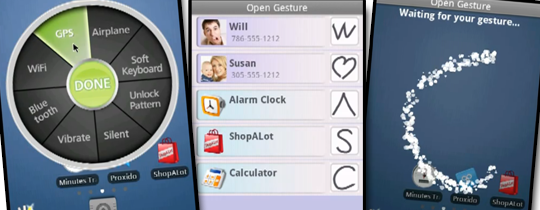
Welcome to Generation Next. A point in technological evolution where the power of a standard entry-level Android smartphone considerably overshadows the power of the most advanced NASA supercomputer from the 1970s. Android apps are way ahead of its time and give you some access to features you could only dream of possessing at the touch of a button. To give you an example of this, we present to you two Android apps that work and dance to the tune of your fingertip.
These Android apps work as per the simple hand gestures made on your phone by your hands and fingers onto the screen and give the desired output and take you to places on your phone through really intuitive shortcuts. They also perform various other operations just by simple designs drawn randomly across the screen of the phone.
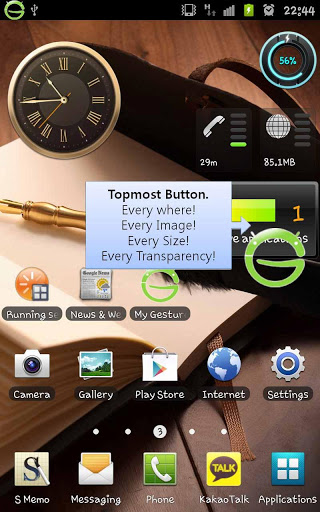
This app is customized to take you to any location on your phone without having to go round the bush using tedious procedures of entering file after file to eventually reach your destination. All you have to do is set pre-determined gestures and remember them to enter almost any place on your phone.
Want to go to the Facebook app, just draw an ‘f’ on the screen with your finger
Want to access your Wi-Fi, simply draw a ‘w’
And in this way create gestures for a lot of places and files on your phone. These include:
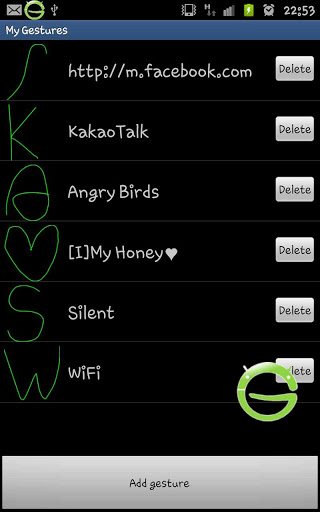
- Internet URL
- Auto rotation
- Vibration Mode
- Wi-Fi
- GPS
- Contact auto call
- Auto message
- Home button
- Applications
- Silent Mode
- Bluetooth
How do you go about it?
How to use is really simple:
1. Select any of the following categories [Internet / Application / Contact / Phone Setting]
2. Select an item from the list
3. Create a simple and easy to remember gesture for the item
4. Turn on My Gesture
(The icon stays on the top layer when turned on)
5. Click on the icon
6. Draw the gesture that was created by you before.
7. The desired app/internet/calling/texting/settings will be available as you draw the gesture.
The My Gesture Shortcut Launcher app is available in the pro version as well. You could download the lite/trial version to have a feel and the buy the pro version for extended features.
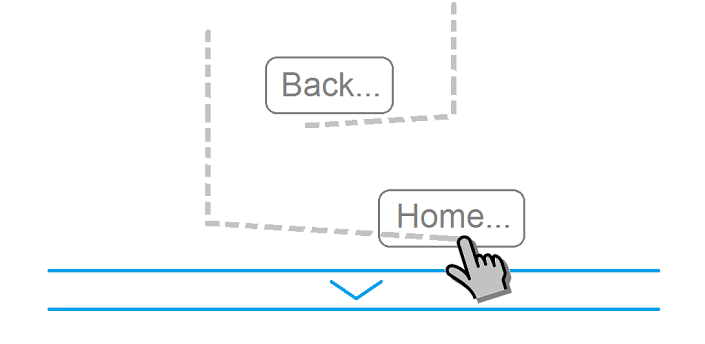
Good Mood Droid Gesture Control is a root-exclusive app that works on almost the same touch principle as the preceding app. However, the key difference between them is that this app facilitates multi-touch use with more than one finger. You can start any app or shortcut without having to leave the previous app. The various multi-touch gestures are:
- Swipe 4 fingers up to hide status bar. Repeat the same to restore bar.
- Swipe 3 fingers down to go back Swipe 3 fingers up to show custom bottom bar with recently used applications.
- Swipe 4 fingers to the right to open previous application.
- Swipe 4 fingers left to open next application. Pinch with 4 fingers on screen to return home.
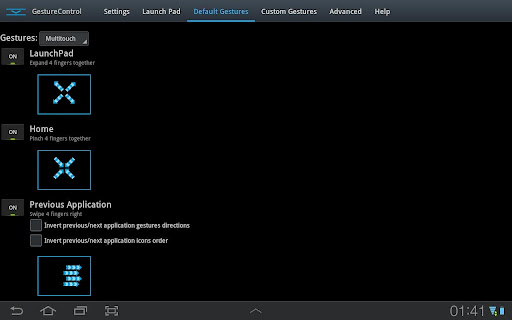
- Expand 4 fingers anywhere on screen to open Launch Pad dialog. This also lets you open the most frequently used apps.
- You can use single touch as well for any direction to an app.
- The applications will use freed space when you hide the status bar. Games even perform better with the status bar hidden.
- You can even create your own custom made gestures for any action.
And there you have it. 2 different gesture control apps that make you feel like a smooth operator who can make his Android device interface dance to your wishes with absolute finesse. Download the trial version to get a feel of the GMD Gesture Control app and then go ahead and buy the full version for greater satisfaction.