Have you wanted to share a really cool video on your Android device instantly with your friends and colleagues around you but been forced to have them huddled around your smartphone with ears pressed for a not-so-engaging experience? Unfortunately, it’s a common problem faced by most smartphone or tablet users despite the advances in technology for a long time now. However, your Android device has a lot of untapped potential which is slowly being discovered with the help of the plethora of new apps being made available every day to enhance your experience.
Twonky Beam is a unique app built for media sharing which takes the sharing functionality of your Android device to the next level.
The
Twonky Beam app allows you to instantaneously share videos you watch on your smartphone or tablet via the
Twonky app, by directly beaming the content to your TV screen. To get started, simply download the app from Google Play Store on your Android device and open it. Now follow the easy tutorial which will clearly guide you through the functionality of the application in a clear and concise way.
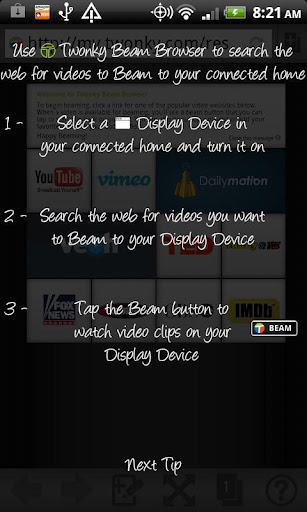
The main screen of the application displays thumbnails of different sites which provide video content. The most popular sites such as
YouTube, Vimeo,
Funny or Die, etc. are listed above the others, but almost every listed site has good and diverse content available on it. However, some of the content offered on these sites may be region-restricted or accessed only on a pay-per-view basis.
As soon as you choose a video, a beam icon will become visible in case it is compatible with your TV. Generally, any HTML5 video will be compatible for beaming and once you press the beaming button, your video will instantly load directly on to your TV screen. Some videos however, may be loaded after a delay or play out of sync. This is a commonly experienced hiccup which must be addressed by the application developers. As long as everything’s connected to the same wireless network, beaming videos should be a smooth process.
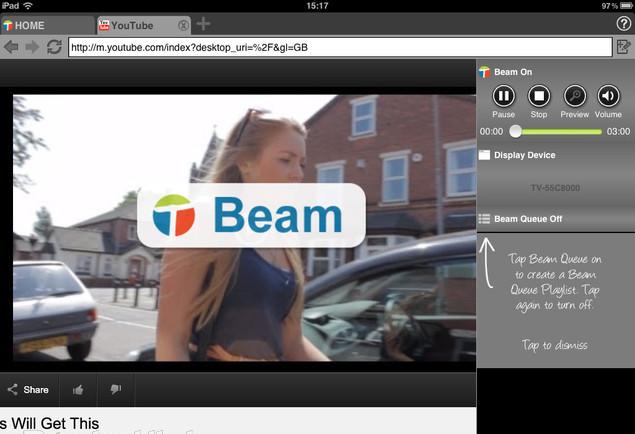
Twonky Beam’s interface is very user-friendly and effective, offering six different options at the bottom of your beaming browser portal to control your media.
- On/Off
- Device Selection
- Play
- Stop
- Volume control
- Beaming video queue (to queue up different videos without stopping the video being currently beamed)
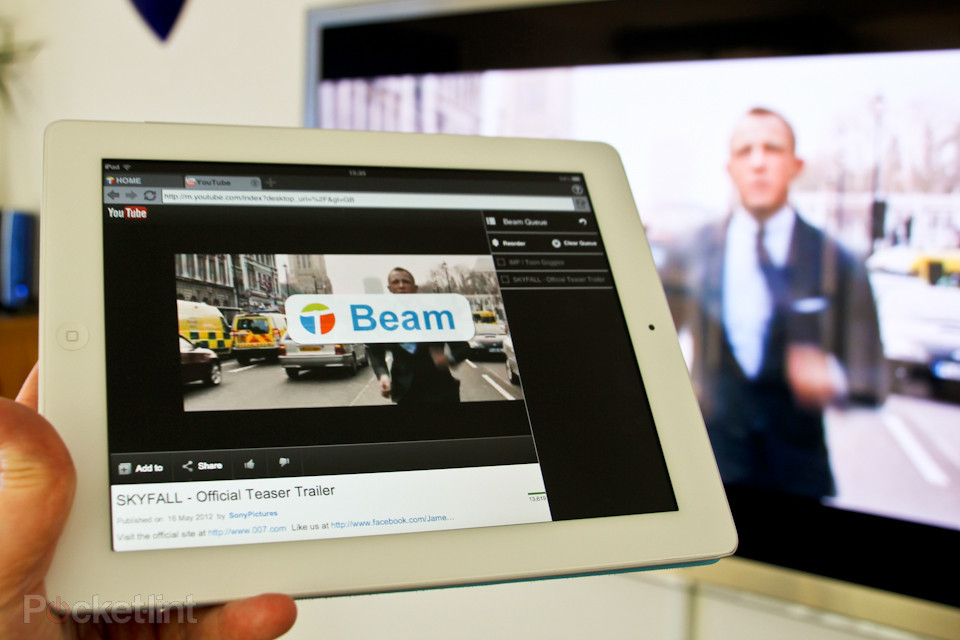
The concept of
Twonky Beam is highly innovative, and provides a great support system to link your TV and smartphone together to enhance the media sharing experience. However, its in-built flaws need to be addressed efficiently by the developers with some tweaking to improve the beaming actions and improve the video quality of the beamed videos.
Although the Beam Browser does not offer a game-changing browsing experience, the freedom and functionality offered by it is excellent. Most web-based TV viewing options provide services in partnership with premium content providers like
Hulu and
Netflix, or iTunes in case of Apple TV; however,
Twonky Beam overcomes those content limitations and gives you access to a plethora of content to share. With the utility of Flash video coming to a decline, this free app is a great new addition to keep on your Android device when you instantly want to share the next “Gangnam Style”-type trending video with your friends in a much more convenient and fun way.