Ignorance is soon going to be a word non-existent in the English Dictionary. Gone are the days when we eagerly waited at the front door for the newspaper man to bring us the daily news or search for newspaper vendors on the street. Information going electronic was perhaps the greatest revelation for mankind and innovations like the ingenious
FlipBoard 2.0 application for Android devices seeks to take this information revolution to bold new frontiers.
The objective of FlipBoard is to enable the users to read news articles and be updated round the clock without depending on conventional means of news update. It is designed to give the user a feel of reading the magazine.
Let’s take a quick look at the Home screen and how to navigate through the FlipBoard 2.0 app
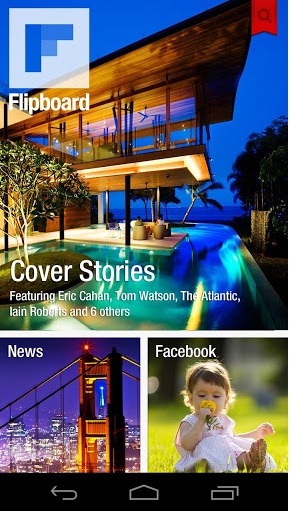
On creating a FlipBoard account through the app the Home screen opens up with 3 tabs:
- Cover Stories
- News
- Inside Flipboard
This can be customised as per the user’s wish.
One can start off with Cover Stories, a custom tile on Flipboard that gives you a glimpse of everything you follow on the app. Cover Story is a quick dose of what’s happening now and it is constantly updated with everything the user has subscribed to.
How does a user subscribe to a feed?
Doing this is simple. The user click on the Red Search Button as seen below and this gives him/her a list of Categories to further go into. These Categories can be:
- This week
- News
- Business
- Tech and Science
- Sport
- Lifestyle
- Music
- City Guides
These categories further contain feeds from various sources of information in their category.
E.g. the news tab consists of News feeds from
- BBC News
- CNN Breaking News
- The Guardian
- The Huffington Post
- The New Yorker
The Tech and Science tab will consist of
- Forbes Tech News
- Geeky Gadgets
- Android news
These feeds have a “+” sign that users click on which then adds the tab to the main newsfeed. This feature enables the user to segregate the news one wants to read.
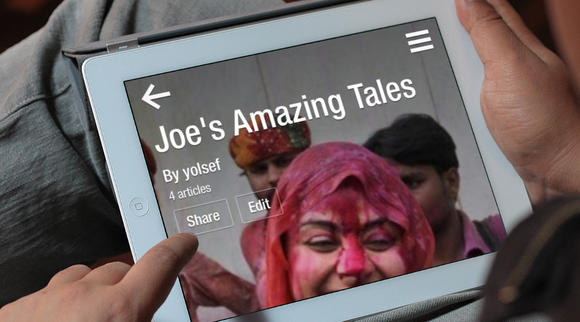
The key feature of FlipBoard 2.0, centring its marketing is that the user can create his own magazine as though he/she is the editor and share this as a magazine.
With an index of above 100 million pages the main motive of FlipBoard 2.0 is to ensure you are never oblivious to what’s happening around you and combines all forms of print media with newspaper like information in a magazine like format with a Social ‘touch’ and all with the ‘flip’ of a finger. Besides you now have access to what your friends are creating and reading too.
Other than this FlipBoard 2.0 takes on to the Social experience as well. You can sync your Twitter, Facebook, Sina Weibo, YouTube, Google Reader, LinkedIn, Google+, Flickr, 500px, Instagram and Renren .
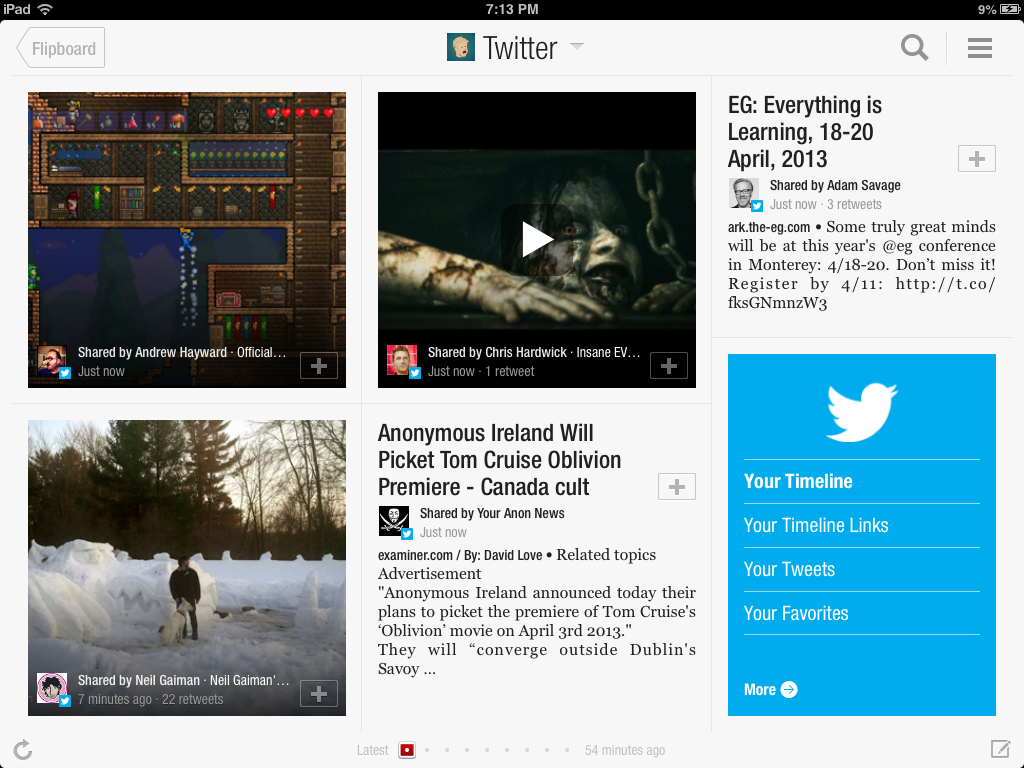
Besides own subscriptions the user has access to more refined staff picks in the Content Guide as against previous versions, including must-read magazines and blogs, photography like never before and distinct curated sections for the news of the day and other topics of interest.
To emphasize the impressiveness of FlipBoard's features, leading publications such as Rolling Stone have created magazines for The Beatles and Jimi Hendrix with content from its archives. Even
National Geographic has curated one for tigers.
More importantly bring the user back more frequently FlipBoard has added a number of push notifications.
The user can see what item within his/her shared magazine has been liked, the can @mention someone and tag people similar to the Facebook feature. All this makes the user feel less isolated and makes him/ her want to come back to know what other people are talking about regarding the content you have created and shared.
Flipboard 2.0 is also encroaching into ecommerce. The company has integrated products and product descriptions from handmade goods online retailer Etsy, which provides a catalog similar to the one at the store. Flipboard also earns a 5 - 12% commission on the deals booked through it.
This new version of Flipboard with its already existing features makes it a strong contender in the information sharing segment, and is soon going to be in the forefront of the race to replace the Google Reader once it is withdrawn from the market.