So we’re all fond of fast food and that’s a fact. Without it an occasional fix of it every now and then, we’d be acting like fishes out of water. And more importantly with it, we’ve got a whole load of unnecessary weight in places that we shouldn’t have had in the first place. But we’re still going to have it.
So what happens when we’re in need of it so badly and the fridge is empty and you have nowhere else but some fast food joint around you to go to? You look to your Android devices where you have the
Find Fast Food app sitting pretty, and then let this nifty app serve your fast food lust by pointing you to the hottest joints in town that make the best of whatever food you’re craving for.
Once the Find Food Fast app is opened up on your Android device, what you will have is the sections that the app caters to all of under which you will see multiple restaurants in the vicinity.
These options include a wide range of popular restaurant franchises such as:
- A&W Restaurants,
- Arby's, Burger King,
- Carl's Jr./Hardees,
- Checkers,
- Culver's,
- Dairy Queen,
- Five Guys,
- In-And-Out,
- Jack in the Box,
- Long John Silver's,
- McDonald's,
- Red Robin,
- Sonic Drive-In,
- Wendy's,
- Whataburger,
- White Castle,
- Blimpie,
- Quiznos,
- Firehouse Subs
- Subway.
Similarly if you’re in the mood for chicken places like Popeye's, KFC or Kentucky Fried Chicken, and Chick Fil A, you can find each one of them too.
To locate a nearby Chipotle, Del Taco, Baja Fresh, or Taco Bell, the Find Food Fast app has all you need depending on what kind of food your taste buds are tingling for.
With places such as Dairy Queen, Baskin Robbins, Cold Stone Creamery, Friendly's, Caribou Coffee, Peet's Coffee, Tim Hortons, Dunkin' Donuts, or Starbucks the coffee needs too are taken off the list with at most ease!.
The closest Pizza Hut, Domino's, Papa John’s, Popeye’s or Taco Bell are all but a few clicks away thanks to this uber-convenient search portal.
Each of the above restaurants is sorted according to cuisine categories that range from Custom, American Burgers, Breakfast, Chicken, Chinese, Coffee, Dessert, Coffee.
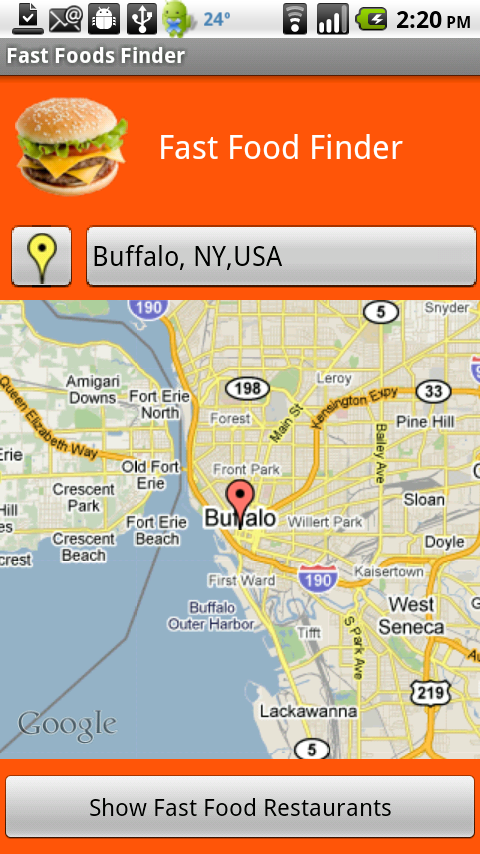
Once you tell the Find Food Fast app where it is that you want to go, you can see what all the related information you could possibly need to guide you there, and in no time at all, you will have a huge map in front of you directing you to where you have to or want to go.
All of the places are available in the vicinity and these can be seen categorically on the, map. You can also see a list that will show you all the places in the vicinity if not through the map.
Once you enter in to the place, you can have access to the entire menu of the place so you can check out the food on the list before you even get there.
Further, you can also directly search the Find Food Fast app by location or by address that you type in or a specific point on the map that you are at, at that point in time.
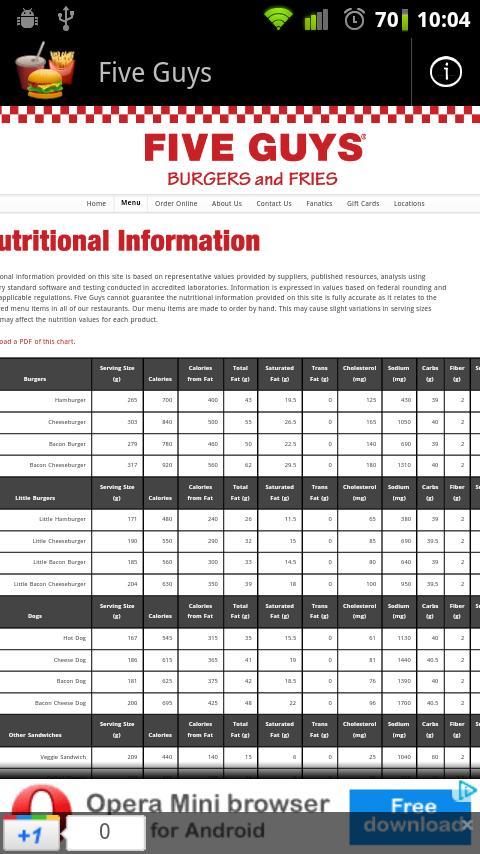
For all those health-conscious foodies out there, you can also check the Find Food Fast website and further through the drop down in the options, check out the nutritional information so that you can keep a check on how much weight it is that you’re in for gaining.
With a rather average of 3.4 on the Google Play Store, it remains to be seen whether the developers can polish this app further with a set of updates and enhance its functionality to execute its strong concept well.