

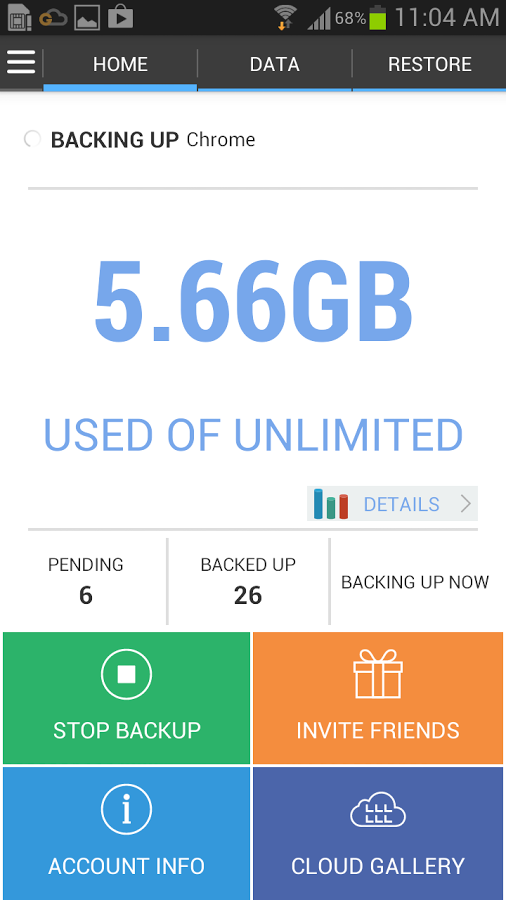
G Cloud Apps Backup Key - Rooted App Backing
3 min read
If you have a rooted Android device and are enjoying all of its benefits, particularly more space to download apps and other such things, and if you have not found an app to your liking to backup those apps yet, this app is a perfect fit for you. Say hello to G Cloud Apps Backup Key.
This is what it is all about:
• Your G Cloud Root key to backup Apps settings
• Comes with 4 GB Free online storage
• No icon! Requires G Cloud Backup Free app to be installed
• The same key can be used on several devices
• For download instructions: read below.
The root features include:
• Backup Apps data (your game levels, apps settings, customization, etc)
• 4 GB storage FREE
• Premium Support

This is what it is all about:
• Your G Cloud Root key to backup Apps settings
• Comes with 4 GB Free online storage
• No icon! Requires G Cloud Backup Free app to be installed
• The same key can be used on several devices
• For download instructions: read below.
The root features include:
• Backup Apps data (your game levels, apps settings, customization, etc)
• 4 GB storage FREE
• Premium Support
Best Features of G Cloud Backup
• Earn up to 10 GB Free • Backup Messages (SMS), contacts, call logs, documents, photos, videos and music • Secure data transfer (Secure Socket Layer) and storing (256-AES) • Backs up to the secure and reliable Amazon S3 cloud storage • Daily automatic backups when WiFi is available, plugged in, or have plenty of battery life • Easy mobile to mobile restore and same device restore. • No rooting or special configuration required • Backup External SD cards • Restore/Migrate to a new device with a click • Backs up every version of all files • Advanced options to change daily schedule, disable automatic schedule, backup over 3G, and more • Available in English, Spanish, German, Italian, Korean, Chinese simplified, Chinese traditional, Romanian, Russian, Turkish, Hebrew, Polish, Portuguese, and Arabic Here is how you can download G Cloud Apps Backup Key 1. Make sure you have G Cloud free installed 2. Sign up for a free account and configure your backup 3. Go to Settings> and tap on Install G Cloud Apps Backup 4. Tap on Install App then complete installation 5. Once installation completes tap on Check G Cloud App Backup The support and upgrades available with this app are: • If Market won't download your key: although credit card authorization *usually* occurs instantly, in rare cases it may need up to a few hours to complete. Try the Web version of Play Store. If problem persists, login at checkout.google.com to cancel your order & try again. • If your key got installed before the purchase completed or otherwise won't work, please un-install & reinstall your key to resolve the problem. This app is amazing, especially when you look at it from a ‘near-future’ point of view. This is because even though the cloud technology has become popular, it is still in the process of being globally embraced. However, it will be a common term soon. Thus, what is better that having an app that backs up other apps on cloud! G Cloud Apps Backup Key is the best option not just because of the above mentioned reason but also because of the amazing features it has to offer. All you need to do is make sure that you have a rooted android device!One Click Root Author
One Click Root Author
Content Writer
Experienced writer covering technology and mobile development.
You Might Also Like
How-To
Android 14 Root Methods: What Changed?
Explore the new root methods and security changes in Android 14.
How-To
Latest Android Security Updates Impact Root Access
Understanding how the latest security patches affect root methods.
How-To
Google Pixel 8 Pro Root Guide Released
Complete step-by-step guide to rooting the Google Pixel 8 Pro.
Comments
JD
John Doe
2 days ago
Great article! Very informative and well-written. Thanks for sharing.
JS
Jane Smith
5 days ago
I found the security section particularly helpful. Looking forward to more content like this!
Leave a Comment
Newsletter
Get the latest tech news delivered to your inbox weekly.
Popular Posts
-
1
Getting Started with Android Development
12.5K views
-
2
Best Practices for Mobile Security
8.2K views
-
3
Understanding Smartphone Hardware
6.8K views