One of the best parts about the Android operating system is that it allows users to choose which apps they want to use to perform different tasks by default. So instead of being forced to use a browser like Safari, Android users can choose if they want to use Chrome, Firefox, Dolphin, or dozens of other browsers.
And once Android users find an app they like, they can set their device to open that app automatically every time they try to execute that task. When you click on an Instagram link, for example, you can automatically open the Instagram app instead of your internet browser. Or when you click on a picture in an email, you can open that picture using the Gallery app or an alternative photo editing app like QuickPic.
If you want to set a default app, then you can usually do so the moment you open a certain link. A menu like this will pop up if Android detects that multiple apps can execute that action:
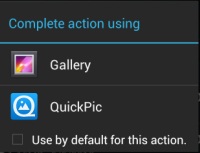
Simply tap the
Use by default for this action checkbox and hit the app you want to open. Easy as pie. However, once you’ve set a default app and want to change it, you’ll need to go deeper into your settings menu. Here’s a step by step guide to clearing default apps from your Android system:
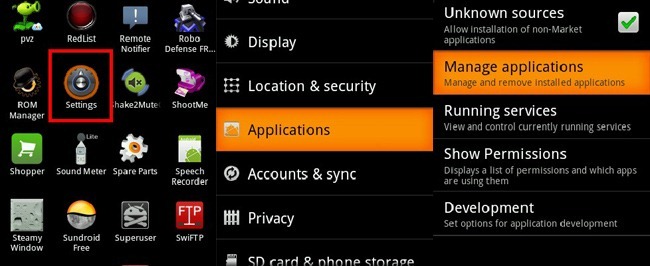
Step 1) Go to Settings
Step 2) Tap the
Application manager button
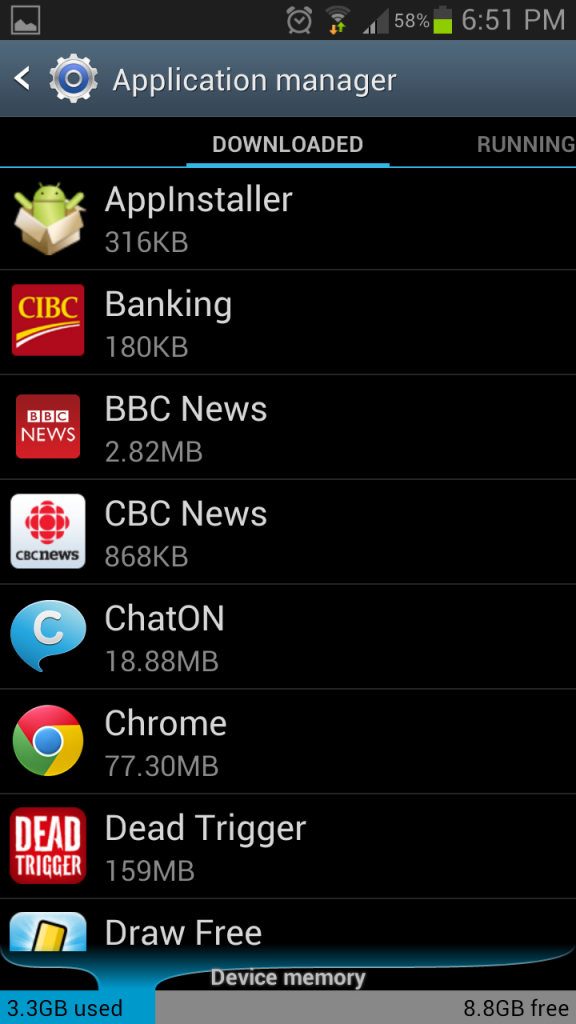
Step 3) Scroll through your list of apps to find the one that you no longer wish to launch by default
Step 4) Find the
Clear defaults button and tap it
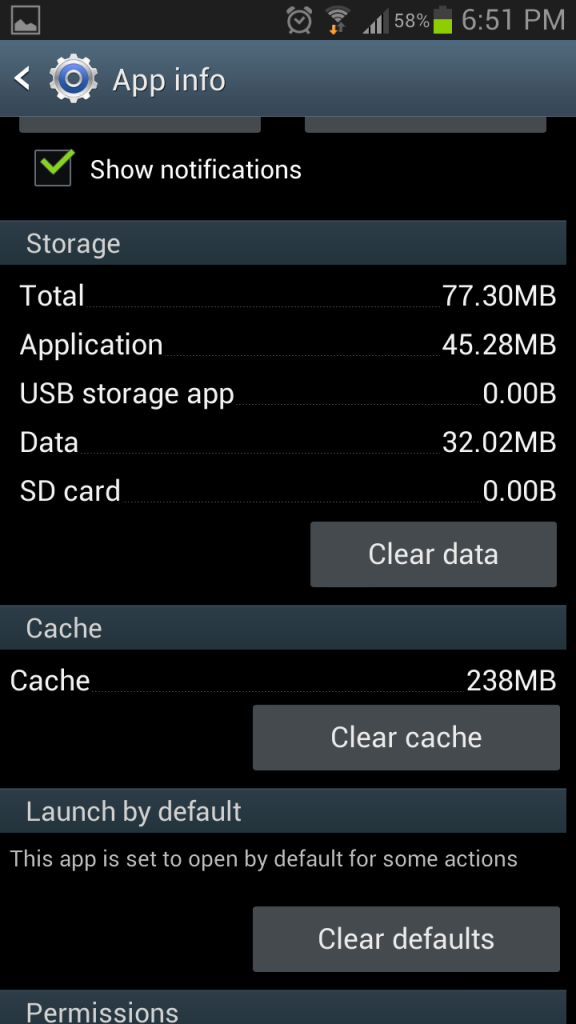
That’s it! Your Android will forget its default tasks for that particular app. The next time you perform a task, you’ll be prompted to choose which alternative application you want to use by default. And of course, you don’t have to choose a default application if you don’t want to.