

Toggle sidebar
Search...
How to connect a wireless Xbox 360 controller to a rooted Nexus 7

How to connect a wireless Xbox 360 controller to a rooted Nexus 7

1 min read
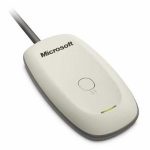
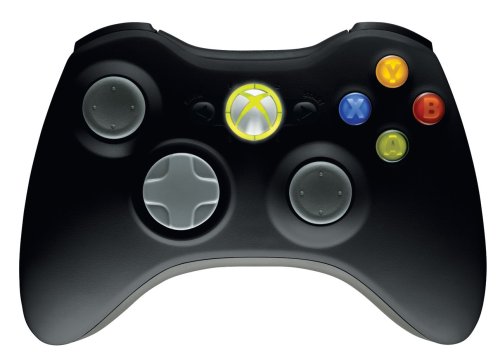
There is virtually no limit to the number of cool things you can do with Android. XDA-Developers.com recently showed readers how to connect a wireless Xbox 360 controller to their rooted Android tablet – specifically, the Nexus 7. Surprisingly, connecting the controller isn’t as difficult as you might think. In fact, XDA-Developers.com rated the instructions as 1 star out of 3 on the difficulty scale. What you need: -Xbox 360 wireless controller -Xbox 360 Wireless Dongle

Xbox 360 Make a Wireless Gaming Receiver

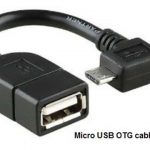
-OTG Cable

You can read the instructions by sleeplessninja in this forum thread. Basically, all you need to do is root the Nexus 7, access the Android shell, then enter a few basic commands (all the commands are listed in that forum thread). Here’s a video that walks you through the entire process: http://www.youtube.com/watch?v=9czISrLGXNI&hd=1 How cool is that? Follow those steps and you’ll be playing Dead Trigger on an Xbox 360 controller in no time!
One Click Root Author

One Click Root Author

Share this article:

One Click Root Author

One Click Root Author

Content Writer

Experienced writer covering technology and mobile development.

You Might Also Like

Comments

JD
John Doe 2 days ago

Great article! Very informative and well-written. Thanks for sharing.

JS
Jane Smith 5 days ago

I found the security section particularly helpful. Looking forward to more content like this!

Leave a Comment

Newsletter

Get the latest tech news delivered to your inbox weekly.