

How to Customize Text Message Font and Background on your Samsung Galaxy
1 min read
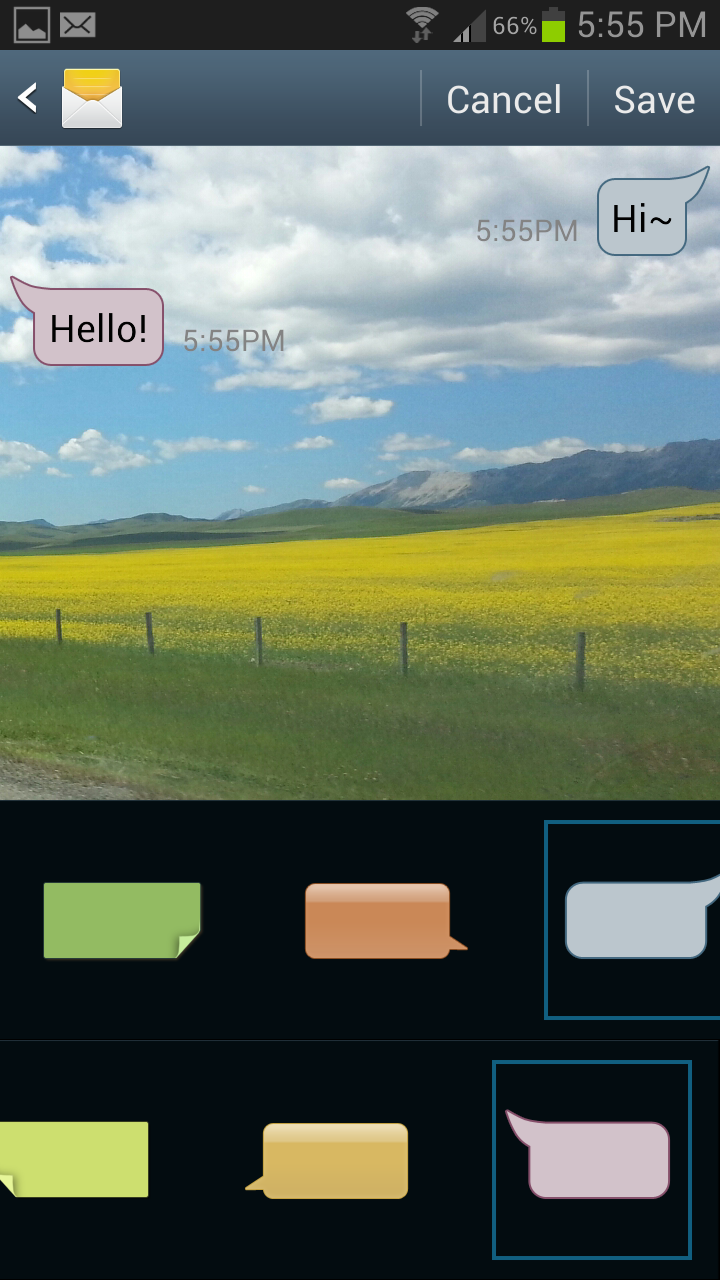
It’s time for an easy Android tip! Have you ever seen another Galaxy user’s text message window and wondered how they got such a cool background? Or why their font looks different than yours?
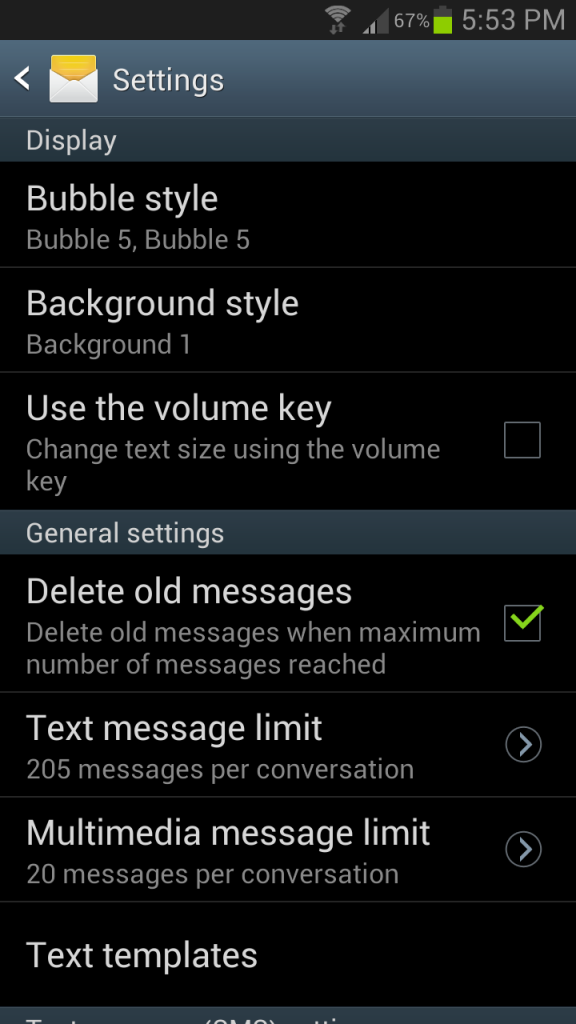
No, these people didn’t install a custom ROM. Instead, they simply changed their messaging settings. Today, I’m going to show you how to do the same thing and make your text window look different than the texting window of other Galaxy users.
Step 1) Open your messaging app
Step 2) Click the settings button
Step 3) Tap Settings

One Click Root Author
Content Writer
Experienced writer covering technology and mobile development.
You Might Also Like
How-To
Android 14 Root Methods: What Changed?
Explore the new root methods and security changes in Android 14.
How-To
Latest Android Security Updates Impact Root Access
Understanding how the latest security patches affect root methods.
How-To
Google Pixel 8 Pro Root Guide Released
Complete step-by-step guide to rooting the Google Pixel 8 Pro.
Comments
JD
John Doe
2 days ago
Great article! Very informative and well-written. Thanks for sharing.
JS
Jane Smith
5 days ago
I found the security section particularly helpful. Looking forward to more content like this!
Leave a Comment
Newsletter
Get the latest tech news delivered to your inbox weekly.
Popular Posts
-
1
Getting Started with Android Development
12.5K views
-
2
Best Practices for Mobile Security
8.2K views
-
3
Understanding Smartphone Hardware
6.8K views