

 Step 1) Download the Android L Preview for Nexus 4 from here
Step 2) Put the file into your Android’s internal storage
Step 3) Reboot your device into Recovery mode using Clockwork Recovery Mod or TWRP
Step 4) Tap Wipe Data/Factory Reset
Step 5) Tap Mounts and Storage > Format System
Step 6) Tap Advanced > Wipe Dalvik Cache
Step 7) Tap Install Zip > Install Zip from SDCard, tap the mako-bla-bla-zip file and tap to confirm flashing
Step 8) Wipe cache
Step 9) Tap Advanced > Wipe Dalvik Cache
Step 10) Reboot into system
Step 11) Your Nexus 4 will now take a few minutes to boot up. Some users have reported waiting as long as 10 minutes. Don’t get frustrated or inpatient during this process – if you cancel the installation halfway through, you may brick your device.
Obviously, this is still an early release, so it’s not guaranteed to work perfectly on your device. There were early problems with Bluetooth, NFC, the camera, and superuser, but these problems appear to have been fixed. if you’ve been craving some Android L action on your Nexus 4, then this is definitely the best option for you.
Also, the developers are planning on updating the Android L release over time. To install updates, follow the same steps listed above after downloading the updated file from the original forum thread.
Big shoutout to sykopompos, defconoi, zyr3x, percy_g2, ben1066, shubhamchamaria, and muzadull for putting this release together!
Step 1) Download the Android L Preview for Nexus 4 from here
Step 2) Put the file into your Android’s internal storage
Step 3) Reboot your device into Recovery mode using Clockwork Recovery Mod or TWRP
Step 4) Tap Wipe Data/Factory Reset
Step 5) Tap Mounts and Storage > Format System
Step 6) Tap Advanced > Wipe Dalvik Cache
Step 7) Tap Install Zip > Install Zip from SDCard, tap the mako-bla-bla-zip file and tap to confirm flashing
Step 8) Wipe cache
Step 9) Tap Advanced > Wipe Dalvik Cache
Step 10) Reboot into system
Step 11) Your Nexus 4 will now take a few minutes to boot up. Some users have reported waiting as long as 10 minutes. Don’t get frustrated or inpatient during this process – if you cancel the installation halfway through, you may brick your device.
Obviously, this is still an early release, so it’s not guaranteed to work perfectly on your device. There were early problems with Bluetooth, NFC, the camera, and superuser, but these problems appear to have been fixed. if you’ve been craving some Android L action on your Nexus 4, then this is definitely the best option for you.
Also, the developers are planning on updating the Android L release over time. To install updates, follow the same steps listed above after downloading the updated file from the original forum thread.
Big shoutout to sykopompos, defconoi, zyr3x, percy_g2, ben1066, shubhamchamaria, and muzadull for putting this release together!
How to Download the Android L Preview on the Nexus 4
2 min read
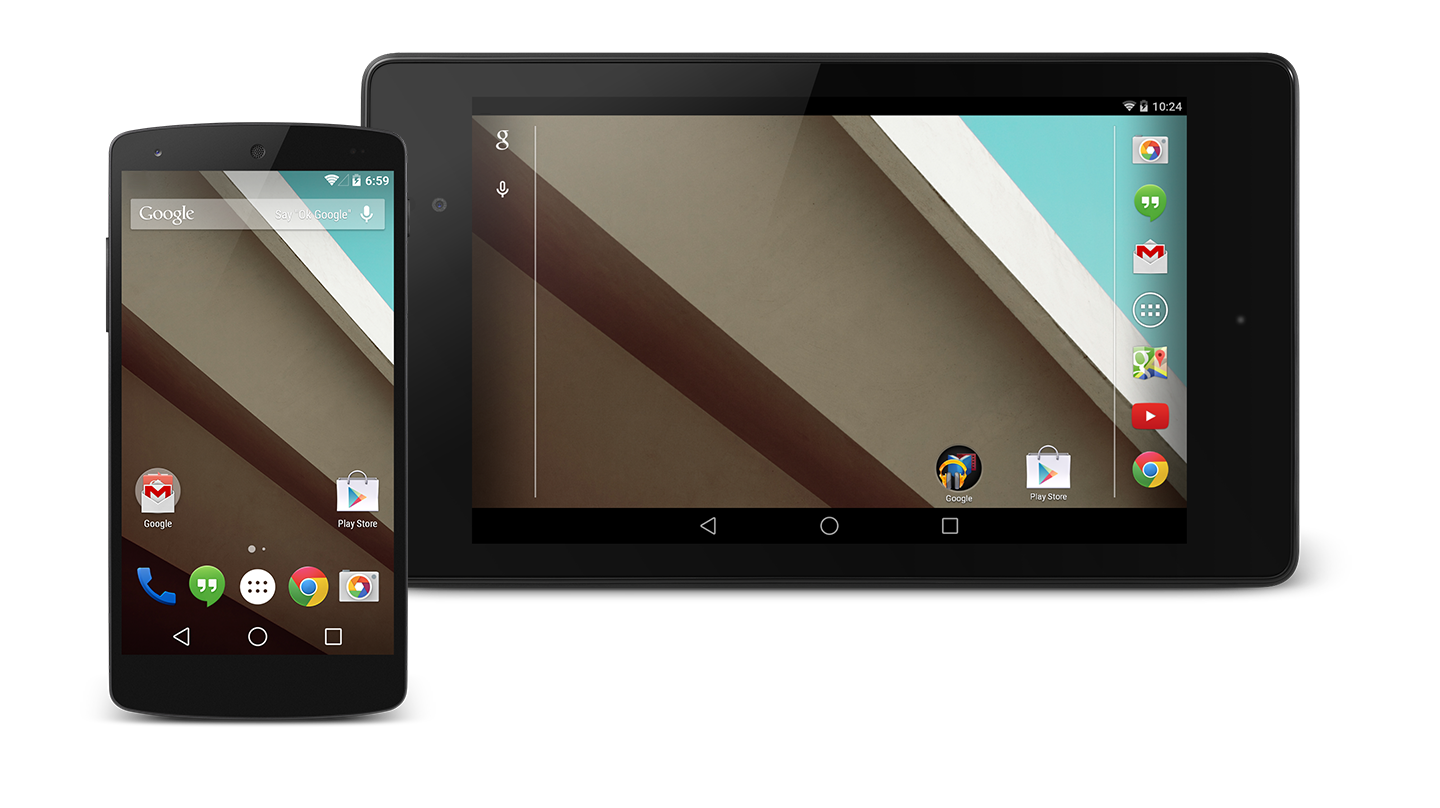
At the end of June, Google released the Android L Developer Preview.
The preview was only officially released on the Nexus 5 and Nexus 7. However, that didn’t stop Android fans from porting Android L to their favorite devices.
Today, we’re proud to tell you how to download Android L for your Nexus 4. Thanks to XDA Developers Forum members sykopompos and defconoi, you can easily download the new Android L preview for your Nexus 4.
Apparently, those two developers have been working almost nonstop since the Android L preview was released by Google. Although there are inevitably some bugs and glitches, the build is surprisingly smooth.
To download the Android L preview onto your Nexus 4, follow these steps:
Step 1) Download the Android L Preview for Nexus 4 from here
Step 2) Put the file into your Android’s internal storage
Step 3) Reboot your device into Recovery mode using Clockwork Recovery Mod or TWRP
Step 4) Tap Wipe Data/Factory Reset
Step 5) Tap Mounts and Storage > Format System
Step 6) Tap Advanced > Wipe Dalvik Cache
Step 7) Tap Install Zip > Install Zip from SDCard, tap the mako-bla-bla-zip file and tap to confirm flashing
Step 8) Wipe cache
Step 9) Tap Advanced > Wipe Dalvik Cache
Step 10) Reboot into system
Step 11) Your Nexus 4 will now take a few minutes to boot up. Some users have reported waiting as long as 10 minutes. Don’t get frustrated or inpatient during this process – if you cancel the installation halfway through, you may brick your device.
Obviously, this is still an early release, so it’s not guaranteed to work perfectly on your device. There were early problems with Bluetooth, NFC, the camera, and superuser, but these problems appear to have been fixed. if you’ve been craving some Android L action on your Nexus 4, then this is definitely the best option for you.
Also, the developers are planning on updating the Android L release over time. To install updates, follow the same steps listed above after downloading the updated file from the original forum thread.
Big shoutout to sykopompos, defconoi, zyr3x, percy_g2, ben1066, shubhamchamaria, and muzadull for putting this release together!
Step 1) Download the Android L Preview for Nexus 4 from here
Step 2) Put the file into your Android’s internal storage
Step 3) Reboot your device into Recovery mode using Clockwork Recovery Mod or TWRP
Step 4) Tap Wipe Data/Factory Reset
Step 5) Tap Mounts and Storage > Format System
Step 6) Tap Advanced > Wipe Dalvik Cache
Step 7) Tap Install Zip > Install Zip from SDCard, tap the mako-bla-bla-zip file and tap to confirm flashing
Step 8) Wipe cache
Step 9) Tap Advanced > Wipe Dalvik Cache
Step 10) Reboot into system
Step 11) Your Nexus 4 will now take a few minutes to boot up. Some users have reported waiting as long as 10 minutes. Don’t get frustrated or inpatient during this process – if you cancel the installation halfway through, you may brick your device.
Obviously, this is still an early release, so it’s not guaranteed to work perfectly on your device. There were early problems with Bluetooth, NFC, the camera, and superuser, but these problems appear to have been fixed. if you’ve been craving some Android L action on your Nexus 4, then this is definitely the best option for you.
Also, the developers are planning on updating the Android L release over time. To install updates, follow the same steps listed above after downloading the updated file from the original forum thread.
Big shoutout to sykopompos, defconoi, zyr3x, percy_g2, ben1066, shubhamchamaria, and muzadull for putting this release together!
Newsletter
Get the latest tech news delivered to your inbox weekly.