

 Step 3) Tap the blue smartphone/globe icon in the top left corner of the screen and choose Tools from the dropdown menu
Step 4) Tap App Manager
Step 5) Tap and hold on any app you want to uninstall. A small blue checkmark will appear beside that app.
Step 6) Continue tapping on all the apps you want to uninstall
Step 7) Tap the trash can icon in the bottom left corner of your screen to uninstall all selected apps
Step 8) Tap OK on all the pop-up notifications that appear to uninstall all selected apps
Step 9) Enjoy faster performance and more internal storage space! You can also choose to uninstall ES File Explorer or keep it on your device.
Step 3) Tap the blue smartphone/globe icon in the top left corner of the screen and choose Tools from the dropdown menu
Step 4) Tap App Manager
Step 5) Tap and hold on any app you want to uninstall. A small blue checkmark will appear beside that app.
Step 6) Continue tapping on all the apps you want to uninstall
Step 7) Tap the trash can icon in the bottom left corner of your screen to uninstall all selected apps
Step 8) Tap OK on all the pop-up notifications that appear to uninstall all selected apps
Step 9) Enjoy faster performance and more internal storage space! You can also choose to uninstall ES File Explorer or keep it on your device.
How to Easily Uninstall Multiple Android Apps Simultaneously
2 min read
When I got my first Android smartphone, I downloaded apps like there was no tomorrow. Before long, my hard drive was nearly full with apps I never used. I had to go on an uninstall spree.
Uninstall sprees aren’t nearly as fun as they sound. They’re time-consuming and painstaking. You have to manually select each app from the Application Manager and wait several minutes for even the smallest apps to be completely uninstalled.
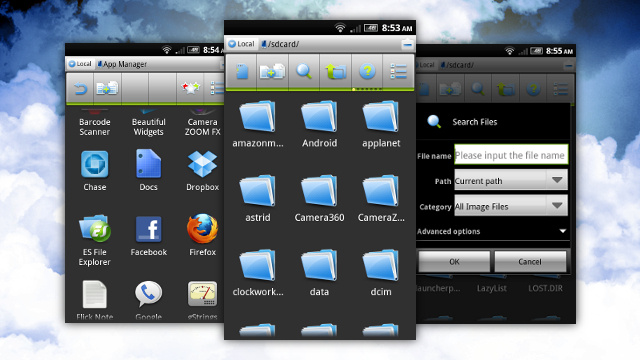
Fortunately, there’s a way to avoid this annoying process and uninstall multiple apps simultaneously. Before you do that, you only need to install one simple app called ES File Explorer.
Step 1) Install ES File Explorer from the Google Play Store here
Step 2) Run the app and tap three times to ignore the tutorial (or do the tutorial, I don’t care)
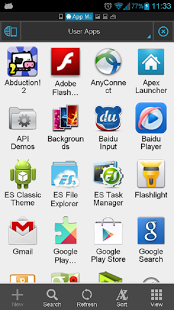
Step 3) Tap the blue smartphone/globe icon in the top left corner of the screen and choose Tools from the dropdown menu
Step 4) Tap App Manager
Step 5) Tap and hold on any app you want to uninstall. A small blue checkmark will appear beside that app.
Step 6) Continue tapping on all the apps you want to uninstall
Step 7) Tap the trash can icon in the bottom left corner of your screen to uninstall all selected apps
Step 8) Tap OK on all the pop-up notifications that appear to uninstall all selected apps
Step 9) Enjoy faster performance and more internal storage space! You can also choose to uninstall ES File Explorer or keep it on your device.
Step 3) Tap the blue smartphone/globe icon in the top left corner of the screen and choose Tools from the dropdown menu
Step 4) Tap App Manager
Step 5) Tap and hold on any app you want to uninstall. A small blue checkmark will appear beside that app.
Step 6) Continue tapping on all the apps you want to uninstall
Step 7) Tap the trash can icon in the bottom left corner of your screen to uninstall all selected apps
Step 8) Tap OK on all the pop-up notifications that appear to uninstall all selected apps
Step 9) Enjoy faster performance and more internal storage space! You can also choose to uninstall ES File Explorer or keep it on your device.
Newsletter
Get the latest tech news delivered to your inbox weekly.