The Google Play Store recently became a lot more useful for app developers and companies. Google recently added a Private Channel system that allows companies to distribute their in-house Android applications and distribute them internally.
So if you have a custom expense report app or some sort of communication tool for employees, you can add this to the Google Play store without advertising it to millions of public Android users over public channels. Since most companies simply distribute .apk files for in-house apps, the Google Play Store is a much easier alternative.
Companies can now push updates to users through the app store, and it will be easier than ever for employees to download and install the apps they need for work. Since some Android users may not know how to download and access an .apk file the private app store option presents a way better alternative. And, new employees can simply be directed to the Private Channel to download the suite of apps and tools they need for work.
The Private Channel is another way in which Android is seeking to catch up to the iPhone, which is currently the most popular option for corporate users. Although Android’s presence is growing in the business community, it still has a lot of catching up to do.
Ready to set up a Private Channel for your business? Keep reading!
Here’s how to set up the private app store:
Step 1) Google recommends creating a new Google account in order to edit the Google Play channel. This will prevent access to the Store from being lost if an employee leaves the company.
Step 2)
Sign in to the Google Play control panel and go to
Organization & users > Services. Look for the
Google Play Developer Console option and turn it on.
Step 3) Activate the console for all of the other Google users who want to be allowed to publish applications on the Private Channel
Step 4) Go to
Settings > Mobile and opt-in to the Private Channel feature
Step 5) If you want to allow a specific group of users to publish applications to the Private channel, then you will need to activate the
Allow users to update Google Play Private channel option. Then, go to the control panel under
Organizations & users > Services and turn on the
Google Play Developer Console for that same group of users.
Step 6) Now you need to allow a specific group of users to access and download apps from your Private Channel. To do this, turn on the
Allow users to access Google Play Private Channel from the
Organizations & users control panel.
In order to publish apps to your Private channel, the users you chose in Step 5 need to register as Google Play app publishers, which can be done in a few minutes at
https://play.google.com/apps/publish/signup. Google also recommends that the Private Channel admin
creates a dedicated role account in order to maintain access to all published apps, which is useful if an employee/app developer leaves the company.
A $25 publisher registration fee is also required in order to release apps onto the Play Store, and only Business, Education, and Government apps are available through the Private Channel thus far (you wouldn’t want to distribute Android games to your employees now, would you?)
How to access the Google Play Private channel
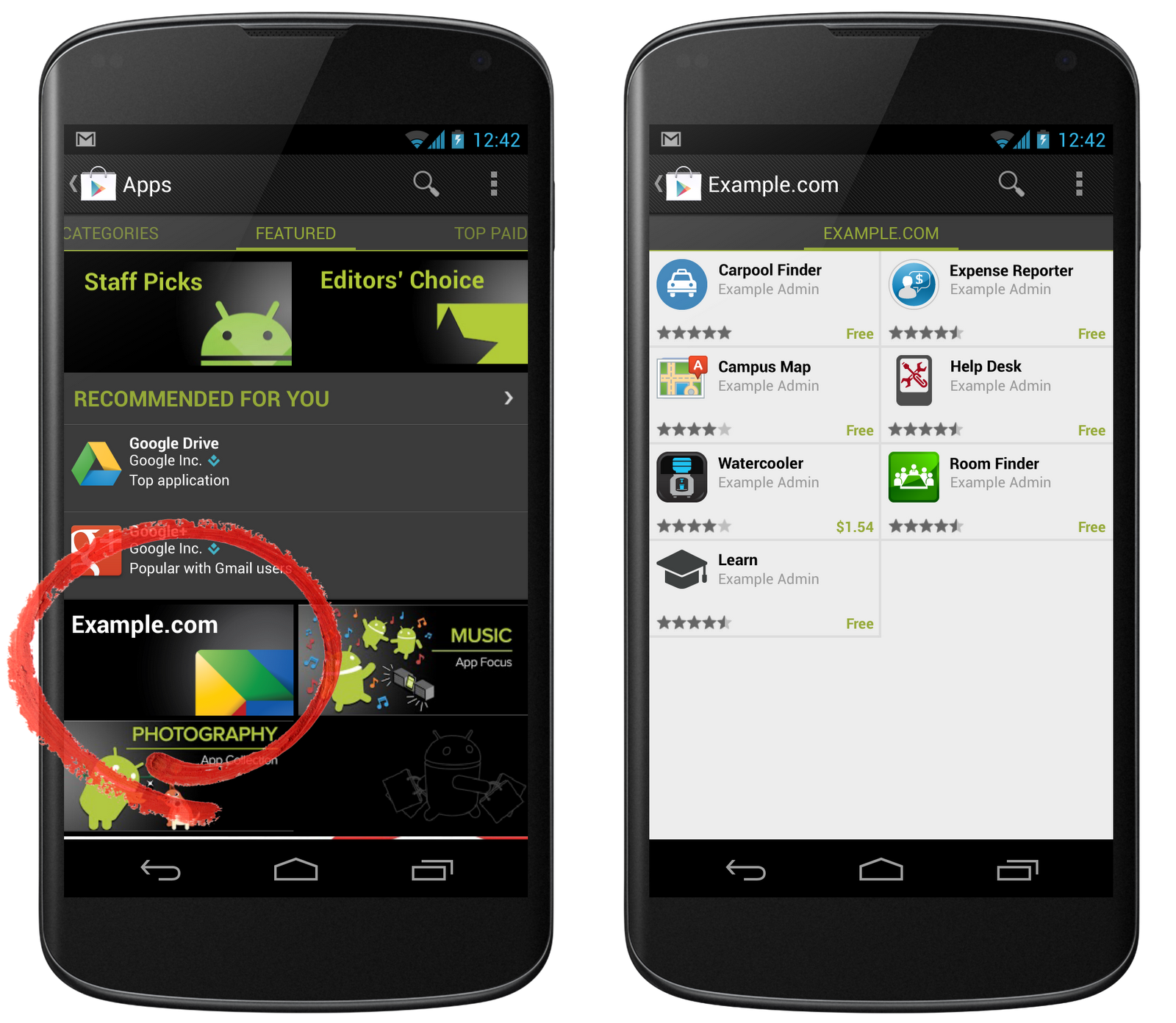
Once the Private Channel is ready and the administrator has granted users access, you can download apps from the Play Store by opening the Play Store app then going to Play Store > Apps > [Company name]
For a full list of FAQs and other information about the Private Channel feature,
visit the official Google Support page here.