

How to Improve Your Sports Performance Using Your Android
3 min read
It’s a pretty common misconception amongst people that with emerging fascinating technology, this generation is becoming more inclined towards laziness and chronic couch potato-ism. However, this is far from the truth. The finest athletes and coaches have always relied on the best technology to optimize their physical performances and bring it to the next level. There are a plethora of health and sport-related apps available on Google Play Store for your Android tablet and smartphone.
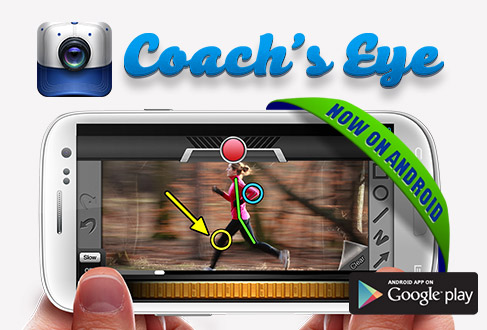
The Coach's Eye app developed by Techsmith is a wonderful and easy-to-use sports training app that is aimed at studying and mastering sporting techniques. By the process of on-the-spot recording and reviewing, you can now perfect every tennis serve, golf swing, soccer kick, baseball pitch, wrestling takedowns, etc. much more efficiently.

Coach’s Eye Android Key Features
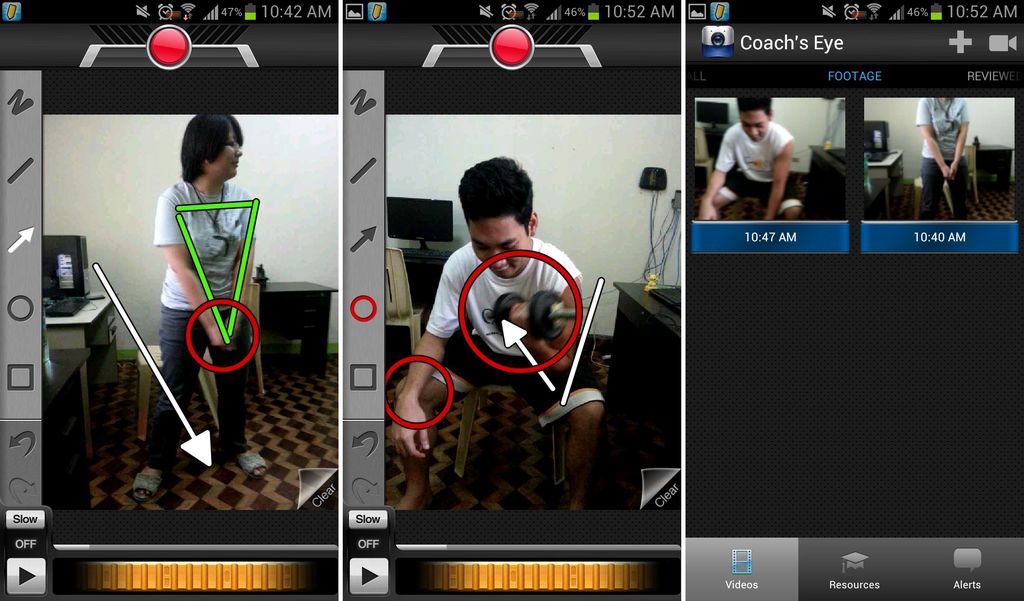
Video Recording Coach’s Eye makes use of your Android device’s built-in video camera to record any kind of athletic performance you engage in, analyze and review your performance directly and immediately work towards making suitable corrections to improve it. Review Your Recorded Videos in Slow Motion Slow motion replays are finding increased acceptance in the sport refereeing and judging community to avoid any unforeseen errors. Using the exceptionally fluid flywheel visible on your app homescreen, you can now break down a technique effectively on a frame-by-frame basis. This makes the process of officiating a game or reviewing and perfecting your athletic performance execution much easier. Add Video Annotations Not only does Coach’s Eye allow you to slow down and make a pin-point analysis for your athletic technique, but it also lets you annotate your video to mark and add important notes to remember at specific points of time in your recorded video. This helps you refresh your memory when you refer to your recorded performance video while practicing to perfect those techniques. You can annotate using lines, circles, squares, arrows, and freehand tools. These tools help you pin-point your flaws and see exactly where and how you are supposed to execute your technique. Marking and inserting these symbolic annotations is as simple as tapping the image or video at a specific point, choosing the symbol and tracing it on your device’s homescreen with your finger. Add Audio Voice-overs to Recorded Videos Perhaps the most useful feature provided by this app is the ability to record your thoughts while breaking down videos in slow motion. Your recorded voice can be automatically synced to the slow motion version of the video, in order to properly elaborate on techniques and tell you the meaning of drawn annotations. 
Final Analysis
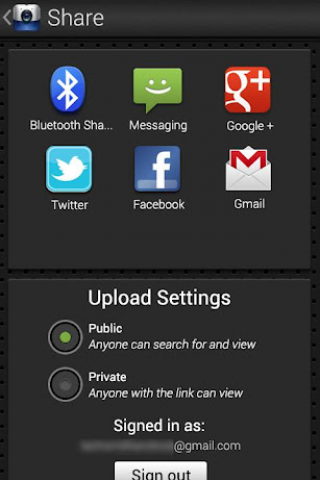
Retailing for $4.99 in Google Play Store, this Android app is a must-have for all athletes and coaches. It runs smoothly on all Android devices running an Android OS 2.3.3 and up. You can name your recorded videos according to different sporting routines depicted in them and instantly share them with your fellow athlete friends or students via different ways such as e-mail, Facebook, SMS, Twitter, DropBox, Evernote, etc. The Coach's Eye app interface is simple and very easy to navigate, with tools that can be used by both sporting amateurs and professionals with the same ease. The quality of video and images is directly dependant on your Android device’s in-built camera hardware.One Click Root Author
One Click Root Author
Content Writer
Experienced writer covering technology and mobile development.
You Might Also Like
How-To
Android 14 Root Methods: What Changed?
Explore the new root methods and security changes in Android 14.
How-To
Latest Android Security Updates Impact Root Access
Understanding how the latest security patches affect root methods.
How-To
Google Pixel 8 Pro Root Guide Released
Complete step-by-step guide to rooting the Google Pixel 8 Pro.
Comments
JD
John Doe
2 days ago
Great article! Very informative and well-written. Thanks for sharing.
JS
Jane Smith
5 days ago
I found the security section particularly helpful. Looking forward to more content like this!
Leave a Comment
Newsletter
Get the latest tech news delivered to your inbox weekly.
Popular Posts
-
1
Getting Started with Android Development
12.5K views
-
2
Best Practices for Mobile Security
8.2K views
-
3
Understanding Smartphone Hardware
6.8K views