

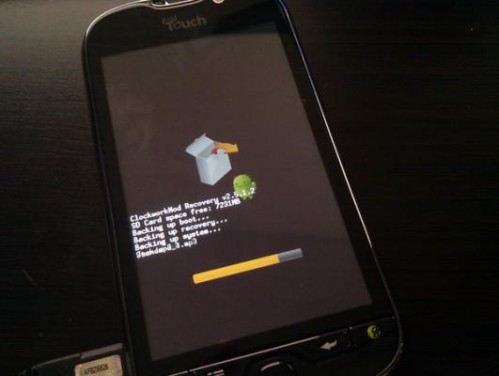
How to Install ClockworkMod On Your Android Device
2 min read
ClockworkMod is an essential part of the rooted Android experience. Using ClockworkMod, Android users can swap out custom themes with the tap of a button. They can browse through hundreds of different ROMs and make their phone look like a brand new device every day.
But before you access any of these features, you of course need to install ClockworkMod. Here’s a quick guide that will show you exactly how to do that:
Step 1) Root your Android phone or tablet if you haven’t already done so
Step 2) Download and install ROM Manager from the Google Play Store
Step 3) Launch the ROM Manager app and tap Flash ClockworkMod Recovery
Step 4) Choose the Android device that you own
Step 5) The app should install itself. Once the installation is complete, a confirmation message will appear.

What can you do with ClockworkMod Recovery?
Now that you’ve successfully installed ClockworkMod Recovery, you’re probably ready to find out what cool things you can do with it. Here are its most popular features: -Install official custom ROMs as well as unofficial custom ROMs -Install themes, apps, kernels, and other types of software and programs more easily -Create partitions on your Android device -Can fix permissions and alter root access -Manage Android backups, restore backups, and perform manual backups -Wipe the Android’s cache, battery stats, and other information without completely restoring it to factory settings -And more Whether you’re downloading ClockworkMod to access Android custom ROMs or you’re just interested in keeping your Android information safe, ClockworkMod is a must-have for rooted Android users.One Click Root Author
One Click Root Author
Content Writer
Experienced writer covering technology and mobile development.
You Might Also Like
How-To
Android 14 Root Methods: What Changed?
Explore the new root methods and security changes in Android 14.
How-To
Latest Android Security Updates Impact Root Access
Understanding how the latest security patches affect root methods.
How-To
Google Pixel 8 Pro Root Guide Released
Complete step-by-step guide to rooting the Google Pixel 8 Pro.
Comments
JD
John Doe
2 days ago
Great article! Very informative and well-written. Thanks for sharing.
JS
Jane Smith
5 days ago
I found the security section particularly helpful. Looking forward to more content like this!
Leave a Comment
Newsletter
Get the latest tech news delivered to your inbox weekly.
Popular Posts
-
1
Getting Started with Android Development
12.5K views
-
2
Best Practices for Mobile Security
8.2K views
-
3
Understanding Smartphone Hardware
6.8K views