We’ve always had a weird relationship with the gadgets we own that transcends beyond their simple utilitarian necessity. Our smartphones in particular, have earned the status of an irreplaceable companion that helps keep our life on track. So it’s no surprise that we love to pour our personalities into these devices. One of the ways we can do this is by customizing our phones with a cool wallpaper, which is as important to some people as deciding their next Facebook profile picture.
For all you smartphone customization fanatics out there, let us introduce you to
Magic Fluids – an Android app that changes the way you use free time and is a complete hook on. Imagine all those time where you almost dropped you phone in water and said to yourself, “Woah, that was close”. Here’s an Android app that gives you the same look and feel only here, it displays how your phone would look if water entered your phone instead of just being on it. Better still you can also tamper and play with different looks and feels and use them on your phone.
How does it work?
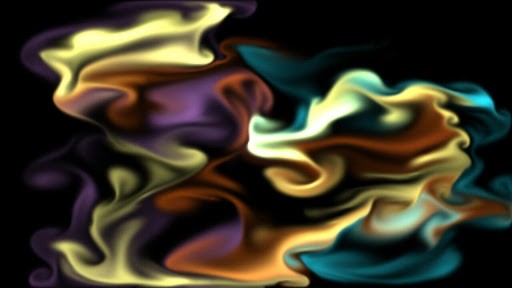
The operations and basic functionality of the Magic Fluids app couldn’t possibly be designed any simpler once you get down to using it. The user gets hooked onto it almost immediately as navigating across different wallpaper options is extremely easy. On downloading the Magic Fluids app, you can pick from the list of pre-configured motions and all you have to do is move your finger around the screen, and the Magic Fluids app automatically follows your trail and shows different colors on the screen which looks something like this:
 What it Contains?
- Configured fluid motion and look
- 10 pre configured presets
- Save your own presets
- Multi-touch controls.
- Smoke, gas and water/Fluid animation.
- Screen shots to save as wallpapers.
- You can use it as an app as well as a wallpaper
- Multiple quality settings for a wide range of devices.
The 10 configured motion settings include
- Floating Flames
- Wavy Winter
- Classy Combination.
The Magic Fluids app consists of two fluid animation methods:
- Smoke classic gas simulation. It is slow and steady and is great when you want to slow down and relax.
- Water - A method that makes fluid/water behavior more similar to liquid than gas. You can feel the pressure transmitting through the water while you touch the screen. It's perfect when you want to create vibrant simulations, images and animations full of swirls and curls and more.
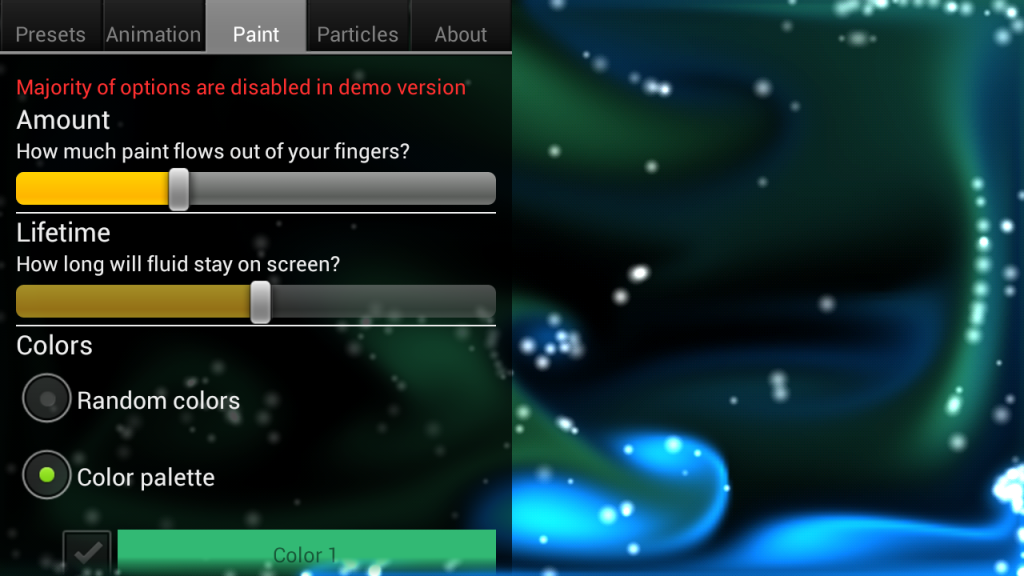
Over and above these options, you can also configure the touch sensitivity by simply increasing or decreasing the levels on the given scales in “settings” that make the flow of waves thicker or thinner depending on the users preference.
There also is delicate particle throw out that embellishes the output all the more. Turn on the particle mode and you can play with over 15,000 particles carefully simulated to give an image that looks sharper and sleeker. You can play around with the settings and give it whatever output you need.
To add to this, Magic Fluids even enables you to freeze the screen and take screen shots at just a simple tap of your device’s screen.
You can also simultaneously use Magic Fluids as a live wallpaper that’s running all over your device’s display like someone spilt enchanting vibrant water right inside it.
Additionally, you can come up with your own configurations and then store a maximum 10 fluid preset of your own in the user preset space.
So that’s Magic Fluids for you, a live wallpaper creator, which serves as a perfect time killer and excellent customization tool for your Android device that will add a jazzy and mystical new style to your display screen. It rides on an average rating of 4.8 stars and is available at a minimal cost. Go get it today from Google Play Store and let your creativity flow!