

What Makes Sellbox Unique?
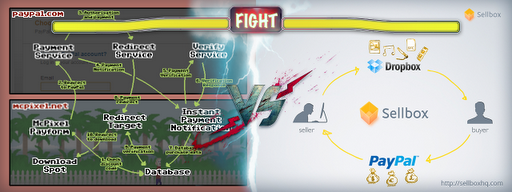
Sellbox is a service that allows users to set a fixed price for their Dropbox files, share the individual file links through social networks, and process payments via PayPal. To get started, you simply need to input your Dropbox account login credentials on the Sellbox app homescreen to automatically sync it with the Sellbox app. You will now be able to pick any files in your Dropbox folders which you want to sell, assign a file name and fixed price for them. These files can be shared via social networking platforms such as Facebook or Twitter or via a shortened link. Once the buyer has decided which file to purchase, he can initiate the transaction through PayPal. For every individual file sale made, Sellbox takes a fee of 9% and the remaining 91% goes to the seller. This service is a great encouragement to users who always wanted to pursue projects of their interests but were forced to abandon them in favor of the job security of a typical 9-to-5 job. Although its simplistic minimalist interface is not particularly appealing to the eye, Sellbox delivers big on professionalism and utility. The welcome page of Sellbox is very basic. Now that you have signed up via Dropbox, you can put up sample files of your work in the folders which can be accessed by potential buyers using some friendly worded permissions. Once you have chosen which files to put up for sale and shared their links, customers who click on those links will be directed to a landing page showing a quick preview of the file along with its relevant information and pricing details. Presumably they can only retrieve the files we select to sell. If the customer likes your content, they can pay the required amount via the PayPal login screen. One of the additional wonderful features offered by Sellbox is the donation option which allows the customer to pay a bonus for your content if they really like it. Many graphical artists, novelists, photographers, artwork designers, etc. have huge social network followings that can help boost the business of their favorite content creators with these donations. These donations will not be liable for a Sellbox transaction fee and you can enjoy your fruits of labor even more. It’s important to note that putting up unoriginal and copied content such as compiled music albums of various artists, works of other photographers, etc. is strictly prohibited and will lead to an immediate suspension of your Dropbox and Sellbox accounts. However, a little more polish in its interface and more functionality features and settings options would greatly enhance the professional feel of the product and more freedom to customize it better to suit your needs.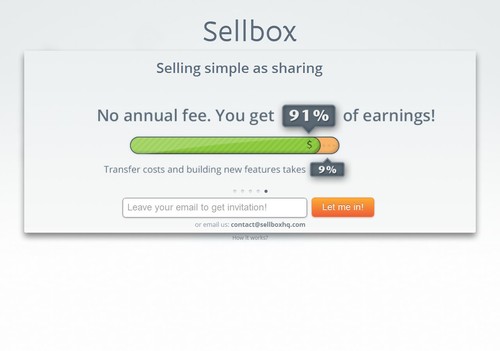
The Pros & Cons of Sellbox
PROS |
CONS |
|
The app is absolutely free to set up without any sign-up fees. |
The lack of branding or customization for the seller’s page is a major disadvantage because a good reputation helps establish them as a reliable and preferred seller. |
|
The selling and transaction process is very easy and user-friendly to execute. |
Sellbox is currently exclusive to Dropbox. People using other cloud-based services would find it inconvenient to migrate their content just to use Sellbox. |
|
It is a great platform for freelancers, small businesses, and for viral marketing. |
Sellbox doesn’t really make sense as a business app for larger businesses, which can simply use a premium business pricing plan and save on any kind of transaction fees. |