For those who don’t already know, there are two broad groups of Android devices. There are stock Android devices which run the ‘vanilla’ Android operating system, and then there are third-party Androids which run a modified version of that operating system.
Any device with ‘Nexus’ in its name – like the Nexus 4, Nexus 7, or Samsung Galaxy Nexus – is considered a stock Android device with the basic Android OS installed. Meanwhile, popular Android smartphones like the Samsung Galaxy S3 come with a version of Android that was modified by Samsung to include Samsung apps and dozens of UI changes.
Stock Android is pure Android. Stock Androids tend to be faster and contain less bloatware. The UI is cleaner and more reliant on default Google apps.
It’s easy to appreciate stock Android. And if you want to experience the magic of stock Android on your non-stock Android device, then there are three ways you can do that:
Method 1) Root your Android using One Click Root
Rooting strips away all of the ‘improvements’ that have been made to the Android OS on your device. When you use a program like One Click Root, rooting only takes a few minutes to complete. And once you have root access to your Android, it will run a vanilla version of Android.
Rooting also gives you access to a number of
other unique apps and
cool rooting benefits.
Method 2) Buy a stock Android device
There are plenty of Stock Androids available for sale today. Many of them are made by Google. Unfortunately, Google’s smartphones and tablets are notoriously difficult to buy because – for whatever reason – Google never makes enough to keep up with demand.
If you want to buy into the stock Android experience, you can check out the following devices:
-Nexus 4
-Nexus 7
-Nexus 10
-Samsung Galaxy Nexus
Method 3) Installing apps that look like stock Android
If you don’t want to pay for a new Android and don’t want to root it yourself, then you can easily download some apps that make your device look like it’s running stock Android. Here are some of our favorite stock Android-looking apps that will improve the appearance of your smartphone or tablet:
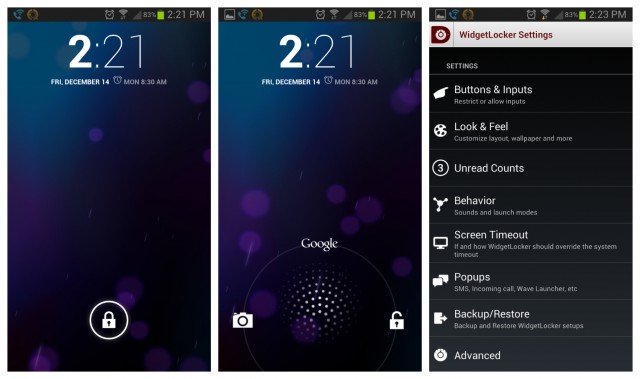
Lockscreen: Your lockscreen is the first thing you notice when you turn on your Android. It’s a central part of the vanilla Android experience. You can create a nice-looking vanilla lockscreen thanks to a free
app called Holo Locker.
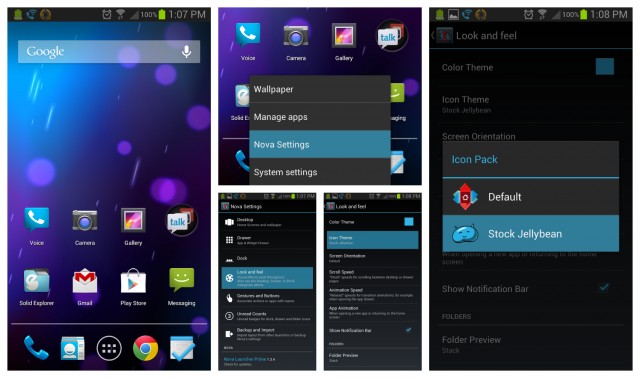
Launcher: Once you’ve unlocked your phone, you’ll want to use a vanilla Android launcher to access your apps in the most authentic way possible. Downl
oad the Android 4.1 Jelly Bean launcher from the Google Play Store in order to setup your homescreens like they look on any stock Android device.
Camera: Third-party Androids come with their own camera app installed. You can download the stock Android camera experience for
Jelly Bean here or for
Ice Cream Sandwich here
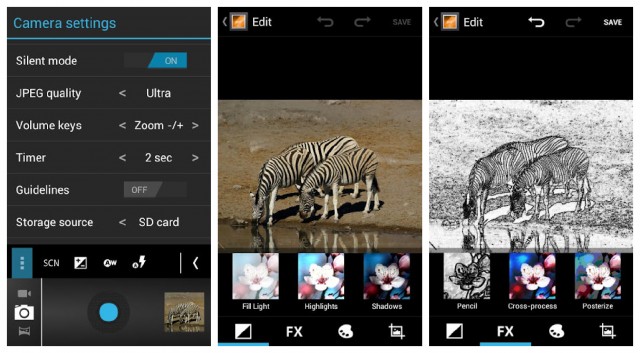
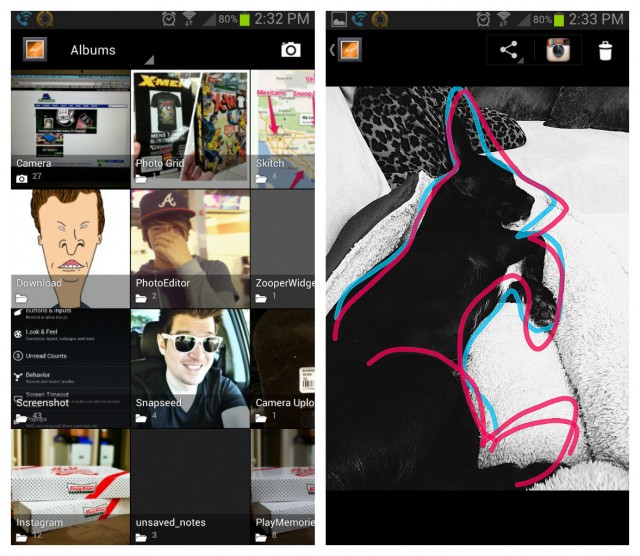
Photo gallery: I don’t know about you, but I spent a lot of time browsing through my lovely Android gallery of photos. It’s one of the most-used apps on my phone, and the minimalistic interface of the stock Android gallery app makes browsing through photos a breeze.
Download the Ice Cream Sandwich gallery for free from here.
Other Android apps to download if you want to access the stock Android experience (or at least make your phone look like it’s accessing the stock Android experience):
-
Calculator
-
Clock
-
Jelly Bean 4.2 Keyboard
-
Jelly Bean Messaging apps
-
Calendar
-Ice Cream Sandwich browser
Conclusion – should you use stock Android?
If you don’t want to spend a few minutes rooting your Android, then you can make your Android look and perform like it’s a stock system by downloading the apps we’ve linked to above.
When you use stock Android, you’re using Android the way Google intended you to use it. When you use an Android that’s been modified by third-parties like Samsung, HTC, or LG, you’ve diluted that experience and added pointless apps that you may never use.

