

 -Install the executable file on your PC
-Make sure your Android and PC are on the same Wi-Fi network
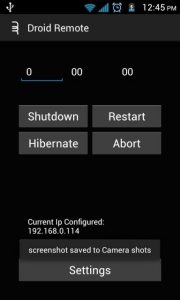
-Open the app and choose one of four different options: shutdown, restart, hibernate, and ‘abort’, which aborts the process
Better yet, you can schedule this app to shut down, power up, or restart your PC at certain times. Set the timer for when you leave the house in the morning and never worry about wasting electricity again.
Now here’s the “catch”: Droid Remote Lite is still in development. There is a working version currently available and it appears to work without issue for most users, although there are still some glitches and problems remaining.
Download Droid Remote Lite for free from the Google Play Store here: http://forum.xda-developers.com/showthread.php?t=2053721
And don’t forget to download the PC executable file here: http://forum.xda-developers.com/showthread.php?t=2053721
Alternatives to Droid Remote Lite
If, for whatever reason, Droid Remote Lite doesn’t work for you, then you can use one of a bunch of other Android apps that perform a similar function. Those apps include:
-Splashtop
-LogMeIn
Any other suggestions? Let me know by leaving a comment below!
Credit for the Droid Remote Lite app goes to XDA Developers Forum user lastspartan09.
-Install the executable file on your PC
-Make sure your Android and PC are on the same Wi-Fi network
-Open the app and choose one of four different options: shutdown, restart, hibernate, and ‘abort’, which aborts the process
Better yet, you can schedule this app to shut down, power up, or restart your PC at certain times. Set the timer for when you leave the house in the morning and never worry about wasting electricity again.
Now here’s the “catch”: Droid Remote Lite is still in development. There is a working version currently available and it appears to work without issue for most users, although there are still some glitches and problems remaining.
Download Droid Remote Lite for free from the Google Play Store here: http://forum.xda-developers.com/showthread.php?t=2053721
And don’t forget to download the PC executable file here: http://forum.xda-developers.com/showthread.php?t=2053721
Alternatives to Droid Remote Lite
If, for whatever reason, Droid Remote Lite doesn’t work for you, then you can use one of a bunch of other Android apps that perform a similar function. Those apps include:
-Splashtop
-LogMeIn
Any other suggestions? Let me know by leaving a comment below!
Credit for the Droid Remote Lite app goes to XDA Developers Forum user lastspartan09.
How to Remotely Shut Down Your PC With an Android App
2 min read
Shutting down a PC can be annoying. You have to go to your office chair, leave over your keyboard, press the Windows Start button, click Shut Down, and then walk away.
Life is tough.
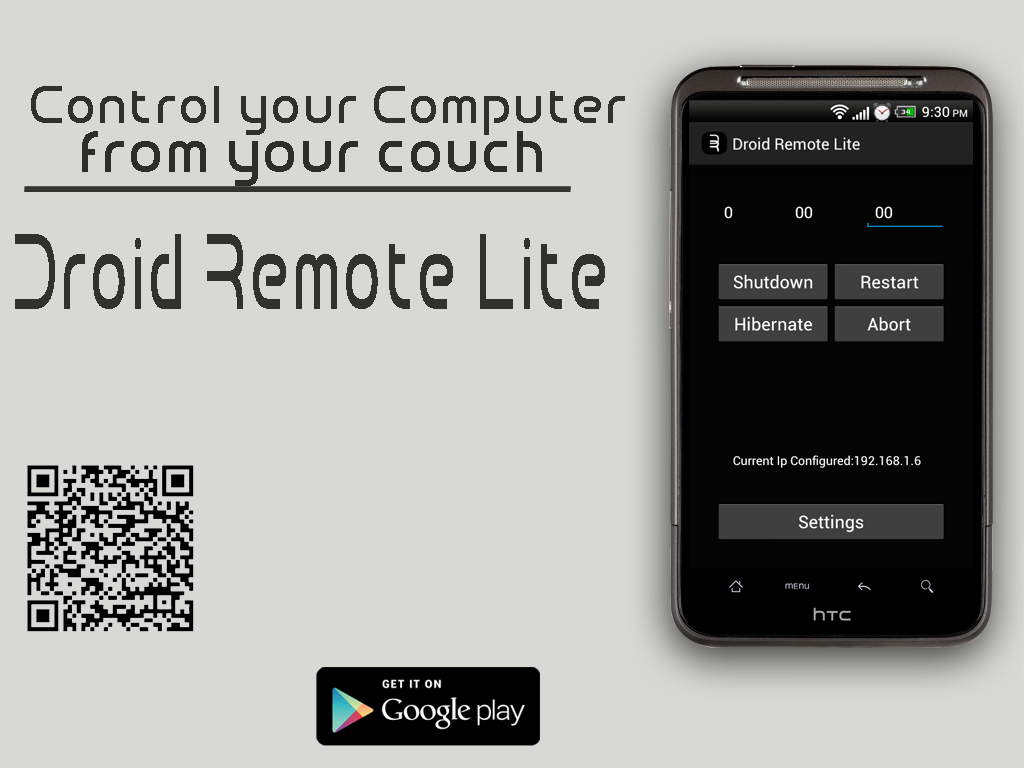
If your PC shutdown process is bringing you down, then you need an app called Droid Remote Lite. Droid Remote Lite is designed to shut down, restart, and hibernate your PC from your Android device.
Here’s how it works:
-Install the app on your Android
-Install the executable file on your PC
-Make sure your Android and PC are on the same Wi-Fi network
-Open the app and choose one of four different options: shutdown, restart, hibernate, and ‘abort’, which aborts the process
Better yet, you can schedule this app to shut down, power up, or restart your PC at certain times. Set the timer for when you leave the house in the morning and never worry about wasting electricity again.
Now here’s the “catch”: Droid Remote Lite is still in development. There is a working version currently available and it appears to work without issue for most users, although there are still some glitches and problems remaining.
Download Droid Remote Lite for free from the Google Play Store here: http://forum.xda-developers.com/showthread.php?t=2053721
And don’t forget to download the PC executable file here: http://forum.xda-developers.com/showthread.php?t=2053721
Alternatives to Droid Remote Lite
If, for whatever reason, Droid Remote Lite doesn’t work for you, then you can use one of a bunch of other Android apps that perform a similar function. Those apps include:
-Splashtop
-LogMeIn
Any other suggestions? Let me know by leaving a comment below!
Credit for the Droid Remote Lite app goes to XDA Developers Forum user lastspartan09.
-Install the executable file on your PC
-Make sure your Android and PC are on the same Wi-Fi network
-Open the app and choose one of four different options: shutdown, restart, hibernate, and ‘abort’, which aborts the process
Better yet, you can schedule this app to shut down, power up, or restart your PC at certain times. Set the timer for when you leave the house in the morning and never worry about wasting electricity again.
Now here’s the “catch”: Droid Remote Lite is still in development. There is a working version currently available and it appears to work without issue for most users, although there are still some glitches and problems remaining.
Download Droid Remote Lite for free from the Google Play Store here: http://forum.xda-developers.com/showthread.php?t=2053721
And don’t forget to download the PC executable file here: http://forum.xda-developers.com/showthread.php?t=2053721
Alternatives to Droid Remote Lite
If, for whatever reason, Droid Remote Lite doesn’t work for you, then you can use one of a bunch of other Android apps that perform a similar function. Those apps include:
-Splashtop
-LogMeIn
Any other suggestions? Let me know by leaving a comment below!
Credit for the Droid Remote Lite app goes to XDA Developers Forum user lastspartan09.
Newsletter
Get the latest tech news delivered to your inbox weekly.