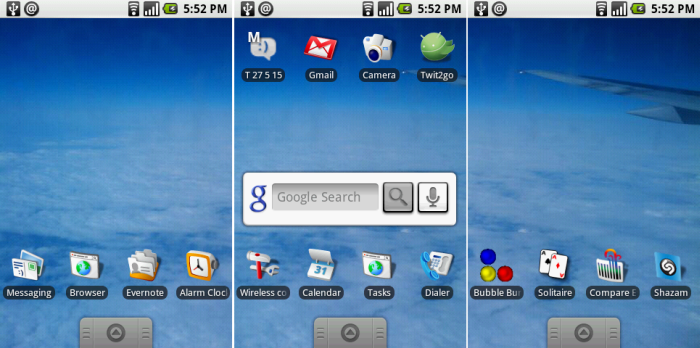
You may have noticed that you have some apps on your Android homescreen that you never actually added. Some apps are set to add a shortcut to your homescreen immediately after installation is complete – whether you like it or not.
Fortunately, deleting these app shortcuts is very easy. All you need to do is ‘longpress’ on one of these shortcuts and wait for a ‘Remove’ trash can icon to appear at the top right corner of your screen. Then, drag the app’s icon over the trash can and you’re done. The app will be removed from your homescreen.
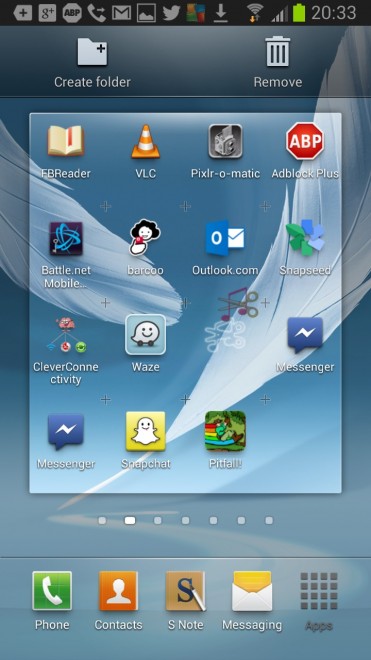
Note: this removes the app from your homescreen but it doesn’t uninstall it. If you want to uninstall that app, you’ll need to go to Settings > Application manager.
How to prevent apps from automatically adding apps to your homescreen
Deleting app shortcuts from the homescreen is a pretty basic operation and it’s one that most of you know how to do already. However, there’s an easy way to prevent apps from hijacking your phone and stealing valuable homescreen real estate:
Step 1) Open your Google Play Store app
Step 2) Click the ‘Menu button on your phone to access the Google Play Store settings section
Step 3) You’ll see this screen:
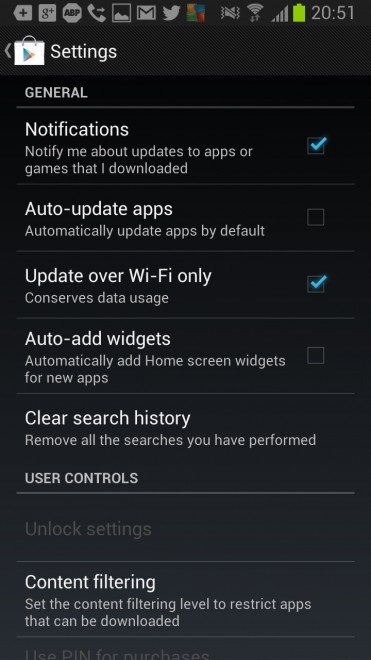
From that screen, uncheck the
Auto-add widgets button to prevent apps from hijacking your pristine homescreen ever again. Apply those settings and exit out of the window. You’re done!