

How to Remove Your Android Lockscreen
2 min read
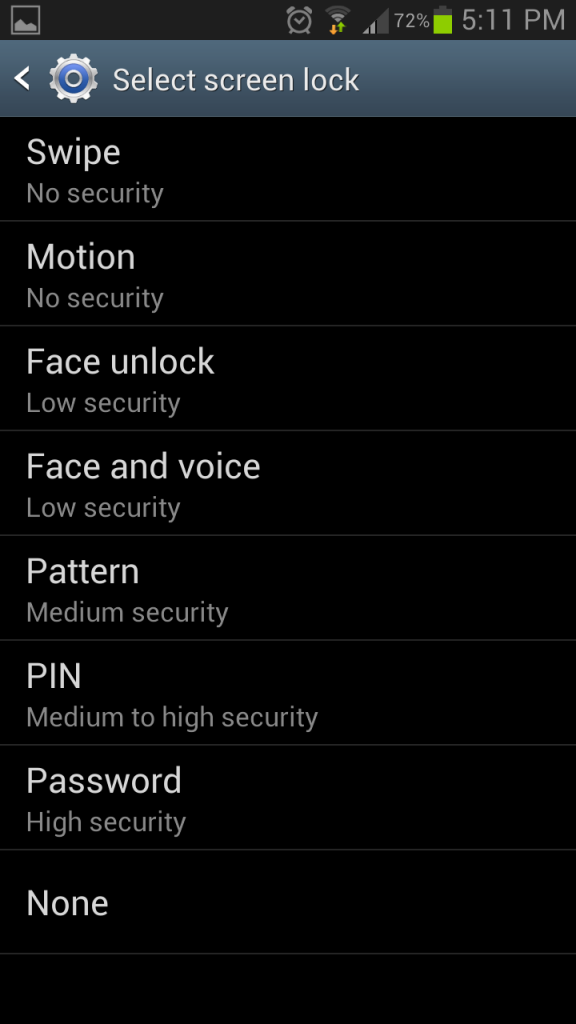
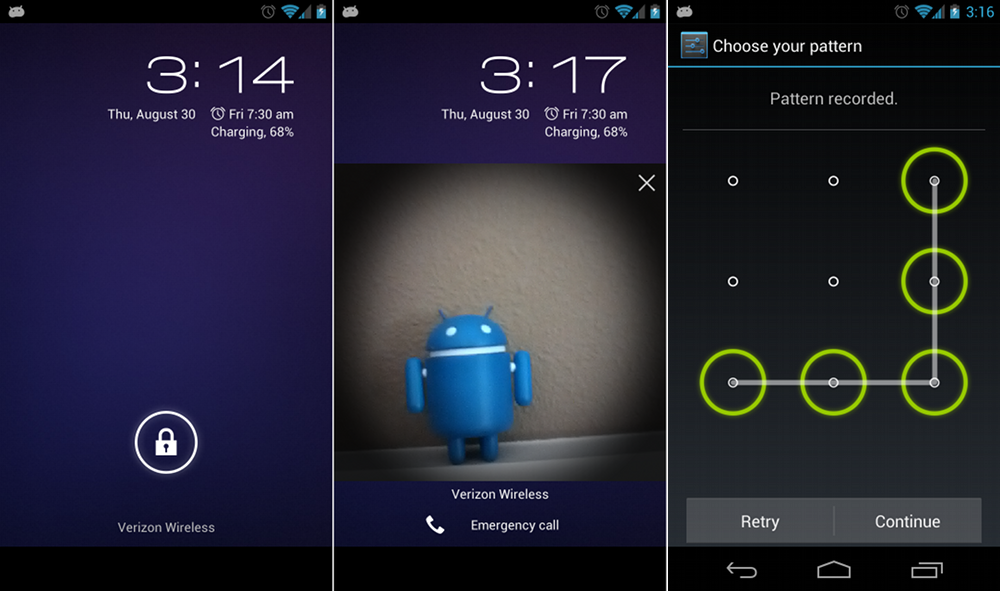
Every Android smartphone or tablet has the lockscreen enabled by default. To unlock your phone, you just have to slide your finger across the screen. Some people choose to add more secure lockscreens that require password entry or facial recognition.
But some people don’t worry about the security of their phone. Some people never lose their phones or take extra precautions against theft. Whatever the case may be, not everybody needs an Android lockscreen. And removing the lockscreen can make using your device easier than ever. After all, you don’t have to navigate through an extra screen in order to use your phone.
Removing the Android lockscreen is very straightforward in Android 4.0 and later versions. Here’s a quick guide:
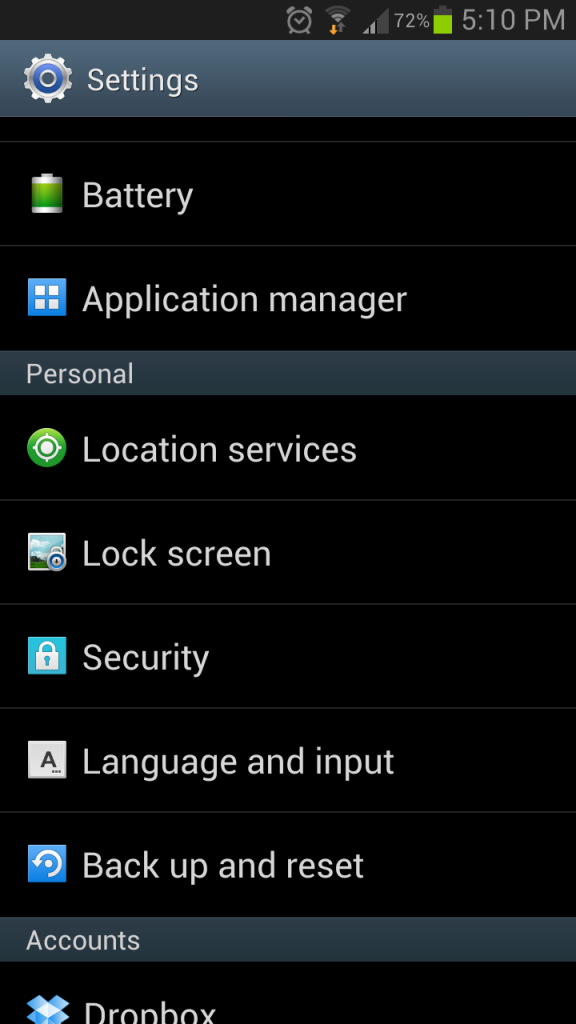
Step 1) Go to your Settings menu
Step 2) Scroll down to the Personal subheading and find Lock screen


One Click Root Author
Content Writer
Experienced writer covering technology and mobile development.
You Might Also Like
How-To
Android 14 Root Methods: What Changed?
Explore the new root methods and security changes in Android 14.
How-To
Latest Android Security Updates Impact Root Access
Understanding how the latest security patches affect root methods.
How-To
Google Pixel 8 Pro Root Guide Released
Complete step-by-step guide to rooting the Google Pixel 8 Pro.
Comments
JD
John Doe
2 days ago
Great article! Very informative and well-written. Thanks for sharing.
JS
Jane Smith
5 days ago
I found the security section particularly helpful. Looking forward to more content like this!
Leave a Comment
Newsletter
Get the latest tech news delivered to your inbox weekly.
Popular Posts
-
1
Getting Started with Android Development
12.5K views
-
2
Best Practices for Mobile Security
8.2K views
-
3
Understanding Smartphone Hardware
6.8K views