

How to Turn your Samsung Smart Camera into a Baby Monitor or Security Camera
2 min read
Samsung’s smart cameras have blurred the lines between cameras and smartphones.
If you’re a Samsung smart camera user, then there are all sorts of cool things you can do with your device. Today, I’m going to add one more cool thing to the list: baby monitoring.
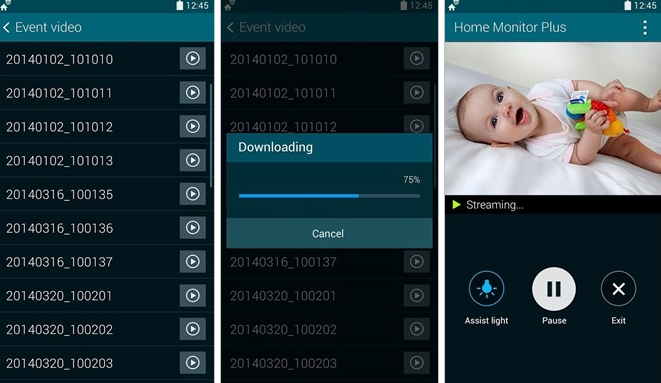
Samsung smart cameras like the NX3000 include a feature called Samsung Home Monitor that lets you use your camera to monitor your home when you’re not around. You can use it to guard your front door against burglars, for example, or spy on your weird dog when you’re not around. Parents may also want to use it as a baby monitor.
Best of all, Samsung Home Monitor has features that activate the camera only when sound or motion is detected, which prevents you from overrunning your storage capabilities and battery life.
The Samsung Home Monitor feature comes included on Samsung Smart Cameras. Simply go into your Settings menu and tap Home Monitor. Then, download this app onto your smartphone.
The Samsung NS3000 will be released in the near future. When released, you’ll be able to install the Samsung Home Monitor app onto your smartphone and stream video data between your smart camera and smartphone.
Whether you’re checking up on your baby or receiving an alert from homer about unidentified sounds and movement, the Samsung Home Monitor feature is valuable for parents and non-parents alike.
Newsletter
Get the latest tech news delivered to your inbox weekly.