Many Android users are unaware that they can use their device as a portable Wi-Fi hotspot. It’s true! And best of all – most carriers don’t charge anything beyond standard data rates for this service.
Today, we’re going to show you how to turn your Android into a portable Wi-Fi hotspot. After doing that, you can connect your laptop, desktop, or any other type of computer to your data plan just like you would connect to a normal Wi-Fi network.
Step 1) Go to your Android settings menu
Step 2) Tap on
Tethering and portable hotspot
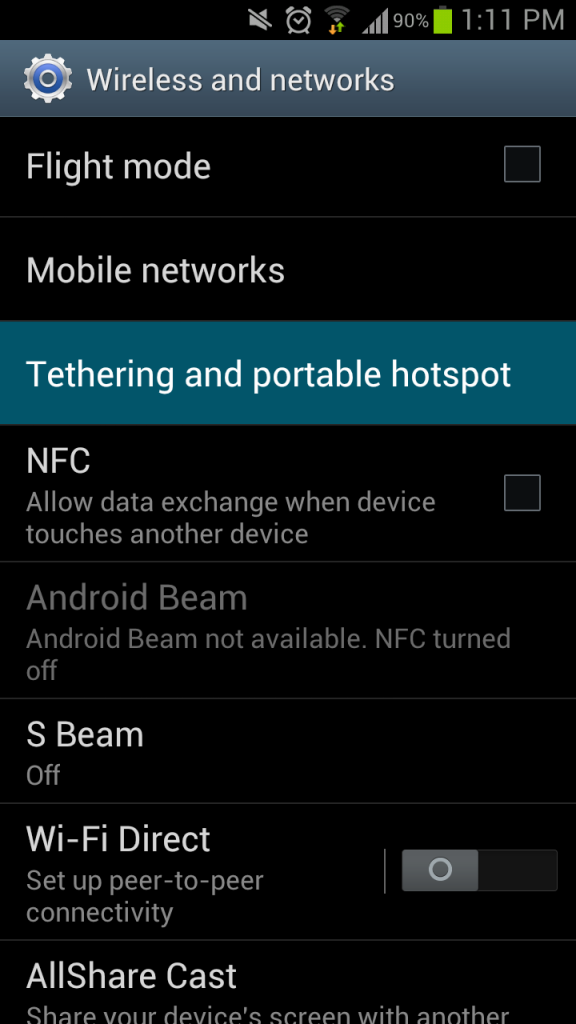
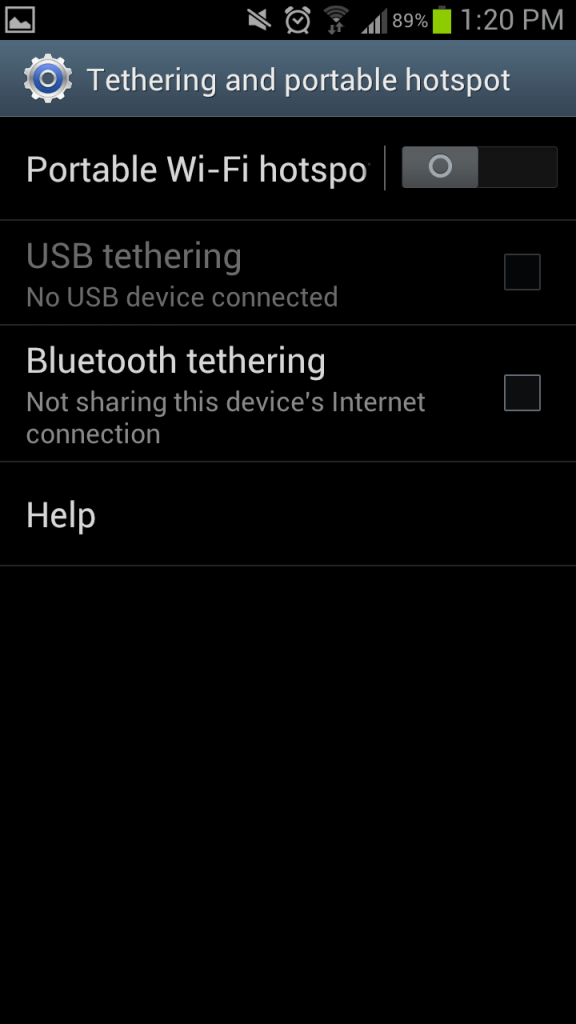
Step 3) Slide the Portable Wi-Fi hotspot slider to the side to activate it
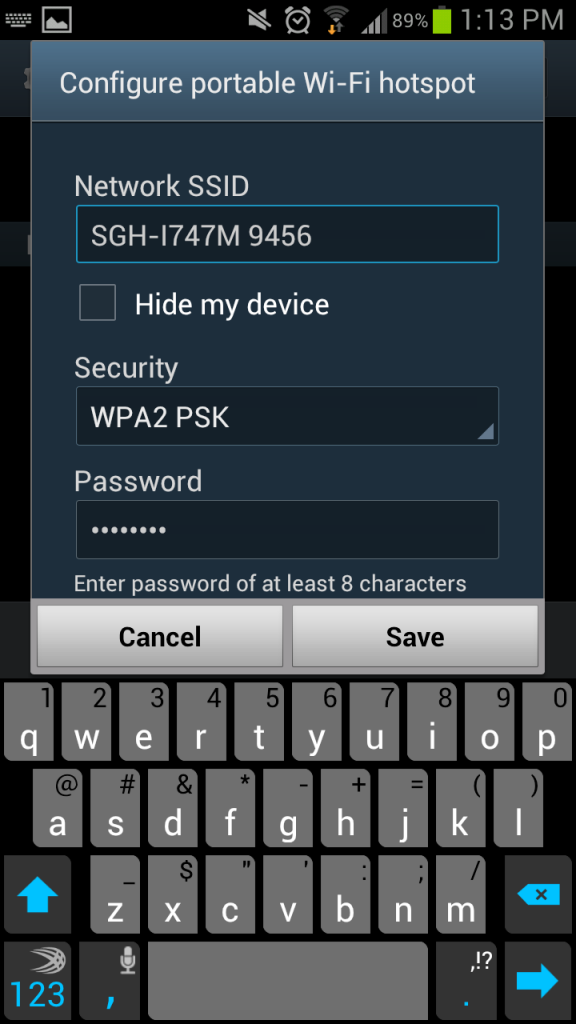
Step 4) Set up the name of your wireless network and create a password (always create a password – you don’t want some chump to hop on your network and run up your data charges).
Step 5) Activate USB tethering if you want (this allows you to share a mobile data plan down a USB cord, which is useful if you’re trying to get internet on a device that doesn’t have a wireless network card)
Step 6) Activate Bluetooth tethering to allow Bluetooth devices to connect
Step 7) Connect other devices to Android either through Wi-Fi or through Bluetooth – just like you would connect to a normal wireless internet network
Some restrictions and things to note:
-Only ten devices can connect to the mobile hotspot at any one time
-You will use mobile data over your network, which could result in some hefty fees if you don’t have an unlimited plan
-This will consume lots of battery life
Not always free
It’s important to note that some carriers charge to use this service. For example, AT&T and Verizon charge users about $20 to add tethering and hotspot support to their Android smartphones.
If you want to get around this issue and use your mobile Android hotspot for free, then root your device and install a third-party tethering app like Wi-Fi Tether for Root Users. These apps work in almost the same way as the default Android hotspot app, although carriers can’t track what you’re doing.
If you want to root your device in the easiest possible way,
download One Click Root and connect your smartphone to your computer today.