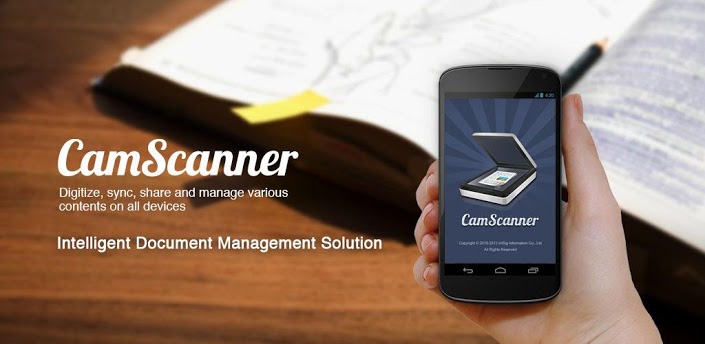
For those of you out there who are Android newbies and are of the impression that this technology is only meant to cater to tech hipsters who don’t really need it for any significant contribution to a working lifestyle, here’s an app that will change your perception for the good and make you a believer once and for all.
CamScanner is the ultimate corporate app that makes those boring days of insurmountable paperwork feel like a breeze. The Cam Scanner is an app designed to cater to the corporate folk who need their paperwork with them at all times either to pass it on to other people in the hierarchy or clients. It is a secure digital document management solution that is excellent for people who have no other place than their computer systems to disseminate important information and documents.
For those of the users who intend to totally digitalize their work, this app is a perfect fit to sync and access their data through their Android devices.
Let’s take a look at its key features and see how it cuts down on a massive amount of hours of corporate professionals.
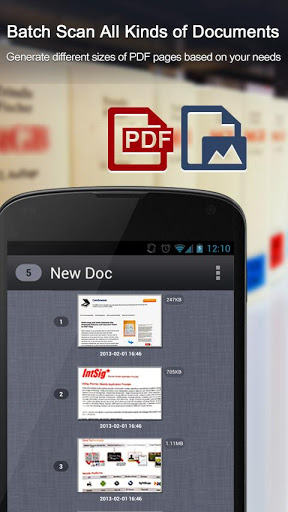
- Quickly Scan Document: The primary feature of the app lies in quickly scanning its documents and storing it for future purposes. A feature called ‘batch scan mode’ enables you to scan multiple documents at one time. They do not necessarily have to be documents This app is used for scanning receipts, bills, white board discussion, invoices, certificates etc. Scanning the document simply refers to taking a picture of it through the app.
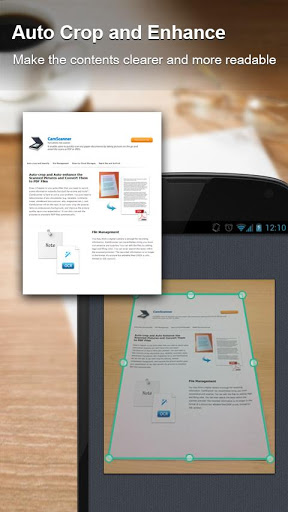
- Optimize Scan Quality: A solid feature of the app is that it enhances the output of the picture and enriches the feel and look of the scanned picture to give a better resolution in the picture. The app has an inbuilt enhancer and enables auto smart cropping that gives the scanned piece perfect clarity and readability as per corporate standards.
- Easy Search Document: CamScanner is supported by a powerful OCR for search which recognizes text within a .pdf file at a very fast rate. This optimizes the search and gives out faster results
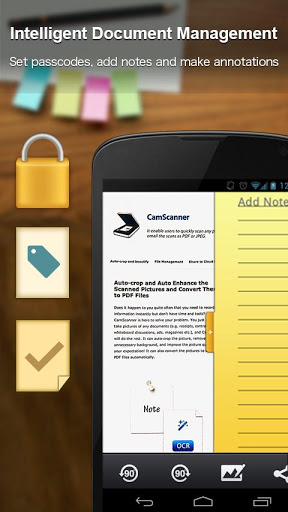
- Intelligent Document Management: Through this extremely savvy app, you can carry out functions such as:
- Allocate documents in groups
- Sort documents by Date
- Tag documents
- View in List/Thumbnail
- Set passwords for confidential files to avoid information leaks.
- Sign up and Sync Documents:- After signing up you can access documents saved and synced on the app through other devices across smart phones pc’s and the cloud and can also share and upload files through Facebook and other social Platforms.
- CamScanner Users usually scan and manage: Memos ,Bills, Invoices, Tax Rolls, Business Cards, Letter Whiteboard, Book, Blackboard, Note, PPTs , Article
Credential, Certificate, Scripts
- Cloud Storage Services Supported: Users can utilize
- Dropbox
- Google Drive
- Box.com
- Evernote and SkyDrive which are available for 7 days in free version
With a whopping 4.6 stars for its free version available on Android 2.0 and above, CamScanner is one of the best corporate apps that helps cut down on a lot of messy paperwork and heavily takes the pressure off relying on a slow internet connection for accessing your office documents.
The paid version of CamScanner has many more features and can create better images at a higher resolution. The paid version eliminated the watermark as well which it is devoid off in the free version.
To start off and give it a go download the free version today and let its extremely smooth features let it lure you into signing up for the paid version.