

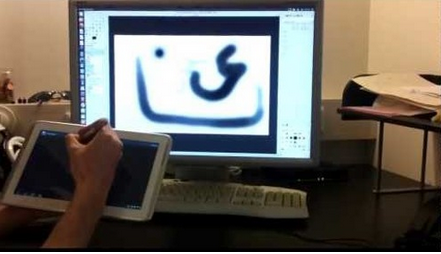
How to Use Your Android Tablet to Paint in GIMP
2 min read
You can do thousands of cool things with your Android tablet. We’ve talked about a lot of Android tips and tricks at the One Click Root blog, but there are always new things to learn about our favorite mobile operating system.
Today, we’re going to show you how to use an Android tablet to paint in GIMP. Normally, you can only do this with a graphics tablet or a similar single-application device. But thanks to the power of Android, anyone can wirelessly paint on their computer screen using an Android tablet.
Graphics tablets are expensive. Why buy a specialty tablet when you can use the Android tablet you already own to accomplish the same tasks with nearly the same precision?
To find out how to use an Android tablet to paint in GIMP, watch this video:
https://www.youtube.com/watch?feature=player_embedded&v=QgTm2TEt4Yc
As you can see, the person in that video is using a Samsung Galaxy Note 10.1. The Note 10.1 is the best Android tablet for this task because it comes with pressure sensitivity features. It knows how hard you’re pressing on the screen. It also comes with a pressure-sensitive pen, which means creating masterpieces with your Android has never been easier.
The app shown in that video can connect to your PC through Wi-Fi, although you can also connect it with a cable if you don’t want to bother with setting that up.
Newsletter
Get the latest tech news delivered to your inbox weekly.