

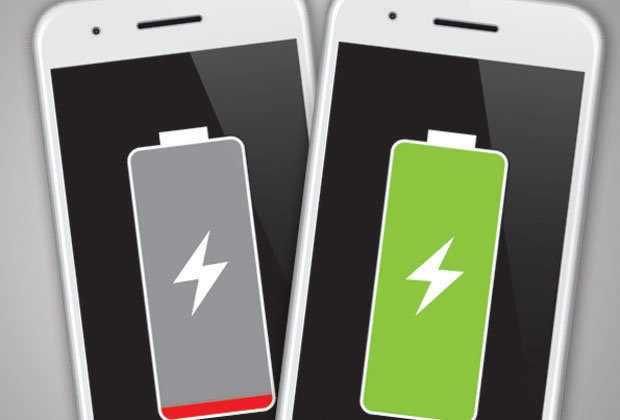
Hush – The Android New Tool to Optimize Battery Usage by Apps
3 min read
The issue of apps that drain battery or hog too much memory space on an Android device has been an irksome one for quite some time. When you also have apps that check for updates leading to more battery consumption, you have to be prepared to shed battery power quicker than you would have thought.
Purdue engineers find a solution
In an attempt to solve this issue, engineers at the Purdue University did an analysis of the consumption pattern of Android devices and they studied more than 2000 of them. They found that the battery drain when apps checked for updates was due to faulty programming that did not allow the device to return to sleep status once the checking was done. This software bug as well as a problem in the control programming of Wakelocks contributed to the battery drain. They have come out with a tool called Hush that now allows apps – the most frequently used ones to check for updates only when the device has been switched off. This has resulted in saving power by close to 50% and that is a very encouraging beginning indeed. The initial version of Hush also does a much better job of handling the Wakelocks issue and policed apps that should have the permission to actually wake up the device and download updates.Engineers encouraged by Hush
The invention of Hush has encouraged engineers to go ahead and carry out improvements such that the tool can also monitor other functions on an Android device that may be causing power drain. Their objective is to make the battery last twice as long and are now looking at routine maintenance functions on an Android device that might also be causing battery drain. The Purdue team is now working to improve the tool so it can keep an eye on other functions on a phone to see which ones can be minimized to reduce the power they drain. Hush also targets the apps not frequently used so that they do not impact battery power or soak up power just because of their presence. The engineers have found that apps contribute to over 45% of battery usage in a typical Android device and that is indeed a lot. Close to 30% of battery is used up even when the display is off and the phone is inactive.Battery drain brought down to 15%
This power drain of 30% even when the phone is in an inactive state due to Android apps checking for updates has been brought down to 15% due to Hush. Similarly, whenever apps refresh, they wake up the phone and do not let it go back to sleep status, leading to battery drain. Hush has been able to correct this as well and prevents apps from keeping the phone awake once the update or refreshing has been done. The invention of Hush is seen as a major breakthrough in the management of battery power and that is good news for Android users.One Click Root Author
One Click Root Author
Content Writer
Experienced writer covering technology and mobile development.
You Might Also Like
How-To
Android 14 Root Methods: What Changed?
Explore the new root methods and security changes in Android 14.
How-To
Latest Android Security Updates Impact Root Access
Understanding how the latest security patches affect root methods.
How-To
Google Pixel 8 Pro Root Guide Released
Complete step-by-step guide to rooting the Google Pixel 8 Pro.
Comments
JD
John Doe
2 days ago
Great article! Very informative and well-written. Thanks for sharing.
JS
Jane Smith
5 days ago
I found the security section particularly helpful. Looking forward to more content like this!
Leave a Comment
Newsletter
Get the latest tech news delivered to your inbox weekly.
Popular Posts
-
1
Getting Started with Android Development
12.5K views
-
2
Best Practices for Mobile Security
8.2K views
-
3
Understanding Smartphone Hardware
6.8K views