Although scientists still have a lot of things to learn about the human brain, most people agree that the brain – just like our muscles – needs to be challenged constantly in order to maintain optimum performance.
If you’re like many Android users, then you don’t challenge your brain when using your Android. You might mindlessly scroll through Twitter, for example, or play simple games like Tetris and Temple Run. But one app called HueBrix seeks to change your Android into a brain-workout machine.
With HueBrix, users have access to a challenging puzzle game. This game isn’t for those who want to turn off their brain as they use their Android. Instead, it’s for any Android users that want to challenge themselves and make their brain work hard to accomplish various challenging tasks.
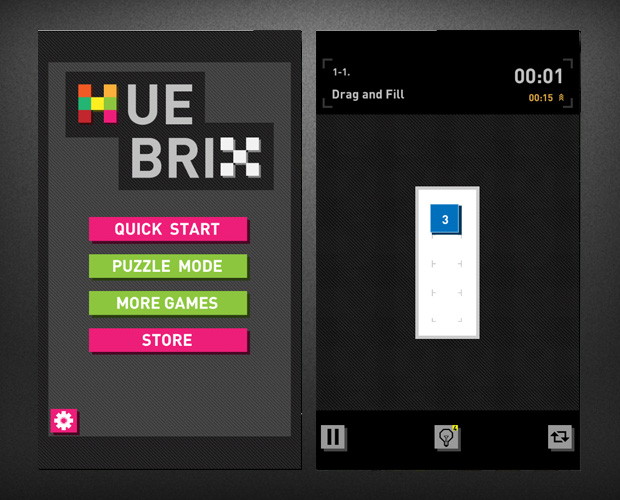
While HueBrix can be a challenging game, it’s based on a simple premise. Users fill a blank grid of squares with colored blocks. Like most puzzle games, the first few levels are easy and are designed to show users how the game works. Players start by filling a simple 3 square grid with 3 squares of color, for example.
But before long, the game increases in difficulty, and players are forced to plan ahead and visualize the path their colored blocks are about to take. The numbers on each square denote how far that colored block can extend. Players can extend the block forward, left, or right, but they can’t extend it diagonally or backwards. The goal is to cover as many blocks as possible.
Not as easy as you think
You might think this sounds easy, but HueBrix throws some interesting challenges into the mix. Some levels feature grey squares where colored blocks cannot be placed, for example, while other levels include X-covered squares through which a line of colored blocks cannot pass.
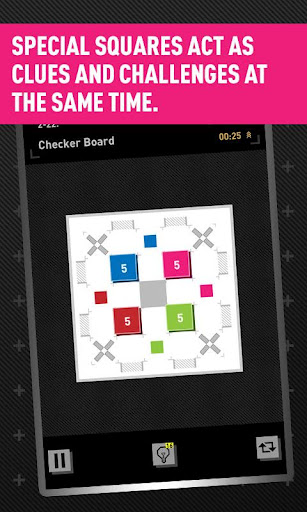
Furthermore, a timer forces players to act quickly in order to accomplish their goals. Fortunately, the timer counts up, not down, which means players can take as long as they want to solve the puzzle. However, the timer helps players keep track of their improvement over time, and it’s interesting to see how quickly you can complete some levels when your brain is working in top gear.
Hundreds of unique levels
There are over one hundred different levels in the free version of HueBrix, although the paid version (for $0.99) gives users three times that number. The game is growing with every update, and the average person (i.e. players who have IQs below 170) will have trouble reaching the end of the game without hints.
Hints? That’s right, HueBrix features a series of hints that allow players to cheat their way through challenging levels. But here’s the catch: players only have access to a certain number of hints before they have to pay for them. 19 hints cost $0.99, although players can get a discount by ordering bulk at 99 hints for $2.99.
Ultimately, it’s difficult to describe HueBrix without trying it for yourself. But this game will challenge your spatial skills by forcing you to visualize the path blocks will take. If you want to give your brain a challenge and keep yourself occupied wherever you use your Android, then HueBrix can provide that challenge.
Click here to download the free version of HueBrix from the Google Play Store
Click here to download the paid version ($0.99) from the Google Play Store