For those who are unaware of
Stumbleupon, it is probably one of the greatest internet exploration tools ever made. It is the ultimate information bearer of almost everything that piques your interests and stimulates your curiosity on your screen in the way you’d like it to be. The Stumbleupon app brings the same magic to the Android platform because it consists of the world of music, pictures, slideshows, videos, websites and a lot more randomly spread across the site for you to visit.
And when we say a lot, we mean a lot! The Stumbleupon tool is an extremely easy to use and easily navigable website that is a hub for information. For an Android user, the presence of Stumbleupon in your device’s app tray is an absolute must. The basic functionality of this app is based around 4 easy steps:
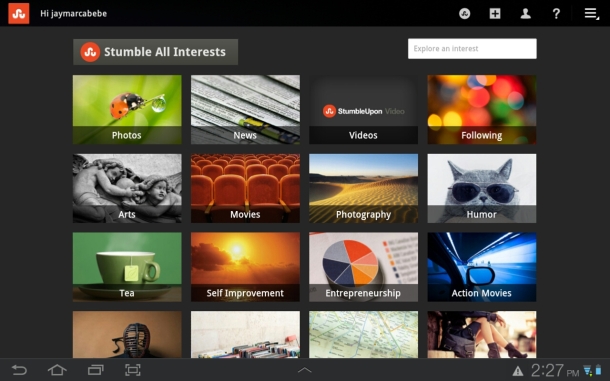
On entering the app, Stumbleupon gives the user lists of options to sync their respective accounts. Log in and move on to the next step.
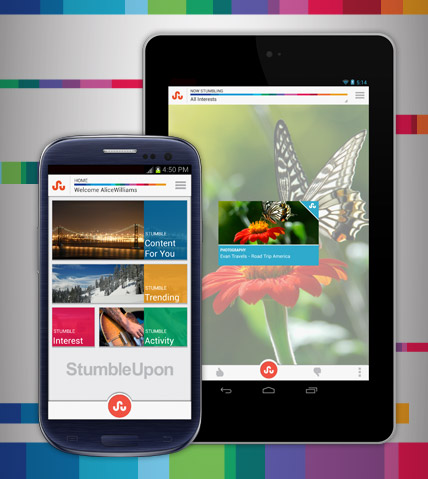
The next step is telling Stumbleupon what you like doing and seeing on the web the most. In simple words, tell it your interests. These include:
- Just for you
- Lists
- Trending
- Specific Interests
- Social Activity.
Just for you brings up similar pages to those that you have used in the past. For example – If you viewed pages with wildlife photography it may show up pages related to forests and jungles across the world with scenic beauty.
Specific interests include interests added by the user in the initial stage if using the Stumbleupon app. These range from a multitude of areas ranging from:
- Arts
- History
- Self-Improvement
- Food
- Quotes
- Music
- Nutrition
- Humour
- Cars
- Photography
Technology
- Writing
- Internet Tools
- Travel
- Movies
- Quizzes
- Ways to lose weight
These cover just a few of the vast array of resources Stumbleupon has to offer you.
On simply swiping past by the pages it gives you page by page of single websites or photos or videos or links that interest you the most.
This ensures you never get bored and you are hooked onto the app for hours on end. Would that be a simple time killer? That’s a bit unfair to say considering the amount of entertainment and partially the knowledge it imparts.
To make the app more intuitive, there is a simple SU button that helps you to stumble upon pages randomly but all in the area of our interest.
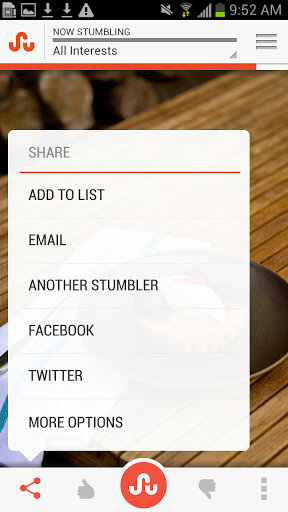
You can also create your own lists. These can be created by simply clicking on the share button on a particular page and add to lists.
You can also rate a page and this comes up in the top pages section on any other user who has similar interests.
These also help in showing up on trending pages as they are high ranking pages.
And finally your Stumbleupon profile that is just like any other social profile owned by you. These include pages you have
- Liked
- Your history
- Lists created
- Lists followed
- Interests
- Followers
- Following
- Channels
So that’s Stumbleupon for you. A congregation of your favorite pages and interests assembled into one amazing exploration app. Download it today and get exploring.