Today, all of us own smartphones and all of us constantly use it. Dare I say that we use it more than we use our laptops or our desktops or even our tablets. When it comes to our gadgets, our phones are used the most, thus, making us most used to its functioning. Our fingers glide over our phones automatically, even when we are not looking at the screen!
And anyway, since phones are so smart these days, why not make the most of it? Why not convert our phones into a mouse and keyboard? We are, after all, most used to using it. So here is presenting
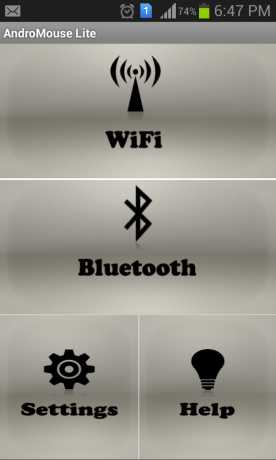
Mouse and Keyboard for Android. Convert your phone into wireless mouse, keyboard and more. The best remote Android mouse and keyboard out there in the Market. AndroMouse converts your phone into wireless mouse, keyboard, and more. Connection with your computer is made either using your existing wi-fi or using Bluetooth. AndroMouse also features speech-to-type which uses Google speech recognition to make your work easier (speech-to-type not supported in lite version)
Here are some great occasions you can use it for:
- Great for presentations.
- Free wireless mouse and keyboard.
- Great for working outdoors.
- Great for parties.
- Great for typing your document when you are relaxing in your bed.
The mouse includes the following features:
- Tap click
- Double tap to double click
- Scroll with your two fingers (multi-touch)
- Easy dragging
- Right click
- Auto IP detection
The keyboard includes the following features:
- Standard keyboard
- Function and special keys
- Ability to hold alt, ctrl and shift for combination keys
The rest of the features included in Mouse and Keyboard for Android are:
Numpad features:
- Numpad with multi-functional keys
- Numlock
Other features:
- Connect using Wi-Fi and Bluetooth
- Both landscape and portrait screen orientation
- Easy connection
Coming Soon In Next Update(full version):
- Live Desktop View
The thing is that even though we are more used to using our phones, which do not have a mouse or a keypad, yet, we use it more often out of convenience. It’s portable size (hence the name mobile, duh) makes it convenient for us to carry it everywhere, even in the powder room. This, in no way, means that we would not prefer using our laptops or desktops, with a proper keypad and a mouse. Some of us even have thicker fingers and always end up pressing the wrong letter and numbers on our phones.
Therefore, this app, apart from being fun and innovative, takes advantage of a lot of technology. Firstly, it helps proving that our phones are smart and can do anything, even convert into anything. Secondly, it adds convenience, which is kind of the point of the ever evolving technology. Lastly, it takes full advantage of the age of the internet and of the android technology and gives us what we want. I would say the
Mouse and Keyboard for Android converts our phone into a robot!