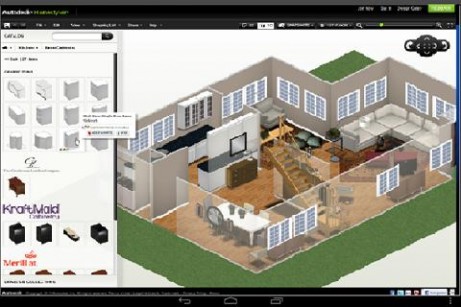
Everyone likes to style their home at one point or the other in life. Re-decorating the place you live and thrive somewhere down the line adds in to your goals that you would like to achieve. In such a situation, getting hold of an interior designer to do it is always an expensive proposition and many a times you may think of wanting to do it yourself too.
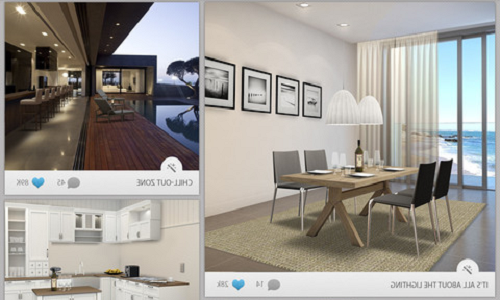
Well, here’s a reason to rejoice. You can now simply design your home with the help of your mobile device with a crafty and innovative Android app named
Homestyler. This unique home improvement app is meant to be a virtual interior designer that will help you design and decorate your rooms according to your likes and ensure you do not compromise on any elegance whatsoever. If used in the right way, the Homestyler app gives more bang for your buck than your hired interior designer ever would.
Keeping this in mind, the images that the Homestyler app presents to you too are all in high definition and put across a solid set of imagery to go ahead with your designing endeavors.
All you need is an Android OS of version 3.3 and up to install the Homestyler app from Google Play store and get started.
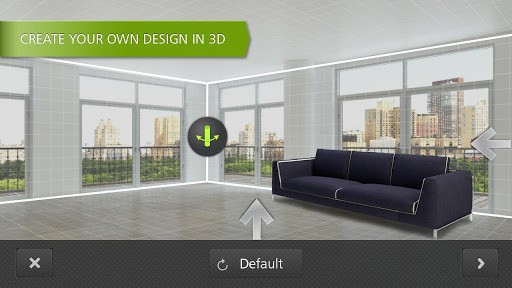
The Homestyler app interface has moving pictures with four options given on the right side, which are:
- Create a new design
- 3D design stream
- Photo gallery
- Design magazine
You can choose from any of the options given to create or recreate what’s on your mind. Whats more interesting is that as a user you can actually see your imaginations as you visualize them in your mind and it gets portrayed onto the screen. The user can make changes as they please. You can change the color of the walls, place the furniture differently.
You can also choose from the existing photo gallery or create new designs that are available in the Homestyler app indigenously. You can choose to change the color of the rugs and hang lights from the ceiling.
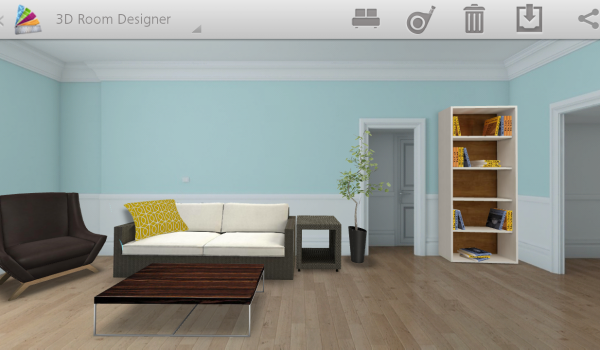
The Homestyler app as you see has an interactive set of instructions that you can provide to it and it will react and give you the display as you imagined. You can also:
- Click a picture of your room and play with your mind's eye. You can create your own 3D dimensions, give a totally new structure and dimension to the walls and layout of a particular area.
- Choose the colours of the walls from the shades given as you please.
- See how realistic models of actual branded rugs, paintings, mirrors and other things look in your space.
- Browse the designer stream for pictures, articles and how to and more things and ideas that you need.
- Comment on ‘heart ‘designs within the design gallery.
- Share your designs with friends and family and others through Facebook or email.
- Go through the pages of professional designers in their area.
- Find designers who have the style and expertise in what you’re looking for.
- Get all the answers you need about your product and designs or get help on big projects.
The Homestyler app is filled with ideas that can come out of the human mind and graphically represented in a set of high definition pictures to have you fulfil your designing dream and make your home decor truly stand out and define your personality.