Android adoption rates are soaring around the world. And that means there are more new Android users today than ever before.
If you’re like many beginners, then you don’t know how to take full advantage of your powerful new phone or tablet. Here are a few common beginner questions that should help you get started.
5) I don’t like my default keyboard. Can I get a new one?
Unlike iPhone users, you’re not stuck with the default keyboard till death do you part. Instead, Android keyboards can be swapped out as easily as wallpapers. SwiftKey 3 tends to be the most popular replacement keyboard. It has a free trial, and once that trial period is over, you can pay $3.99 for the full app. This might be the only paid app that the average Android user ever buys – it’s that good.
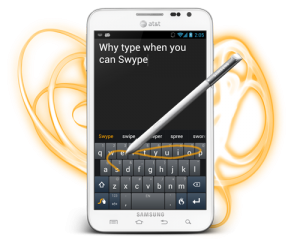
Swype is also a popular alternative. Although currently in beta, Swype allows you to basically scribble across the keyboard, lift your finger to make spaces, and somehow your Android will spit out a readable message. It’s basically the fastest typing method available if you can get used to it. You can download the beta
from the official Swype website.
If you’re one of the lucky few Android users that has access to Android 4.2, then you also have an improved keyboard option available.
To swap between different keyboards, go to your Settings menu, scroll down to
Language and input, then tap the arrow beside
Default to change which keyboard automatically comes up while typing texts or emails.
4) Do I need a Google account to use Android?
Yes, you need a Google account – like a Gmail address – in order to use Android. If you’ve used Google services before, then simply sign into your account to sync your list of email contacts and other information. If you don’t have a Google account, you’ll need to sign up for one in order to use services like Google Play (the app store) or the default email client.
So yes, you need a Google account, and yes, you’re going to want to use your Google account. Since it’s completely free, you’ve got nothing to worry about.
3) What are themes and how do I install them?
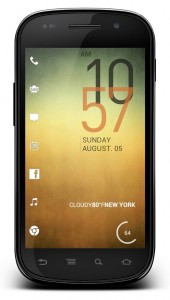
Android users can access different themes via the Google Play Store. These themes completely change the way Android looks and feels, and operates. Popular themes include
LauncherPro,
GoLauncherEX, as well as Regina 3D Launcher. Each of these themes is unique. They change your homescreens, your taskbar, and default apps like the weather.
If you want to take the themes feature a step further, then you can root your Android and install a custom ROM. Custom ROMs are like themes although they modify the Android operating system at a deeper level, which means it feels like you’re using a completely new phone. Popular custom ROMs like
CyanogenMod have better support than most Android manufacturers.
2) What is Android rooting?
Before you purchased an Android, you probably thought rooting was something you did in your garden or under a tree. But rooting Android has an entirely different meaning. When you ‘root’ your Android, you modify the core contents of the operating system in order to be granted root access to the device.
What does that mean? Well, you can install cool apps that you wouldn’t otherwise have been able to install. You can also check out some custom ROMs and
do all sorts of other useful things.
1) What are the best free Android games available today?
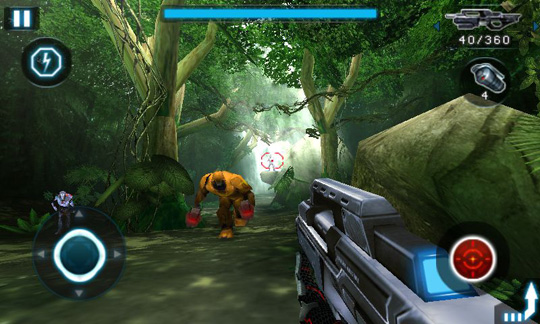
If you just upgraded from a phone that is several years old, then your Android is probably a big step up in terms of performance power. In order to use that performance power to its full potential, you’ll want to download Android games.
Today, many popular iOS games have been transferred to Android., which means that popular iPhone games can usually be found on the Google Play Store. Here’s a list of some of the most popular free games available today:
-
Angry Birds (as well as
Angry Birds Star Wars)
-
Draw Something Free
-
Temple Run
-
Rope Escape
-
Flow Free
-
Jetpack Joyride
-
Drag Racing
-Tetris Free
-
Fruit Ninja Free
Many of those apps also have paid upgrade versions available. The free version will either deliver annoying advertisements to your phone or limit you in terms of gameplay features. But hey, you’re playing top-quality games for free, so don’t complain. And besides, you can
block Android ads permanently by rooting your Android today.