Have you ever been watching TV and stopped to think, “Hey, how cool would it be if I could run Android 4.0 on my TV?”
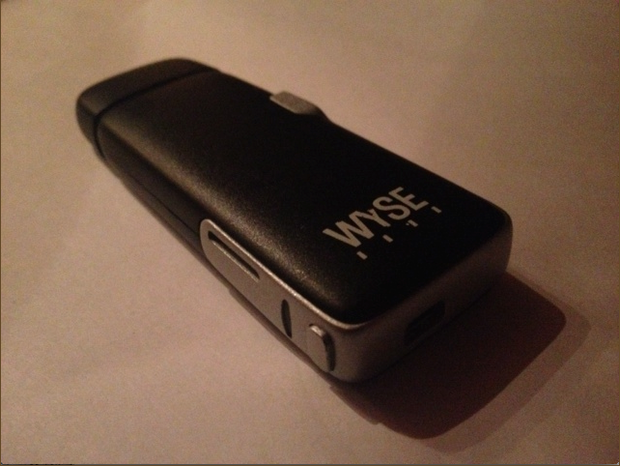
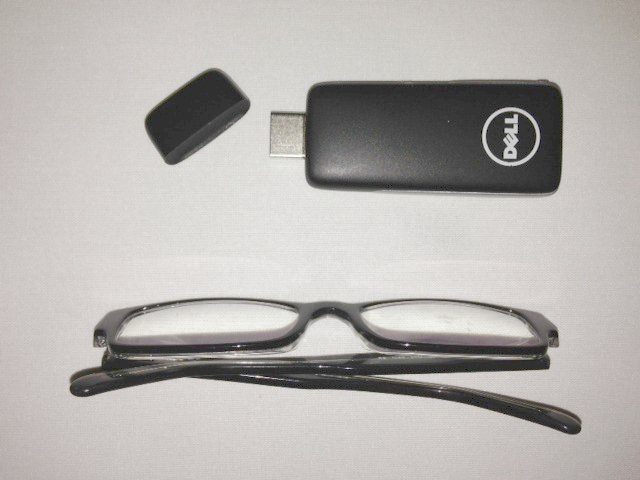
If you have, then you’re in luck: Dell recently unveiled a cool new gadget that plugs directly into the HDMI port on your TV. The gadget looks like a USB stick and is no larger than a credit card.
Despite its diminutive size, Dell’s HDMI stick includes some powerful technology. After plugging it into (almost) any TV, the HDMI stick will begin to run Android 4.0 over the display. The gadget is called “Project Ophelia” and it was created by a division at Dell called Dell Wyse. For those who care, the ‘Wyse’ name comes from
Dell’s recent acquisition of Wyse Technology.
How does Project Ophelia work?
When you connect a device to your TV using an HDMI cable, a signal is sent from your device to the TV. You can use your TV as a laptop display, for example. Or, you plug your Xbox 360 into your TV using an HDMI cable.
Project Ophelia works in the same fashion. But since it only runs Android 4.0 – a tiny OS compared to an Xbox 360 or other device – everything can easily fit into a thumb drive.
Users simply slot Project Ophelia into their TV’s HDMI port and navigate to that ‘source’ over their HDTV, just like you would with a gaming console or your cable box.
Bluetooth accessory support
Perhaps the coolest part of Project Ophelia is that
you can easily connect Bluetooth devices to it. After plugging it into your TV, the Bluetooth signal will activate, which means you can connect a Bluetooth keyboard, Bluetooth mouse, and Bluetooth gaming controller to it.
So if you want, you can have wireless keyboards on your living room couch. Then, if you’re watching TV and need to do something on the internet or just play a game of Angry Birds, you can turn on Project Ophelia and tap away at your keyboard. Forget about trying to navigate with your remote control.
Connect to Wi-Fi
What’s the point of running Android 4.0 if you’re not connected to the internet? As you would expect, Project Ophelia can connect to your home’s Wi-Fi network, which also means it will be able to stream media like movies, music, or games over your TV.
The price (it’s probably lower than you think)
When a major company unveils a cool new gadget like Project Ophelia, it always seems to retail for a price far higher than the average consumer is willing to pay. However, rumors suggest that Dell will sell the device for under $100 at launch. That should put it within the budget range of any consumer.
What cool things can you do with Project Ophelia?
So what’s the point of buying Project Ophelia? Here are a few cool things you would be able to do when running Android 4.0 over your TV screen:
-Play Angry Birds and other popular Android games
-Easily watch funny videos through the YouTube app
-Bring Project Ophelia with you when traveling to turn your hotel room’s TV into an Android device
-Stream music over your Google Music account into your living room speakers
-Gather the family around the TV and look for cool things in Google Earth
-Show off vacation pictures or movies
-Gaze in wonder at the smooth and colorful Android 4.0 interface rendered on your massive HD screen
Project Ophelia would be great for families and travelers who are looking for a low-cost way to access Android 4.0 from anywhere in their home or hotel room. Project Ophelia should be released in the very near future,
so stay tuned to Dell’s official website for more information as we move forward.