Control Center
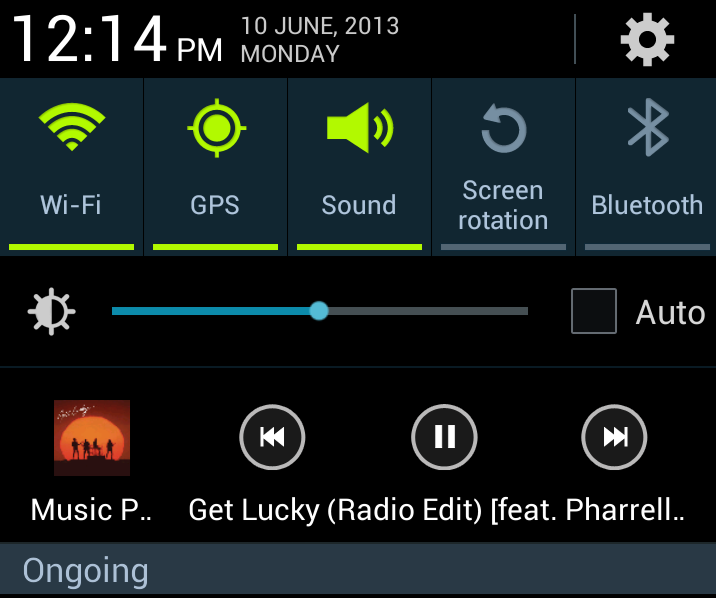 Come on, Apple. That’s ridiculous.
Multitasking
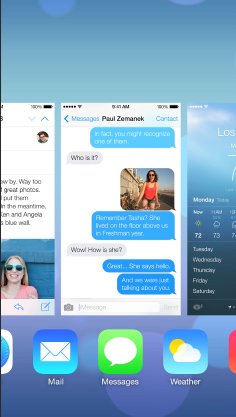 Multitasking has always been the biggest reason why I’ve stayed away from Apple products. Apple limits multitasking on its devices because it doesn’t want users to realize that their devices aren’t actually powerful enough to run multiple apps at the same time.
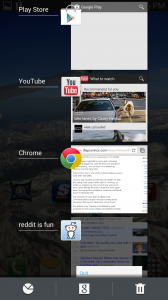
With iOS7, Apple is finally introducing multitasking approximately 300 years after the rest of the tech industry adopted it on all devices. Oh, and the multitasking app selection screen looks a lot like Android’s multi-app selection screen.
Multitasking has always been the biggest reason why I’ve stayed away from Apple products. Apple limits multitasking on its devices because it doesn’t want users to realize that their devices aren’t actually powerful enough to run multiple apps at the same time.
With iOS7, Apple is finally introducing multitasking approximately 300 years after the rest of the tech industry adopted it on all devices. Oh, and the multitasking app selection screen looks a lot like Android’s multi-app selection screen.
The Parallax effect
Apple did reveal one unique feature for iOS7: it’s called the parallax effect. Unless you’re an astronomer, you may not know what the parallax effect is. Basically, it involves looking at an object from two different angles and using the difference between those images to judge three dimensional distance. Unless you only have one eye, you use the parallax effect every day. Your eyes see two slightly different images of the same object, and your brain uses that difference to determine how far away an object is. That’s why if you cover one eye and someone throws a ball at your face, it’s difficult to tell how far away that ball is until it hits you in the face.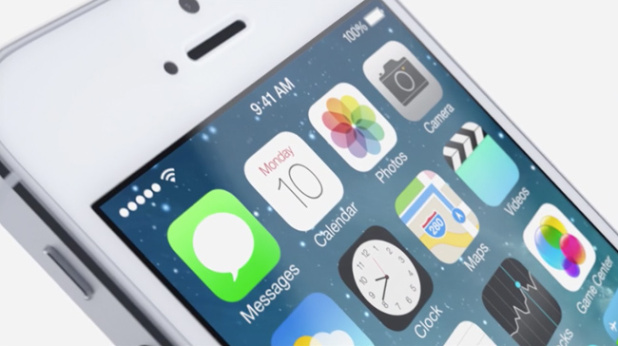 But enough with the science lesson: on iOS7, the parallax effect will be used to create the illusion of 3 dimensions behind the home screen’s app icons. When you tilt your iPhone from side to side, the motion sensors in the device use those changes to give users a real sense of 3D depth.
This may seem like a minor change. But judging by the reactions of Apple fanboys on Twitter (and my Apple-loving friends on Facebook), this is a massive and impressive change. Whatever. There are a hundred custom ROMs that provide a similar 3D effect. In fact, you don't even need a custom ROM to recreate this silly effect on Android. Android users have had this feature for years.
But enough with the science lesson: on iOS7, the parallax effect will be used to create the illusion of 3 dimensions behind the home screen’s app icons. When you tilt your iPhone from side to side, the motion sensors in the device use those changes to give users a real sense of 3D depth.
This may seem like a minor change. But judging by the reactions of Apple fanboys on Twitter (and my Apple-loving friends on Facebook), this is a massive and impressive change. Whatever. There are a hundred custom ROMs that provide a similar 3D effect. In fact, you don't even need a custom ROM to recreate this silly effect on Android. Android users have had this feature for years.
New Siri
Voice recognition on both Android and iOS is pretty bad. But I honestly don’t know a single person who uses Siri. In fact, the only time I’ve seen someone use Siri is when they’re trying to show off to people at a party or family gathering. It’s a gimmick, but the new iOS7 version of Siri is getting smarter by integrating with existing iOS apps and functions. You can search the internet, for example, and lower screen brightness. This isn’t necessarily copying Android, but it’s a bit over-hyped for such a simple change.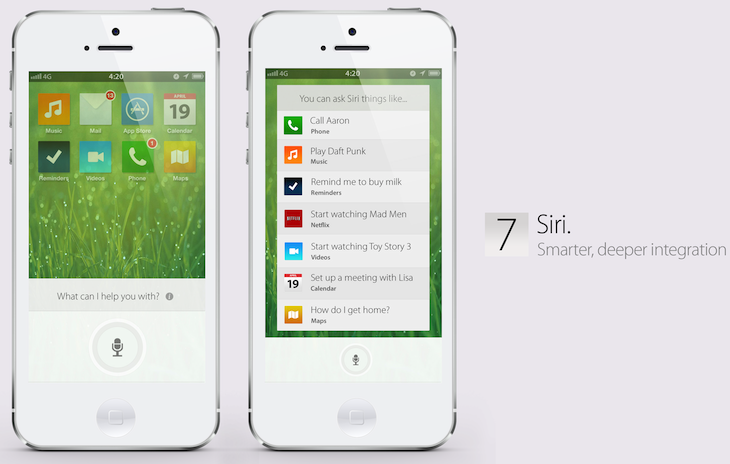
No widgets center
Before iOS 7 was officially announced, many tech blogs theorized that Apple would finally get around to adding widgets to its operating system – just like the widgets Android users have enjoyed for years. Whether Apple was afraid of a lawsuit (unlikely) or they just didn’t want to make their devices more complicated, there certainly isn’t a widget center on iOS 7.