In the tech industry, “innovation” means taking what your competitors are doing and making it better.
However, in the latest iOS8 update, Apple took that message a little differently: let’s take what Android is doing and add those features directly to iOS without really improving or changing them in any way.
Don’t believe me? Check out the visual evidence below.
5) “Hey Siri”
Apple clearly liked Android’s always-on listening capabilities. On Android, you can say “OK Google” to immediately command Google Now to do your bidding.
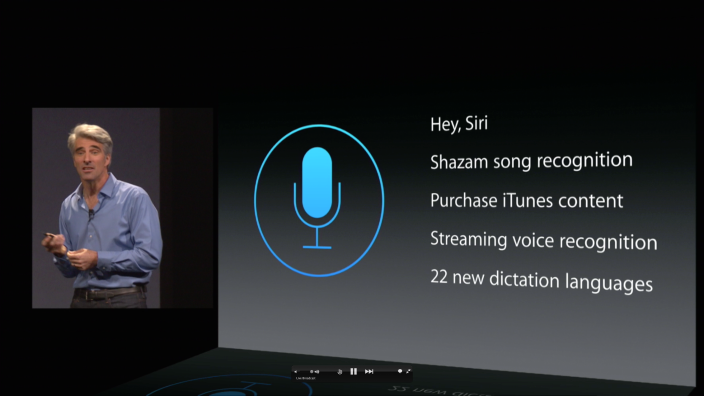
Thanks to the genius innovators at Apple, iOS8 will introduce a similar feature. iPhone users will be able to say “Hey Siri” to immediately command Siri to do their bidding.
Of course, how can this be called copying when Apple changed the command word from “OK” to “Hey”? Wow good point.
4) Identical typing suggestions
Out of all the features listed here, I’m most surprised that iOS didn’t already have this.
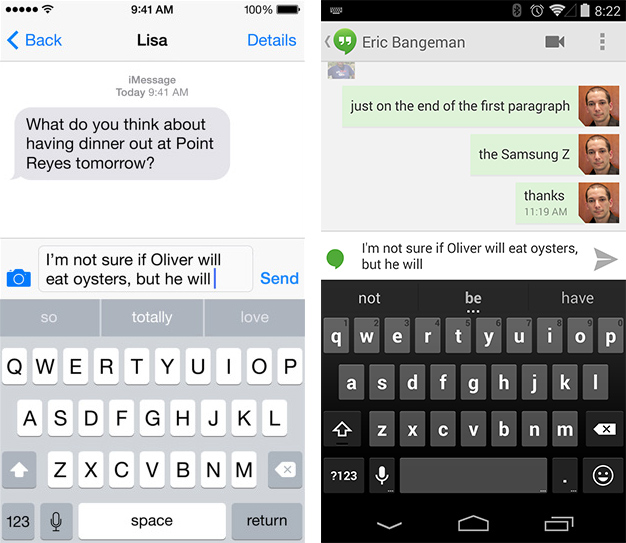
Specifically, iOs8 will now add typing suggestions above the keyboard. What an excellent idea! iOS8 will now let users tap on words to auto-complete them. Three
separate words will appear by default.
Sound familiar? Of course it does. The default Google keyboard – as well as most third-party keyboards – have had this feature for ages.
Oh, and speaking of third-party keyboards…
3) Third party keyboards
Apple rules iOS with an iron fist. Third party developers have limited access to the mobile operating system. They can’t change homescreen tiles, input methods, or really customize the phone in any way.
iOS8 will see Apple
slightly back down from that position. iOS8 will allow third party keyboards.
In fact, third party keyboards like Swype/SwiftKey have already been developed for iOS. That means iPhone users will be able to drag their fingers across the screen to type out words and replace the default iOS keyboard for the first time since 2007.
2) Interactive Notifications
This is another feature that Apple fans are raving about. iOS8 will add interactive notifications to the operating system, letting you text from within a separate app without leaving that app.
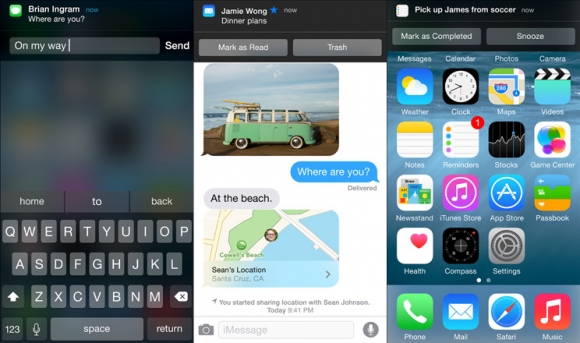
Interactive notifications have been available on Google for years. You can tap the ‘Archive’ or ‘Reply’ buttons when you receive an incoming message in Gmail, for example.
One thing you can’t do on Android, however, is interact with notifications without leaving the app. There are third party apps that let you do this on Android, but Android itself doesn’t have this feature.
Android does have multi-tasking, though, which makes it easier to switch from one app to another.
1) Widgets
I can’t believe Apple held off on widgets for so long.
It seems crazy that my iPhone-wielding friends have to tap an app to check the weather, or open The Score to check sports scores. What year is it?
Apple finally caught up to Android and will allow widgets to be placed in the notifications bar. This will let you check the weather and other critical data by sliding from the top of the screen.
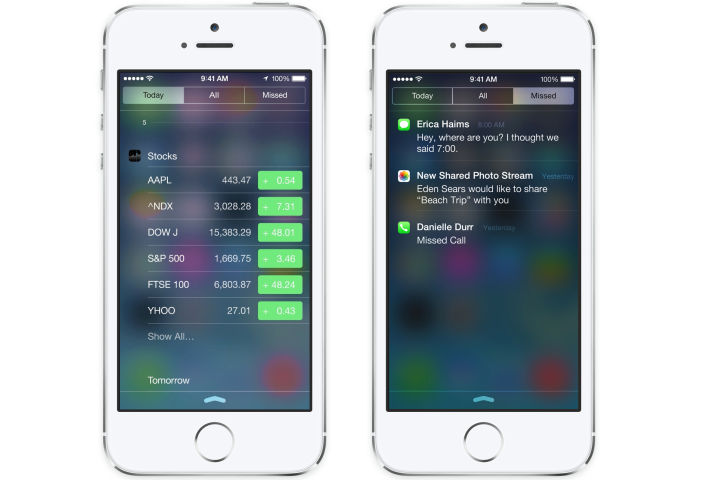
iPhone users are still stuck with the same homescreen setup they’ve enjoyed since 2007 and cannot customize their homescreen in any way. They can, however, change their notifications menu. Baby steps?
Why This Matters
Honestly, who cares if Apple is copying Android? It’s flattering! But what
does make me mad is that Apple can try to ban Samsung devices from the shelves for stupid patents like the “rubber band” feature and “slide to unlock”, while Apple blatantly copies Android’s non-patented features and is rewarded.
Meanwhile, non-techie iPhone users lose their minds when Apple adds features like “OK Siri” or widgets in the notifications center.
Hey, as long as Apple sales continue to drop and Android’s continue to rise, I’ll be happy.
Thanks to our friends at ArsTechnica for photos and info