The minute you read something that states, “in association with Canon,” you know that the content you are about to witness will be nothing less than a photographic marvel. Knowing things around you is a must and thousands of revolutionary apps on the Android platform are flurrying the market with their noses in front to take controlling stake in the news app market. Everyone is in a high stakes race to ensure that they are at the forefront of information dissemination scene on every major platform, especially the internet.
The
Guardian Eyewitness is another top-rated news app for your Android device that intends to do exactly that by imparting wisdom and knowledge about everyday things, though not in the conventional form but through another medium altogether.
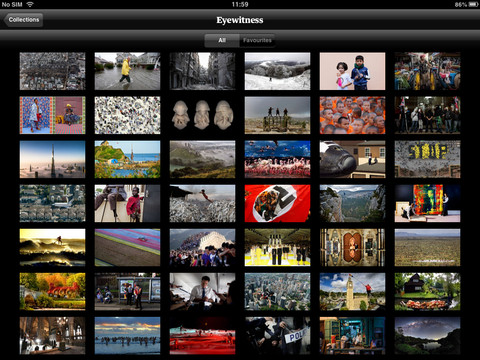
Regular apps on the news will give you a huge list of daily insights, but the Guardian Eyewitness app uses it differently in a stimulating way. Since the app is powered by Canon, you know there’s something about HD imagery that’s going to blow your mind through this app.
It gets you news and reviews and things around the world presenting it in a captivating and visually exciting manner in order to get you attached to it. Its core design works on the simple principle that the user does not have much time and wants to quickly experience the app and move on with everyday life.
For this purpose, it has designed an interface in a way that regularly updates and occurrences around the world with an HD image with magnificent resolution. It is best viewed in landscape mode.
Once you download the Guardian Eyewitness app from the Google Play Store for a measly 153 kb of download space, you can fire it up on your Android device screen instantly. Although it takes a bit of time to load initially, what you see after that is a super high-res collage of top news stories across the world filled with vivid images that you though your phone memory could never bear. The resolution differs from phone to phone and better the screen display, higher is the quality of the image.
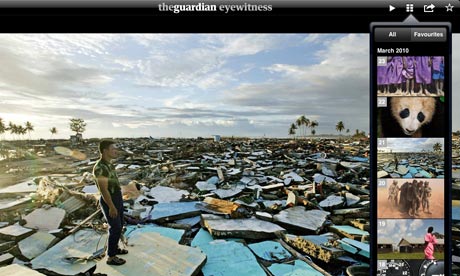
You are then asked or can by yourself tap the screen and a write up from below pops up and you can see where the picture was taken and what the significant moment was.
You also get pro tips from the photographers with details like the ISO and the lenses cam and the lighting and other nuances of advanced photography.
With a simple swipe, you can move on to the next picture and the same details are available on tapping.
The Guardian Eyewitness app also allows you to change the image that you are seeing on your screen to your wall paper directly. Everyday a new image is uploaded and keeping in line with the ‘user having less time’ ideology, it follows this action.
The app is rather simple to use and is integrates the passing on of trivia and knowledge alike coupled with imagery to another level. Through the menu button, you can also see all the latest images and view the entire set of images in a grid format.
Through the same location, you can also add images as your favorites and start a slide show. Star mark Images through the options menu and view them later at your convenience.
Guardian Eyewitness is one of the most interesting and attractively designed news apps currently available. It requires barely any learning curve for running smoothly, all you have to do is download and tune in to a version of reality you have never experienced before.