Android is popping up on all sorts of different electronic devices. Sure, you expect to see Android on smartphones and tablets, but what about microwaves and
coffeemakers? Today, Android is helping enhance user experiences all over the world.
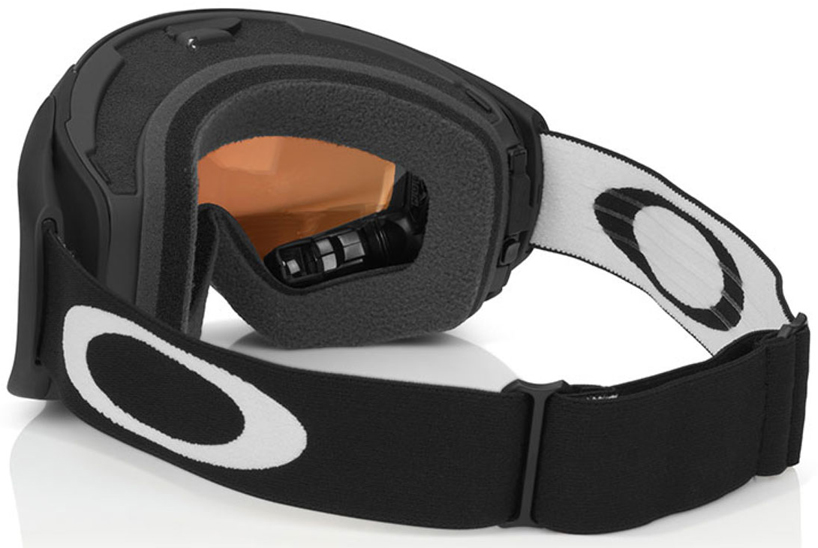
But did you ever think Android would end up on ski hills? Well, that’s exactly what has happened with a new pair of Android ski goggles from a company called Recon Instruments. While wearing these goggles, users can track their speed, altitude, and other information through a handy Heads-Up-Display (HUD).
What’s even more amazing about these goggles is the fact that you can screen incoming phone calls and other notifications. Since the device is Android-powered, it easily connects with your smartphone. As anybody who’s tried to pull a smartphone out of the pocket of ski pants while using large gloves knows, having this connectability is very valuable.
Feature-rich Android experience
https://www.youtube.com/watch?feature=player_embedded&v=2-9UAJ4v_8M
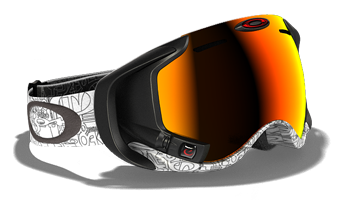
The Android Ski Goggles are called “Airwave”, and from the outside, they look just like an ordinary pair of goggles. But after putting them on, skiers and snowboarders will be greeted with an entirely unique experience.
Here are some of the features you can expect while using Airwave:
-HUD with speed, time, altitude, temperature, vertical odometer, and distance traveled per run and throughout the day
-Bluetooth connectivity for synchronization with your smartphone, tablet, or any other mobile device
-Synchronize your goggles with third-party heart rate monitors, video cameras, music players, and all other Bluetooth-enabled devices
-Listen to music on-the-go and switch songs before heading down your favorite run
-Includes a wrist controller that allows you to easily switch between menus, songs, and more
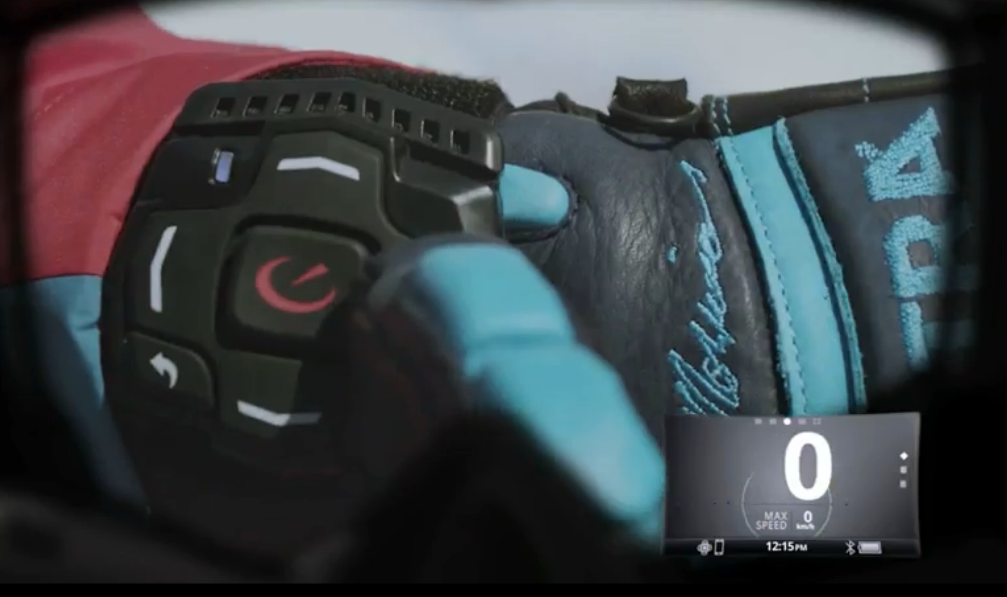
-Buttons along the side of the goggles themselves, so using the wrist controller isn’t required
-Buddy tracking prevents you and your friends from being separated on the slopes
-Jump analytics show how much air you just got
-Switch between different goggle lenses depending on the conditions
What does the display look like?
It’s important to note that the display can’t quite be considered a Heads-Up-Display. Information isn’t displayed directly on the back of the goggles. Instead, there’s a small square screen located beneath the bottom right lens.
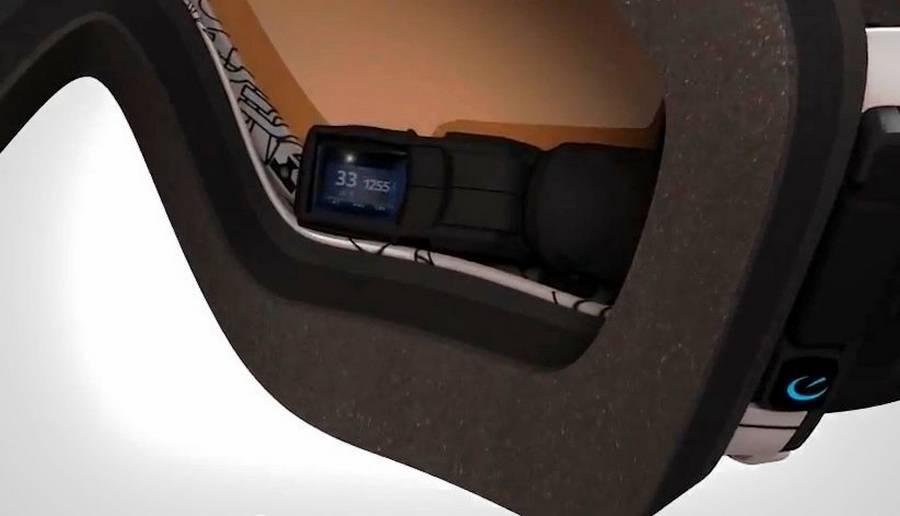
This is a better solution than displaying the information directly on the goggles, because paying attention to what’s going on in front of you is a better idea than monitoring your distance while you’re skiing.
You might be worried about having a virtual screen just inches away from your eyeballs. But like most HUD interfaces, a lot of work has gone into calibrating the size of the HUD to ensure the optimal eyeball experience.
Recon Instruments claims that using the HUD is like viewing a 14-inch monitor from five feet away, which is a comfortable distance for most users. At that distance, the HUD is clearly readable without being too intrusive. After all, you don’t want to be checking the distance you’ve travelled on the hill only to smack face-first into a tree.
USB connectivity
Once you’re back at home, you can plug your ski goggles into the computer and download information from your day on the hill. Recon Instruments provides an easy online interface that tracks your run data. You can see the hills around the world where you’ve skied as well as the specific run information from each day on the slopes.
Oakley goggles
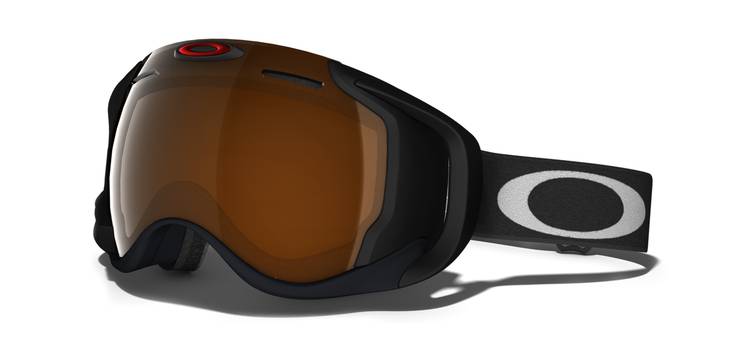
When you pack this much technology into a pair of goggles, you might think that the developer would skimp out on the quality of the lens. But Recon Instruments partnered with Oakley to create these goggles, and that means the visual quality is top-of-the-line.
Like all Oakley ski goggles, Airwave comes with anti-fog lenses, glare protection, moisture wicking materials, and a completely lightweight design. So if you don’t want to sacrifice lens quality for Android usability, then you don’t have to with Airwave. These goggles are top-quality in every way, shape, and form.
You can also switch out different goggle lenses depending on the conditions. Simply snap the front plate off and slide on a new one. This is partially done for aesthetic reasons, but it also depends on the environmental conditions. You might not want to wear the same lenses on a bright sunny day as you would on an overcast day, for example.
Conclusion
Unfortunately, there’s no combo tracking and scoring system for your tricks (yet!), so if you’re expecting to turn every day at the slopes into a virtual snowboarding game, then you’re out of luck.
However, if you want to see how far you travel during an average day on the slopes, keep track of your friends, and use a pair of goggles like never before, then Airwave can certainly do that – and more.
And for the low price of just $599.99 USD, you can purchase your very own set of Airwave Android ski goggles today.
Check it out at the Oakley site here.