Readmill
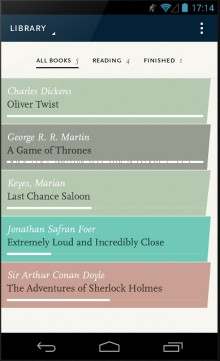
In a world where Google Play Books and Aldiko exist, it becomes difficult for anyone else in their likes to lay claims to that pedestal in terms of the services provided. Coupled with the ideology of getting people to shift from conventional reading to reading on a digital screen, the e-readers have a restricted audience of the newbie readers, the dedicated Android-heads, the experimenters, and those above the age who don’t mind a change at times. Kindle has built itself a significant tablet market presence by enchanting the segment of tech-savvy book lovers. Other than that, the apps really have to work hard to get people to shift from that mentality.
In an attempt to perform all of that and in order to shake up the conventional standards of existing reader apps, the Readmill Android app comes up with a host of eclectic new features that help you not just read, but become a better reader.
One of the coolest features associated with this app is the fact that Readmill provides free books in the Explore section that keeps getting updated regularly. This could be in lines with what the reader likes and the reader could take this up accordingly.
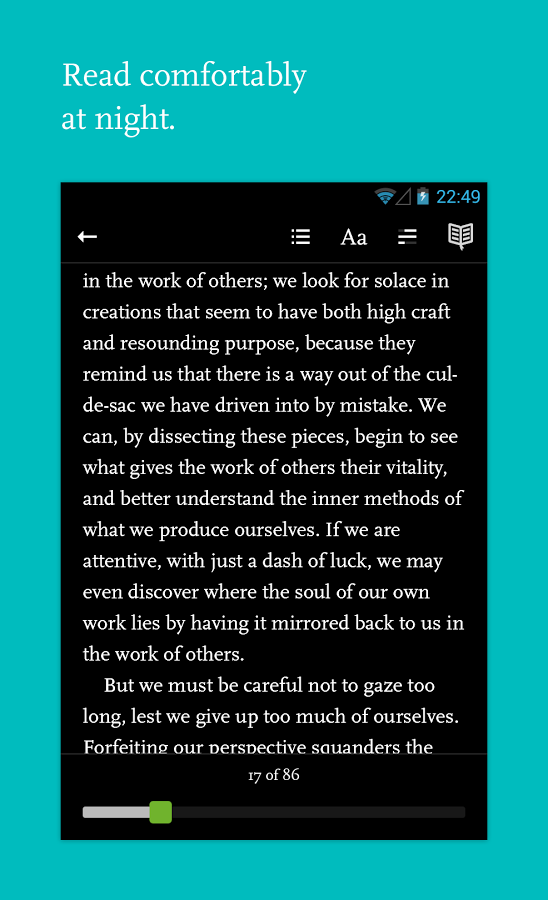
The Readmill interface is perfectly set up for clear and concise reading, and the font size can be easily adjusted to match your reading needs. The in-built text on the screen itself is enough for the reader and the typography makes for an elegant read.
Here the Readmill app has neatly integrated night time reading as well in to the system which enables easy brightness adjustment, which makes it super comfortable to read.
Another key feature offered by the Readmill app is of providing you with regular reader usage stats. Trying to be a step ahead of conventional reading,
Readmill gives you stats on how much time you took to read what you already read and estimated time to complete the book. This coupled with how much time is left to finish it.
You could also contribute to the community and review books that you have read on and off the app and help people with picking up books when they are in need.
As an e-reader app Readmill stores all your books and all that you have read and in addition to that will sync everything that you have read across other devices.
This means that you can log in from anywhere and you’ll have the same data available to you across platforms.
In addition to that, you can import a DRM free e-pub file on the system and read it through the Readmill app so that all is supported conveniently.
Readmill also facilitates easy syncing of devices across different platforms, which means that any files that you have uploaded via the app, can be synced across multiple devices when you log in from different devices using an internet connection.
With a wholesome and proactive reading community, Readmill will help widen your reading social circle and introduce you to broad and bright new horizons of literature.
You always have something to look forward to as when you finish reading a book you have recommendations that are given to you in addition to the community of people who suggest similar books.
All in all, Readmill paves a great way to start off a digital reading spree through your Android smartphone or tablet, and keep you coming back hunting for more.
The Android space can be used to perform many tasks and improve your skills in a multiple set of walks of life. Those could be in photography, linguistic skills, and personal fitness and for enlightening yourself with so much more to know that there is. Speed reader is one such app that helps you attain a speed of light reading speed.
The method used it simplistic yet ingenious and yet exclusive to the digital space. Taking advantage of the entre digital arena, the Speed Reader app does what regular book reader apps have not been able to. In the light of this, has emerged as a major puller for conventional readers from hard copy books to digital formats of reading on small-screened smartphones and tablets.
The interface of the Speed Reader app defines simplicity in a way that there barely is anything in the interface to describe. It’s neat, streamlined interface has been designed to improve your reading speed and you will be shocked as to how well such a simple concept works by using the forces of technology.
Based on the concept of Rapid Serial Visual Presentation, the Speed Reader app uses this branch of psychology to improve your reading speed.
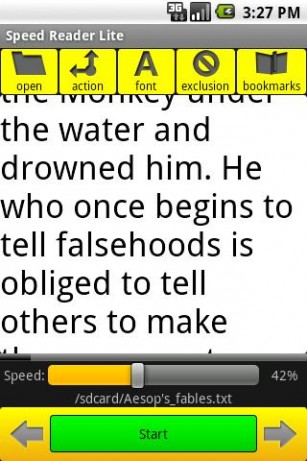
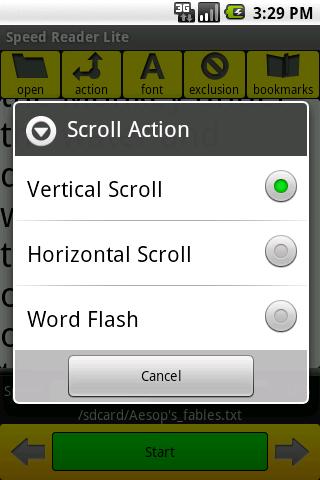
When you enter the Speed Reader app, you see the setting screen which allows you to perform the following:-
- The speed of the words in intervals of 50 that can be selected to appear per minute. Example 300/minute, 350/minute, 400/minute etc.
- Next you can select the colour of the font that you require to match your exact needs.
- You can also choose the number of words that you would like to see per screen flash.
- Finally, choose the number of characters that you would like to see appear.
Once you are done with the above, you have to mention the source of the file that you would like to read. This has to be on your device and should have access to be saved on an external storage device as well as this is what the Speed Reader app requires.
The formats are probably the important part of the Speed Reader app, and here are ones it primarily supports:-
- .txt
- .pdf
- .epub
- .html
- .xml
The above file formats are used extensively and as long as you possess files in that format you are good to go.
Once you have provided the source, you go in to the task and read. The text and font appear with the speed you mentioned and you have to read.
There are a few rules for you to follow though. Try not to read aloud and sub-vocalize. Try not looking left or right or moving your eyeballs and focus only on the text. What happens in the bargain is the use of your mind and a sharp comprehending skill over a period of time.
By the end of it, you see how fast you have become in reading and comprehending syllables and will be amazed at how efficiently this straightforward and attractive design has helped draw you in to the reading experience.
The Speed Reader Android app is a meagre 1.3 MB in size and isn’t much explored by the reader folk. Go ahead and bolster your reading speed!