MOG Mobile Music
A great publication named Forbes once said, “Like Spotify? MOG Mobile is even better!” Here’s a music streaming app for the Android platform that is meant for the ultimate music lover who starts and ends their day with music. With a hundred music apps on the Android Play Store, it becomes a little difficult to figure out which ones the best for you and in such a situation the best thing you can do is see ‘em all! Or atleast the ones that appeal to you in the best way, whether it’s down to reviews from big timers or the core functionality of the app itself.
Let’s get straight to this!
MOG Mobile is your typical music subscription app that enables you access to only the best music across the whole wide planet!
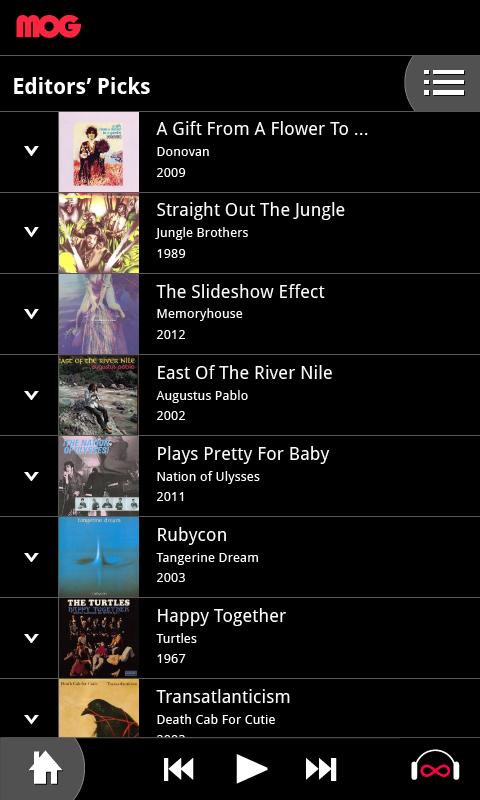
The usage is pretty simple and easy to go about with a slick red and black color scape being applied as part of the UI. You’ll love this dynamic outer feel as though live music is already playing around you.
MOG Mobile Music app serves its purpose best when streaming and downloading for music from a plethora of interesting genres.
The app happens to be ad-free but this applies only for the privileged users who have an official subscription.
A 14 day trial gives you enough time to judge how well the app suits your music needs and serves for you to make a well informed decision!
For Telstra and BigPond mobile subscribers, the MOG Mobile Music app is a solid bargain as it doesn’t eat up into your data plan and gives you unlimited usage facility without consumption issues!
You can simply log onto the site online and create a user id for yourself. One of the opening pages of the MOG Mobile Music app has the search and browse bar with the following options:
- Charts
- New releases
- My favourites
- My downloads
The charts display lists from all the top lists across the globe and that curated by the guys in the backend at MOG.
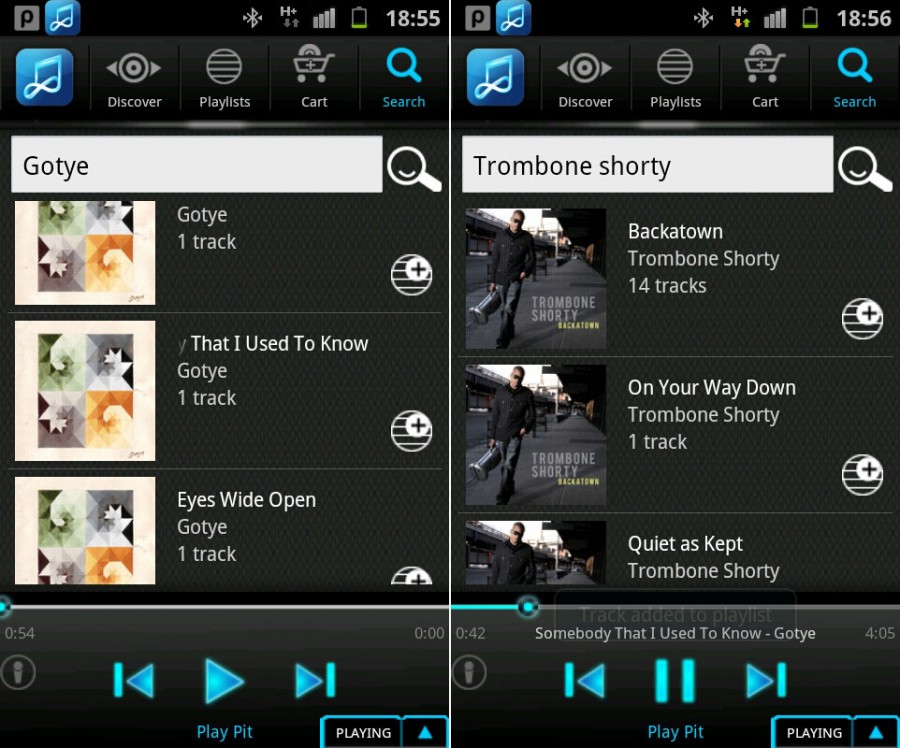
You can search via artists, albums, songs, playlists, similar artists and a lot more!
The radio slider that has been integrated into the app can be used to move forward and backward through sings and more importantly to create your own playlist.
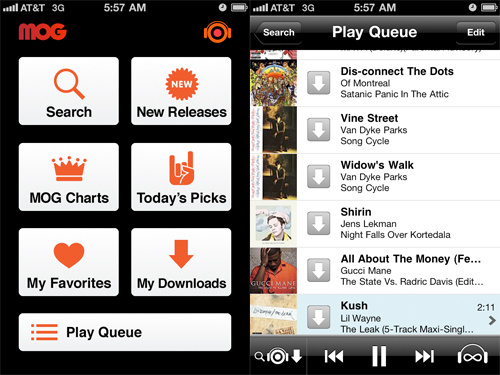
Through the MOG Mobile Music app, you can also directly download the song for you to listen to the sings online!
In the browse category, you have options like:
- Just for you
- My Favourites
- New releases
- Editors pick
- Today’s radio picks
- Featured playlists
The songs within the lists are presented in an easy to navigate format with album art to the left and the song name and the artist’s name to the right.
The today’s radio picks are segregated song wise and genres of each of them are reflected through the songs. Another great search feature is the way how you can search for albums, artists and individual songs through ‘playlists’.
Search in the playlist category for songs and it will give you a list of playlists that have that song/album/artist in it! It’s a nice way to search for similar sort of music.
The developers of the MOG Mobile Music Android app have successfully been able to position their app at the top in Google Play Store, and this app as a consequence won’t be let down! Try it out!
The Samsung Music Hub is basically like any other music hub on paper; however, it has more than its fair share of unique features that set it apart from the conventional ones beloved by ideal music lovers. If you like your music and don’t have enough space to store it, here’s the perfect solution for you. The app costs you $10.99 a month which is a steep premium, but it makes up by providing you a few things.
The service is a cloud music service, so all the music isn’t stored on your internal or external memory data card but instead stored on cloud space that is provided by Samsung. It allows you to store 100 GB worth of music at a stretch which makes this service ideal for those who like to hoard music but don’t want to buy an expensive memory card to store it on their phone. Plus the advantage of cloud over physical memory is that cloud can be accessed from different platforms even when your device isn’t with you by simply logging in while the physical memory is disadvantaged in that area. The app is expected to be better than both Pandora and Slackerradio.
The Samsung Music Hub interface is exceptionally user-friendly. Huge icons with different colour backgrounds and symbols are easily locatable at the home screen. Due to its color distinction by way of marking tabs, you can access it on the go or in low visibility areas or in a hurry. This makes the app perfect for on-the-run music listeners as well as those who are listening to music in the dark.
It includes the basic tabs like Settings, Help and About, but also newer things under its functionality tabs like MyMusic, which is your own personal music library selected out of the many songs provided in the second tab which is Catalog. So basically through the Catalog you can surf, find what you want and if you feel you want to keep the song, you can add it to MyMusic.
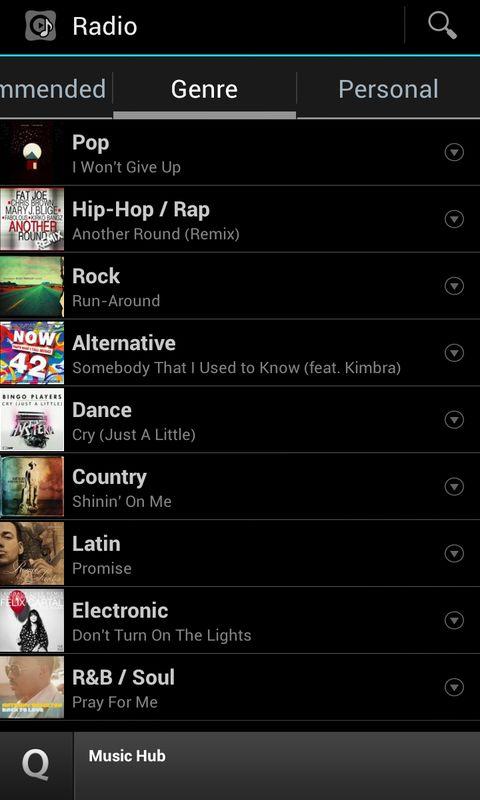
Another new feature is the Radio feature which allows you to stream music from different genre and general radios. Even search and play specific songs. The Samsung Music Hub is basically a music streaming locker service. The scan and match locker service as well as its catalog are bigger than Spotify, a popular similar service.
Samsung Music Hub also offers lyric support, so when you want to read the lyrics of the song you listen to you can. The service has the massive advantage of being advertisement free, which is a big relief. But for the price you’re paying, you shouldn’t expect anything less.
The cloud storage is accessible from 3 different devices at the same time, so you can sync it and use it on multiple devices. As it’s a cloud service, even if these devices are not in the same geographical location, it still works without any hiccups. So your music is always with you, irrespective of where you and your device are located.
It allows you to upload and download while listening to something else. This is good because when connections are slow uploading or downloading can take extremely long and sometimes it’s frustrating to just wait around for downloads to finish. The Samsung Music Hub app gives customised recommendations based on your music preferences as you use it often and it begins to recognize your taste.