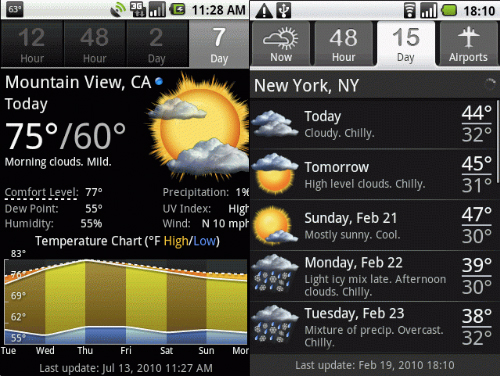
Android is home to dozens of different weather apps. There isn’t a clear winner in the weather app category, so we’ve decided to list all of the best weather apps available today. Without further ado, here are some of the best Android weather apps you could possibly download.
GO Weather
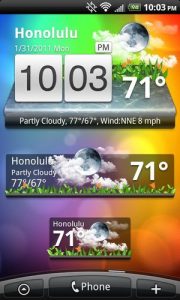
The GO line of apps is extremely popular among Android users. One of the best apps in the suite of GO tools is called GO Weather. It delivers weather information in a clear, easy-to-read way, and it even comes with a live wallpaper app that will use your Android’s desktop to display the latest weather related information. We also like GO Weather due to its extensive customization options.
The Animated Weather Widget is more than just a weather widget – it’s also a clock! And, even better, the widget can easily be displayed on your desktop. It will show the weather forecast for the next few days as well as the highs, lows, and current temperatures for the day. The app also shows the chance of precipitation in percentages, the UV rating, and wind levels.
Oh, and one of the best parts about this app is that it shows animated weather information for your city. The weather effects are realistic and fun to look at, and if you don’t want to view animations, then you can easily disable them. Here’s a video showcasing the animations:
https://www.youtube.com/watch?v=KY9qkmzbBy4&feature=player_embedded#!
My Cast Weather
My Cast Weather’s sleek interface fits in well with most Android devices. It also shows weather trends over the past 24H, current conditions, and all of the other information you’d expect to find in a weather app.
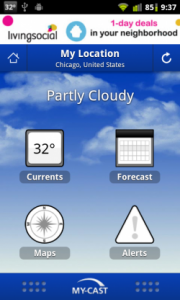
My Cast Weather has other unique features as well, like the ability to share weather to Facebook or Twitter (woohoo!) or track tropical storms. Sure, you might never use these features in your life, but they’re there if you need them.
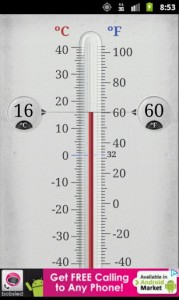
If you like seeing the homely comfort of a thermometer when you check the temperature outside, then the Thermometer weather app will do that for you. Thermometer is one of the most accurate temperature apps out there and it will tell you the outside temperature to the nearest tenth of a degree.
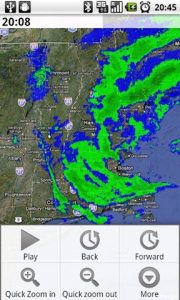
If you live in a rainy climate, then you know the jacket you’re wearing in the morning might not be the jacket you want to wear when it’s raining in the afternoon. To help prevent your lovely clothes from becoming soaked, download the Rainy Days app, which integrates with Google Maps and provides a rain radar in your area. This app isn’t very deep or complex, but it is certainly useful and fast.
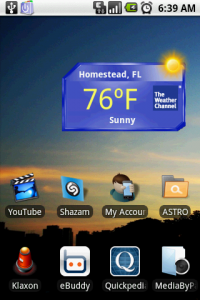
If you’re looking for accurate weather reporting from world-class meteorologists, then The Weather Channel app can help. Using the Weather Channel App, you can view accurate forecast information, hour-to-hour weather reports, and all sorts of other information. The interface might not be as minimalistic as some of the other weather apps listed here, but it’s a great way to browse through weather listings around your local area.
Conclusion
Ultimately, I like to choose my weather apps based on how they look. Most weather apps output the same weather information, so unless you need to know accurate temperature patterns to the nearest tenth of a degree, then you really can’t go wrong with any of the selections we’ve listed above.