The thing is that I love being unique. I like to think that I am different. I know all of us feel the same way, and it is true to a certain extent - we all are different. And since we live today as technologically empowered citizens of a digital era, showing one’s uniqueness has been never been easier. Today, everything can be customized. From our cars to our private jets, and obviously, our smartphones. But wanting your things to be different and knowing how to make your things different are two separate things. You might know what you want but you would not know how to achieve it.
It could also be that you do not have enough time to customize your stuff yourself. I do not know about the cars and the private jets but I do know the solution to your smart phone customization problem -
Buzz Launcher.
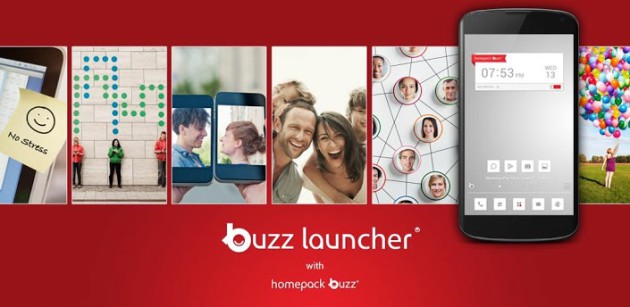
![N5gE40u.jpg]() Buzz Launcher
Buzz Launcher was recently recognized as the best Personalization App for the Best App Ever Awards and the Best of Best Brand Identity for the Red Dot Awards. It is a highly customizable launcher that enables you to apply shared Home-screens to your own smartphone.
Buzz Launcher is an ad-free custom launcher that has more than 650,000+ free themes (the largest number of free themes among launchers).
It can be downloaded for free after which you can apply, customize, share and even create home screens. It is packed with beautiful features, including:
• Customize so much more than just your wallpaper or theme.
• Change between multiple smooth, fast, and easy Transition effects.
- View all Home packs in a glance.
- Apply new home screens at a touch of a button, instantly!
• Personalize your home screen with robust icon, wallpaper editing features.
• Download and implement completely free home screens within 5 seconds!
• Share home screens with a single touch via Facebook, Twitter, and Google+!
• Explore unique widget features such as clock, date, and battery.
• Create your own customized widget using Buzz Custom Widget (Free)!
- Show your Home packs to your friends.
This home screen app is a game changer because it allows you to browse through the Home pack Buzz service for dashing designs made by other users. When you find something you like, just download it to get that look on your Android. The themes that use third-party widgets and apps not installed on your device will prompt you to get those services. In essence, Home pack Buzz is a forum to create and share themes that anyone can use — perfect for those who are not great at customizing, but like their phone to have a unique look among friends.
The customization of through this app is one of the best because it can import settings from Apex, LauncherPro and Nova. It also has gesture support: home key, swipe up/down, double tap, long press, two-finger swipes. A single screen as well as multiple screens can be customized with this app.
Thus, as soon as you download
Buzz Launcher, you phone will become a cooler place to hang out!