If you have ever taken the time to read through the
Google Play Store’s terms of service, then you know that paid apps generally only have a 15 minute refund period. So if you download a paid app and try it out, then you’d better head back to the Google Play Store listing quickly to hit the ‘Refund’ button.
But what happens if you’re stupid enough to download the world’s most expensive Android app accidentally? The Google Play Store has a $200 limit on apps. And you would think that the price limit would be reserved for high-tech financial apps, premium software packages, or an app that immediately connects you with a lawyer on retainer.
But unfortunately, those aren’t the kind of apps priced in the $200 range. Instead, one $200 app is nothing more than a vuvuzela sound. That’s right: you might be browsing your Android, looking for a South African horn to celebrate the latest soccer match, only to stumble
upon this gem.
The story of the $200 vuvuzela app
So what happens when you’re drunk at a bar, watching soccer, and accidentally pay $200 for the world’s stupidest app? Well, if the fifteen minute period has already passed, then don’t drown your sorrows in beer.
One guy from AndroidCentral.com was in a similar situation and he waited 30 hours before requesting his refund.
https://www.youtube.com/watch?feature=player_embedded&v=FOWCpkqerr4#at=172
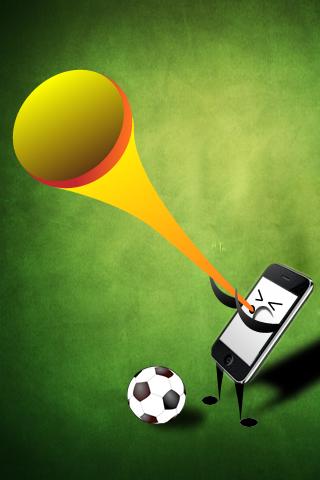
As you can see from that video, the app is ridiculously dumb. You shake it to make a vuvuzela sound and tap it to make an announcer scream at you. To make matters worse, it’s an obvious iOS port because the smartphone holding the vuvuzela is actually an iPhone.
But the worst part about that app is that between 50 and 100 people have downloaded it. That means the developer has made between $10,000 to $20,000 on an app that couldn’t have taken more than a few hours to make.
The 15 minute refund
Getting a 15 minute refund is easy. You download an app, realize that it’s not very good, and then head back to its Google Play Store listing. You’ll see a little ‘Refund’ button where the ‘Download’ button normally is. Simply click that and you’ll instantly get your money back and the app will be deleted from your Android.
The 48 hour refund
Apparently, you have up to 48 hours to request a refund for apps that you’ve purchased. Here’s how to get that refund:
Step 1) Open your Google Play Account page at
https://play.google.com/store/account
Step 2) Look for the
Options column and click the
Report a problem button on whichever app you want refunded
Step 3) You’ll see a dropdown menu on that app’s page. Drag the menu down and click on the
I’d like to request a refund link
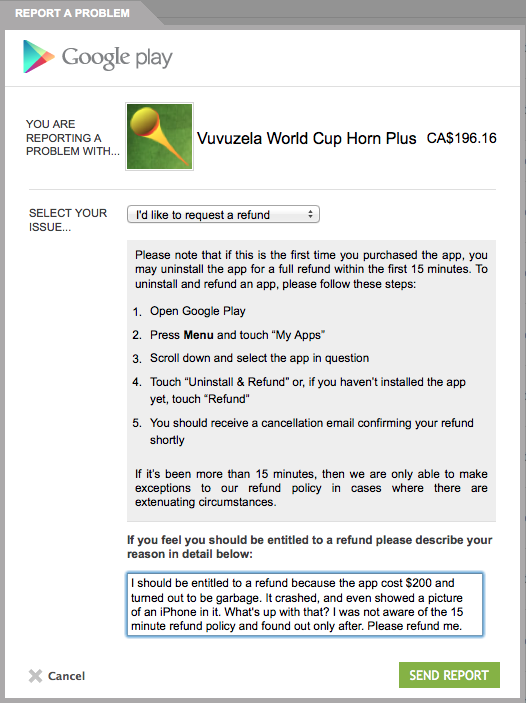
Step 4) Tell Google why you want a refund and then submit the report
Unfortunately, you aren’t guaranteed to receive your refund. Google explains that refunds are only granted in “extenuating circumstances.” So we don’t recommend paying
$200 for a stupid vuvuzela app unless you’re willing to flush $200 down the drain.