The rise in global connectivity and travel convenience has helped ignite the spirit of adventure in millions of tourists around the world who love planning yearly vacations to exciting new places they have always dreamed of going to. Unfortunately, the unfamiliarity of new places can be rather overwhelming for tourists along with the language and cultural barriers they may encounter on their visit.
This makes it nearly impossible for someone to travel freely in a relaxed way without hiring a tour guide to dictate your travel plans in the city you are visiting. Luckily, the
TripAdvisor app for Android is one of the most prominent and efficient virtual tour guides available that lets you plan your trip to match every need of yours without any professional supervision required.
The features packed into the TripAdvisor app cater to every essential travel need you can possibly think of with the help of a massive database and efficient filters to fetch you the exact info you want.
TripAdvisor is an Android app that consists of million landmark listings, photos, reviews and maps. It banks on the feedback of fellow travelers to create an informed and empowered community of tourists who can collectively get the best possible experience from their trips.
The greatest and perhaps most widely-used feature of the TripAdvisor app is that of the ease it offers in giving a comprehensive analysis of the lowest fares and the cheapest hotels and flights, restaurants and activities you can partake in.
To summarize the core features of the excellent TripAdvisor app, here’s a comprehensive list to help you out:
- Explore food types by restaurant types, cuisine, rate, price for two, and user ratings.
- Discover all the cool things you can do at any destination with all the descriptions at each location.
- Tripadvisor studies your location via GPS and tells you the best places around you to dine at, the essential places to visit and even hotels to stay. This is accessed by pressing the “Near Me’ option while you are roaming about in a particular location.
- A universal forum of people exists where you can post queries and get answers to all your questions.
- You can add your own reviews as well for others to see.
- The community increases and is a chain reaction with people reading, researching, visiting and reviewing different places.
- There is a separate ‘Things to do’ tab to ensure you never get bored when you are in the area.
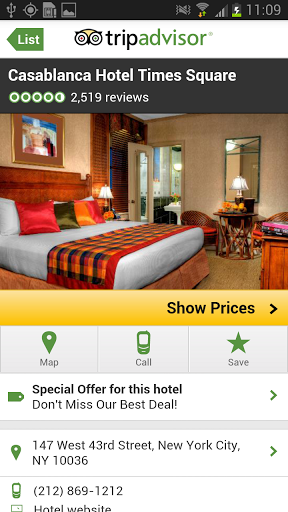
- On choosing a particular restaurant or hotel listing for seeing a review, you can see the number of reviews, the prices, a map showing you how to get there, whom to call for assistance, etc. You can also check out special deals offered by the places you are considering.
- Location-wise details are also available for all the above parameters too and these could be categorised city-wise and town-wise. For example – You can see hotels, restaurants, flights to and from specific destinations, and things to do in those places.
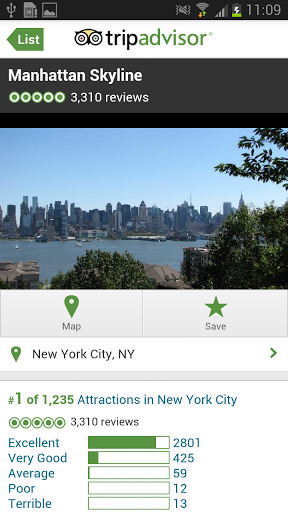
- Within the city as well you have tourist attractions with reviews and a map to it. For example – the Manhattan Sky line.
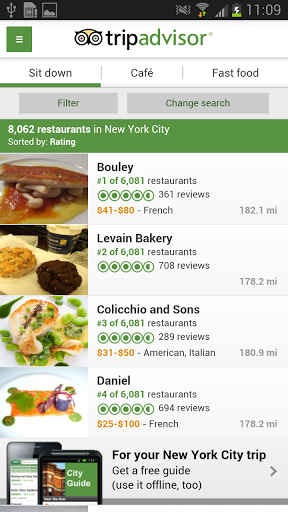
- Within main categories too you have sub categories that offer more diverse sub-categories such as Open Terrace, Fast Food, Café, etc. to help cater exactly to your preferences.
- This will give you a detailed list that you can filter on the basis of multiple headings like ratings, reviews, price, number of restaurants in the list, etc.
- A very easy-to-access booking/reservation tab is also available for certain places, and all of this can be done with a simple click of a button on your Android device.